// n8n integration

HTML to PDF

All nodes are available on both n8n Cloud and self-hosted n8n and require you to install the CustomJS community package. See Installation.

The HTML to PDF node allows you to generate PDF files from HTML using n8n. Unlike raw text-based PDFs, using HTML and CSS allows for beautifully formatted documents, including tables, colors, and branding.
HTML to PDF node
HTML to PDF node

Generate a PDF from HTML

The first step in your workflow is setting up a Webhook node that will receive incoming data (e.g., invoice details, reports, or dynamic content).

You can optionally set a custom PDF page size using:

  • pdfWidthMm (number)
  • pdfHeightMm (number)

If you omit both, the default is A4 (210×297mm).

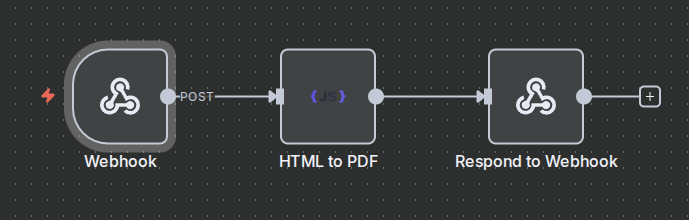
  1. Open a n8n workflow and add a Webhook node.
  2. Set the method to POST to accept dynamic HTML data.
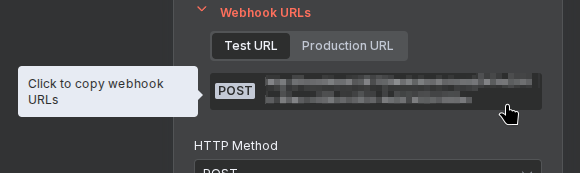
  3. Copy the Webhook URL to test sending requests.
    Webhook URL
    Webhook URL
  4. Add the HTML to PDF (customJS) node to the workflow.
  5. In the HTML Input field, insert your dynamic HTML content. Example:
    
    <h1>Invoice</h1>
    <p>Customer: {{ $json.customer }}</p>
    <p>Amount: ${{ $json.amount }}</p>
    
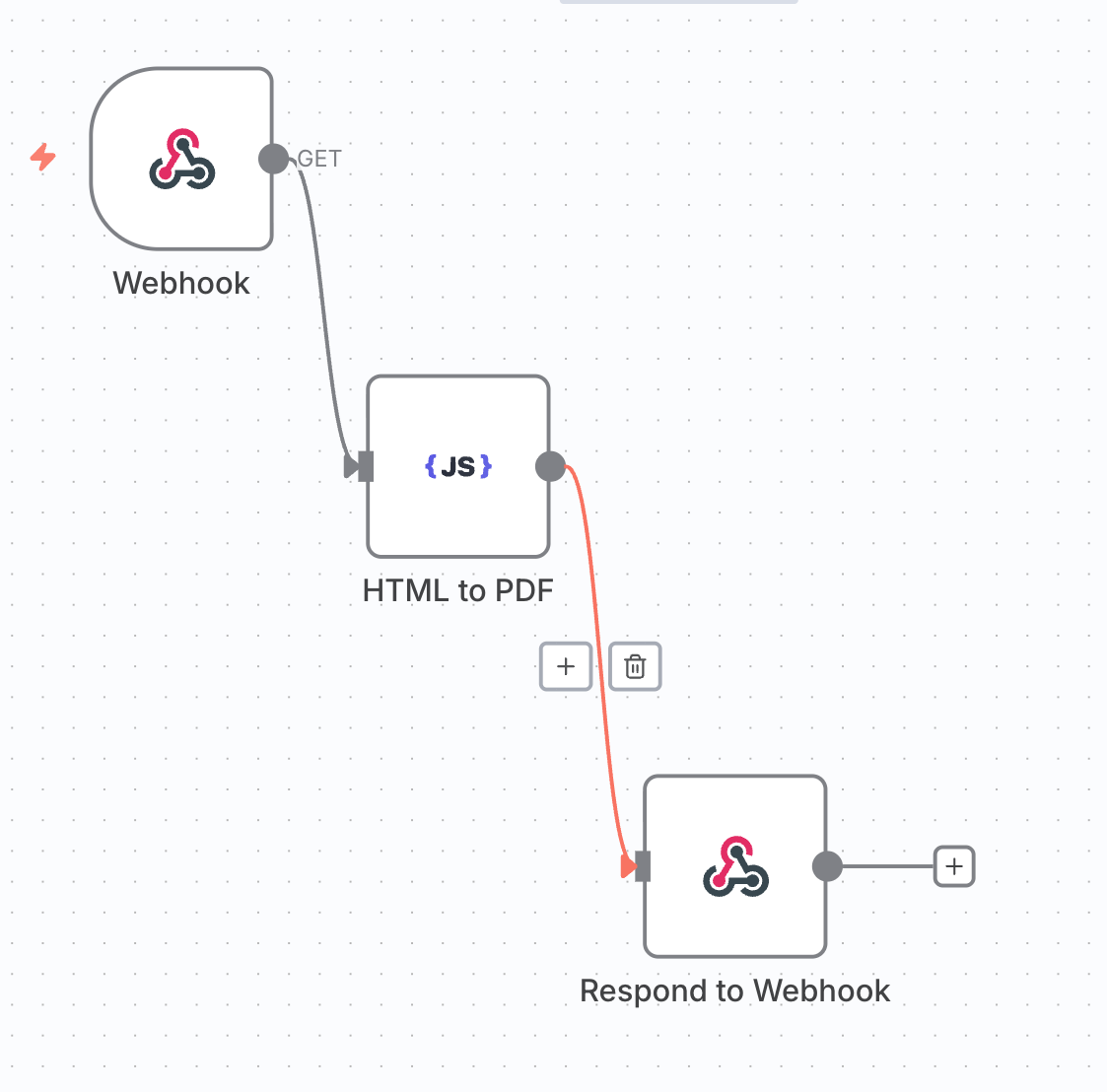
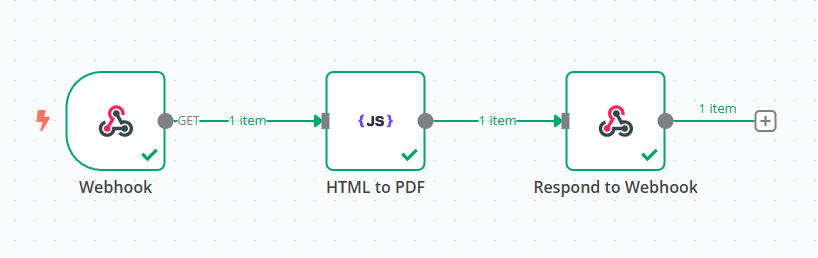
  6. Connect the output of HTML to PDF (customJS) to the Respond to Webhook node.
    Webhook Flow
    Webhook Flow
  7. Configure it to return the generated binary PDF file.
  8. Test the webhook with a sample request to receive the PDF.

Advanced PDF Features

📦 Using External JavaScript Libraries (QR Codes)

You can use external JavaScript libraries like QRCode.js in your PDF templates. When using ES Modules, wrap your import in a module script tag:

<script type="module">
  import QRCode from 'https://cdn.jsdelivr.net/npm/[email protected]/+esm';

  // Generate QR code
  const qrDataUrl = await QRCode.toDataURL('https://example.com', {
    width: 150,
    margin: 1
  });

  // Set the image source
  document.getElementById('qr').src = qrDataUrl;
</script>

<img id="qr" alt="QR Code" />

→ Read the complete QR Code guide

⏱️ Async Rendering with window.__RENDER_DONE__

When using asynchronous JavaScript (QR codes, charts, API calls), you must signal when your content is ready by setting window.__RENDER_DONE__ = true. The PDF generator waits for this flag before capturing the page.

<script type="module">
  import QRCode from 'https://cdn.jsdelivr.net/npm/[email protected]/+esm';

  // Initialize as false
  window.__RENDER_DONE__ = false;

  async function generateQR() {
    // Your async operations
    const qrDataUrl = await QRCode.toDataURL('https://example.com');
    document.getElementById('qr').src = qrDataUrl;

    // Signal that rendering is complete
    window.__RENDER_DONE__ = true;
  }

  // Start generation
  if (document.readyState === 'loading') {
    document.addEventListener('DOMContentLoaded', generateQR);
  } else {
    generateQR();
  }
</script>

⚠️ Important: Without setting window.__RENDER_DONE__ = true, your PDF may be blank or incomplete because the generator won't wait for async operations to finish!

n8n workflow template: Convert HTML to PDF and return via Webhook

This workflow template:

  1. Accepts HTML input via a POST request.
  2. Converts HTML to PDF using CustomJS's PDF toolkit.
  3. Sends the PDF back to the original webhook requester.
Use this template
n8n pdf node
n8n pdf node

Example use case: Generating an invoice PDF

Imagine you have an online store, and you need to generate invoices automatically whenever an order is placed. Here's how n8n can handle it:

  1. The Webhook receives order details via API.
  2. The HTML template dynamically fills in the customer’s name, items, and total price.
  3. The HTML to PDF node converts this into a professional invoice.
  4. The PDF is returned or emailed to the customer.

Related Articles

Continue reading on similar topics

Make.com PDF Generation: Complete Guide 2025
·Guide

Make.com PDF Generation: Complete Guide 2025

Learn how to automate PDF generation in Make.com with CustomJS. Step-by-step guide with templates for invoices, HTML to PDF, and page extraction. 600 free PDFs/month.
makepdfautomation
PDF Generation in Power Automate: Complete Guide 2025
·Guide

PDF Generation in Power Automate: Complete Guide 2025

Generate professional PDFs in Power Automate with CustomJS. Create invoices, receipts, reports, and certificates with custom HTML templates, QR codes, and advanced formatting. No Azure Functions required.

power-automatepdfhtml-to-pdf