JSON to TOON Converter
The JSON to TOON Converter module allows you to seamlessly transform data between JSON and TOON formats within your Make.com scenarios.
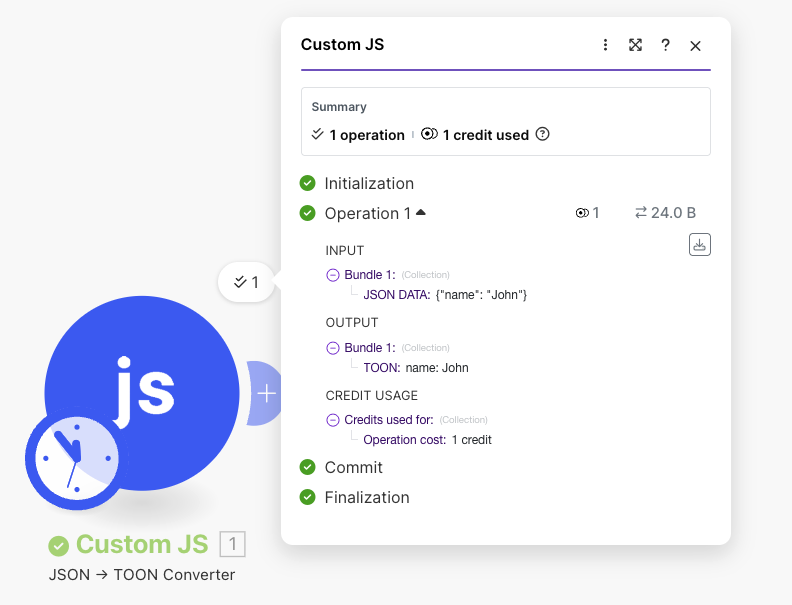
What is TOON?
TOON (Text Object Oriented Notation) is a human-readable data format that provides an alternative to JSON with enhanced readability and flexibility for certain use cases.
Read more about TOON.
TOON Optimization for AI Workflows
Using JSON to TOON and TOON to JSON conversion can reduce AI tokenization by 40% to 60% when working with language models.
Token & Speed Optimization
By passing TOON instead of JSON to AI prompts, you can:
- Save tokens: TOON's compact syntax uses fewer characters than JSON (no quotes around keys, cleaner structure)
- Reduce costs: Fewer tokens mean lower API costs for AI services like OpenAI, Claude, or other LLMs
- Faster processing: Less data to parse means quicker AI response times
- Better readability: AI models can interpret the cleaner format more efficiently
Example comparison:
JSON (125 characters):
{"user":"John","role":"admin","permissions":["read","write","delete"],"active":true}
TOON (85 characters):
user: John
role: admin
permissions: [read, write, delete]
active: true
This workflow pattern is especially valuable when sending large datasets to AI models or when making frequent API calls where token optimization directly impacts your costs.
How it works
The JSON to TOON Converter module provides bidirectional conversion:
- JSON to TOON: Convert JSON data into TOON format
- TOON to JSON: Parse TOON format back into JSON
Module Fields
| Field | Description | How to use it |
|---|---|---|
| Connection | Links the module to the CustomJS service | Select or create a connection using your API key |
| Conversion Direction | Choose the conversion type | Select either "JSON to TOON" or "TOON to JSON" |
| Input Data | The data to be converted | Provide JSON string or TOON string depending on conversion direction |
| Return Type | Format of the output | Choose "Text" for TOON output or "Object" for JSON output |
Converting JSON to TOON
Example
Input (JSON):
{
  "name": "John Doe",
  "age": 30,
  "email": "[email protected]",
  "address": {
    "street": "123 Main St",
    "city": "New York"
  }
}
Output (TOON):
name: John Doe
age: 30
email: [email protected]
address:
  street: 123 Main St
  city: New York
Use Cases
- Human-readable configuration files: Convert JSON configs to TOON for easier manual editing
- Data export: Generate TOON format for systems that prefer this notation
- Logging and debugging: Create more readable log outputs
Converting TOON to JSON
Example
Input (TOON):
product: Laptop
price: 999.99
specs:
  ram: 16GB
  storage: 512GB SSD
  processor: Intel i7
Output (JSON):
{
  "product": "Laptop",
  "price": 999.99,
  "specs": {
    "ram": "16GB",
    "storage": "512GB SSD",
    "processor": "Intel i7"
  }
}
Use Cases
- Parse TOON configurations: Convert TOON config files into JSON for processing
- Data integration: Transform TOON data from external sources into JSON for your workflow
- API compatibility: Convert TOON format to JSON for API requests
Related Resources
- Inline JavaScript - Execute custom JavaScript code
- Using JSON for Complex Data - Working with JSON in Make
- Make Collections - Converting Make collections to JSON