// make.com module
Execute inline JavaScript in Make.com
When a Make scenario hits the limits of built-in functions, drop in the CustomJS module, write plain JavaScript, and return the result to the next module. Data transformation, date math, JSON cleanup, API calls, all in one step.
- 600
- free executions / month
- 60 s
- runtime per execution
- 40+
- NPM modules built in
- 0
- servers to maintain
// live playground
Write it here, then paste it into Make
The two fields below are the two fields of the module: your code and the input it receives. Paste what Make hands over, run the code, and see exactly what the next module would get back.
// Everything from the Input field arrives as "input"
const firstName = (input.firstName || '').trim();
const lastName = (input.lastName || '').trim();

if (!firstName || !lastName) {
  return { error: 'firstName and lastName are required' };
}

return firstName + ' ' + lastName;{
"firstName": "{{1.firstName}}",
"lastName": "{{1.lastName}}"
}sample values from the previous modules
Make replaces each tag with the mapped value as text before the module runs. Change a value to see what your code gets.
what your code sees
Click Run JavaScript to see what Make gets back.
Nothing to install and no account needed. Snippets that require() an NPM module are executed on our servers, the same environment your Make module uses.
Paste from Make
Copy a bundle from the run inspector in Make and paste it into the Input field. The module input is unwrapped for you, several bundles run one after another.
Map it like in Make
Write {{1.email}} in the Input field and give each tag a sample value. Below the field you see what your code really receives, including numbers that arrive as text.
Read the return type
The badge above the output tells you which Return Type to select in the module for this result.
// the module
Four fields, one step in your scenario
Add CustomJS to a scenario and pick Execute Inline JavaScript. The module has four fields. Fill them in once and the step behaves like any other Make module.
| Field | What it does | How to fill it |
|---|---|---|
| Connection | Links the module to your CustomJS account. | Create it once with your API key, then reuse it in every scenario. |
| Input | The data your code receives as input. | Plain text, or a valid JSON string for several values. Collections need Transform to JSON first. |
| JavaScript code | The script CustomJS executes on our servers. | Modern JavaScript, async allowed. Must end in a return. |
| Return Type | How Make interprets the value you return. | Text, Object, Array or Binary, matching your return value. |
Highlighted rows are the fields you touch on every run.
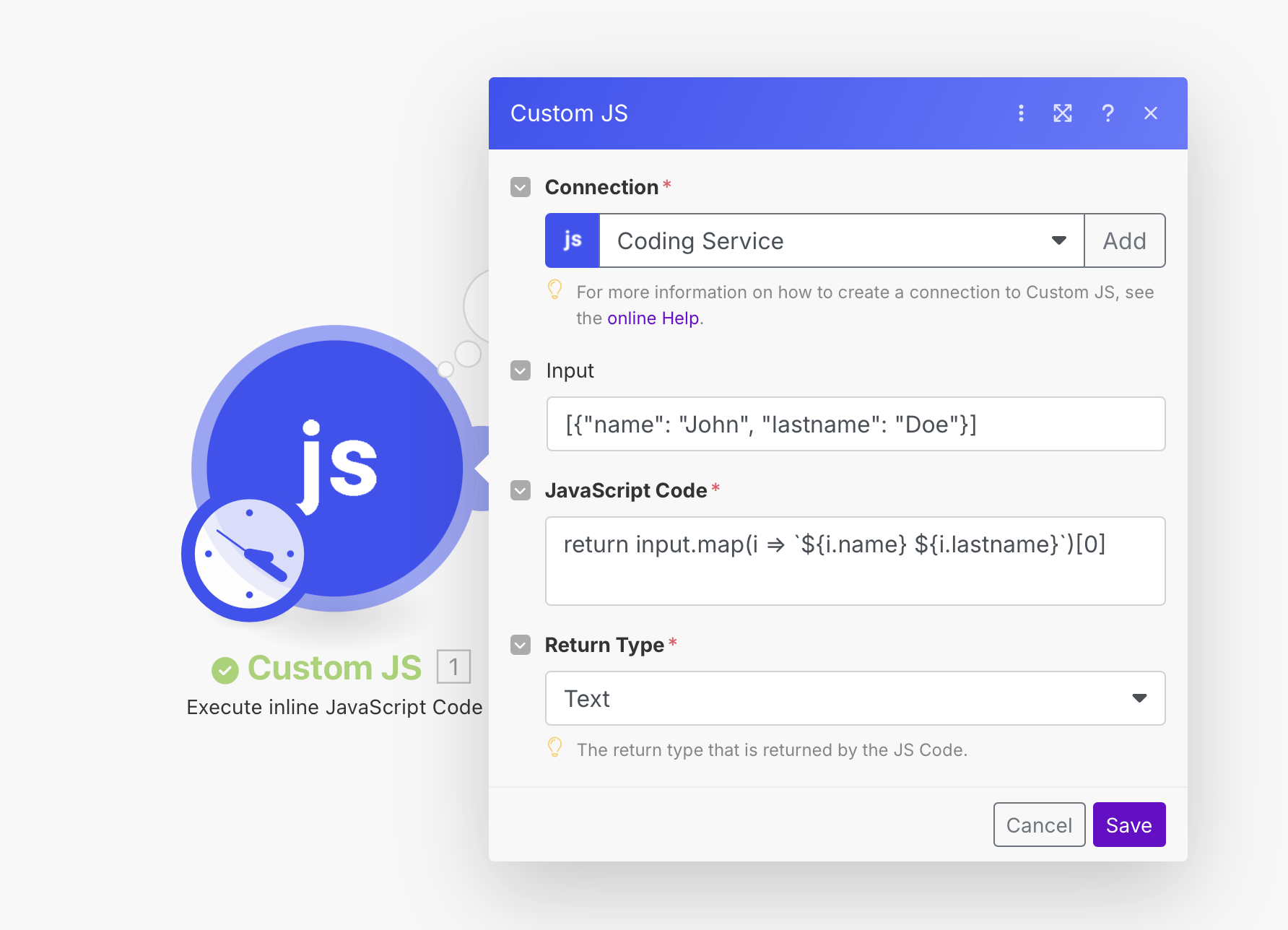
The module in a running Make scenario
// input
Everything you map in arrives as input
Whatever you put in the Input field is handed to your code as input. Map Make variables into it like in any other module.
One value or many
A single value shows up as a plain string. For more than one value, send a valid JSON string. It is parsed for you, so you can read input.customer.email straight away.
- Structure several variables as one JSON object for clarity
- Guard against missing fields before you read them
- Numbers arrive as text from many Make modules, so cast them
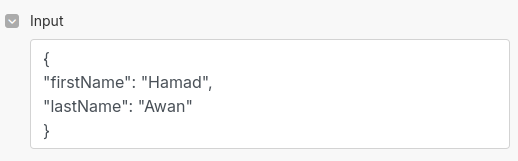
Input field in Make
{
  "customer": {
    "name": "Jon Doe",
    "email": "[email protected]"
  },
  "amount": "1240.50",
  "currency": "EUR"
}
Reading it in your code
// JSON arrives as a real object
const email = input.customer?.email;
const amount = Number(input.amount);

if (!email || Number.isNaN(amount)) {
  return {
    status: 'error',
    message: 'Email or amount missing'
  };
}

return {
  status: 'ok',
  email: email.toLowerCase(),
  total: (amount * 1.19).toFixed(2),
  currency: input.currency || 'EUR'
};
Passing a Make collection
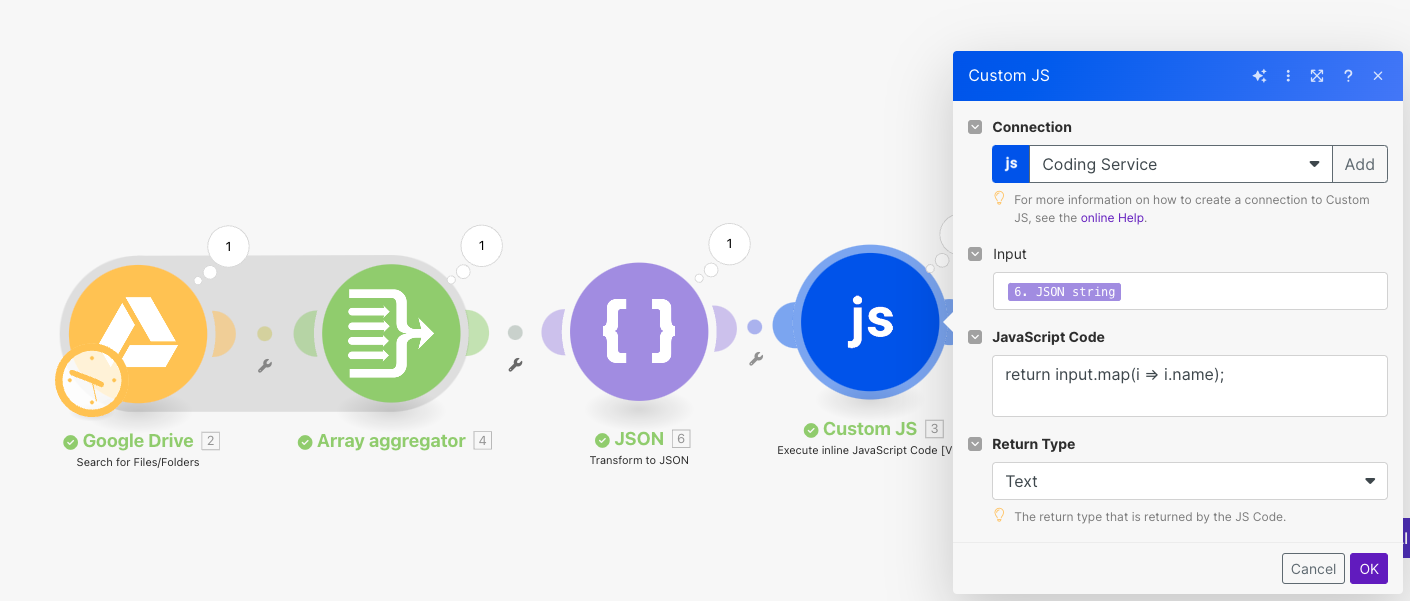
Make collections and arrays are not JSON strings. Put a Transform to JSON module in front of CustomJS and map its output into the Input field. Your code then receives a real object.
// return type
Tell Make what shape comes back
The Return Type field decides how Make treats your output. Pick the one that matches what your return statement produces, otherwise mapping in the next module gets messy.
| Return Type | Your code returns | Use it for |
|---|---|---|
| Text | A string, number or boolean | IDs, formatted dates, messages, single values |
| Object | An object with named keys | Several fields you want to map individually |
| Array | An array of values or objects | Lists you iterate with a Make repeater |
| Binary | A Buffer or byte array | Files: PDFs, images, archives |
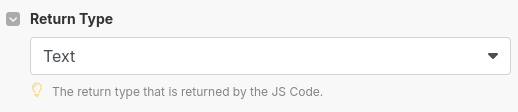
The playground above shows the matching Return Type for whatever your snippet returns. Run your code, read the badge, pick the same value in Make.
// return statement
No return, no output
This is the single most common support question. Your code has to hand a value back with return. Without it the script still runs, but Make receives nothing and the next module has nothing to map.
Make receives nothing
const { firstName, lastName } = input;
const name = firstName + ' ' + lastName;

// no return, so Make gets nothing
The value never leaves the script. The following module gets an empty output and often fails.
Make receives the value
const { firstName, lastName } = input;
const name = firstName + ' ' + lastName;

return name;
Make gets "Jon Doe" and every later module can map it.
Three habits that keep scenarios stable
Return early when the input is not what you expect
Stop the script the moment a required field is missing. You get a readable message instead of a red scenario.
Crashes on missing data
const email = input.email.toLowerCase();

return { email };
If input.email is undefined the module throws and the whole scenario stops.
Fails with a clear message
if (!input.email) {
  return {
    status: 'error',
    message: 'Email is required'
  };
}

return {
  status: 'ok',
  email: input.email.toLowerCase()
};
Make receives a normal output and a router can send it down an error branch.
Always return the same shape
Mapping in Make is built once. When the keys change between runs, the mapping breaks with undefined values.
Two different shapes
if (input.success) {
  return input.data;
}

return 'Processing failed';
The next module sometimes sees an object and sometimes a string.
One predictable shape
const ok = Boolean(input.success);

return {
  status: ok ? 'success' : 'error',
  data: ok ? input.data : null,
  message: ok ? 'Completed' : 'Processing failed'
};
Every run delivers the same three keys, so the mapping always resolves.
Await async work before returning
HTTP requests, database calls and helpers are asynchronous. Return the resolved value, never the Promise.
Returns a pending Promise
return fetch(input.url).then(res => res.json());Make gets an empty or unusable output because nothing waited for the result.
Returns the data
const response = await fetch(input.url);
const data = await response.json();

return { statusCode: response.status, data };
The resolved JSON plus the status code land in Make, ready to map.
The code field itself
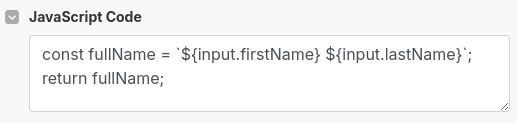
Write normal modern JavaScript. const, template strings, optional chaining, async and await all work. Comments are fine on their own lines. If a snippet behaves oddly right after you pasted it out of a chat tool, delete the comments first, since invisible characters tend to travel along with them.
// recipes
More than plain JavaScript
Inside the module your code runs on our servers, so it can reach the network and load NPM modules with require. These snippets go straight into the code field.
Call any HTTP API
axios is built in, so authenticated requests with custom headers are a two-liner.
const axios = require('axios').default;

const { data } = await axios.post(
  'https://api.example.com/leads',
  input,
  { headers: { Authorization: input.token } }
);

return data;Sign tokens and hashes
JWT, HMAC signatures and certificates for APIs that no-code tools cannot authenticate against.
const jwt = require('jsonwebtoken');

const token = jwt.sign(
  { sub: input.userId, scope: 'read:orders' },
  input.secret,
  { expiresIn: '1h' }
);

return { token };Generate a PDF
The HTML2PDF helper renders HTML in real Chromium and returns the file as binary.
const { HTML2PDF } = require('./utils');

const html = '<h1>Invoice ' + input.id + '</h1>';

// Return Type in the module: Binary
return HTML2PDF(html);Reshape lists and build CSV
Map, filter, group and turn the result into a CSV file without a single extra module.
const converter = require('json-2-csv');

const rows = input.orders
  .filter(order => order.status === 'paid')
  .map(order => ({
    id: order.id,
    total: order.qty * order.price
  }));

return await converter.json2csv(rows);Work with dates and timezones
moment handles business days, timezones and formats that Make functions struggle with.
const moment = require('moment');

const due = moment(input.date).add(14, 'days');

return {
  dueDate: due.format('YYYY-MM-DD'),
  isWeekend: [0, 6].includes(due.day())
};Scrape a page
cheerio parses HTML server side, so you can pull values out of a page in the same step.
const cheerio = require('cheerio');
const axios = require('axios').default;

const res = await axios.get(input.url);
const $ = cheerio.load(res.data);

return { title: $('h1').first().text() };Inline or stored?
Inline is perfect while the logic is small and lives with the scenario. Once a script grows, gets reused across scenarios, or wants a proper editor and version history, save it once and call it by ID with the Execute Stored Function module.
Inline JavaScript
Quick transformations, scenario-specific logic, nothing to maintain elsewhere.
Stored function
Long scripts, shared logic, dynamic parameters, versioning in the CustomJS editor.
// troubleshooting
If something looks wrong
Almost every issue with the module comes down to one of these five. Reproduce the snippet in the playground above, and the error message tells you which one you hit.
| Symptom | Cause | Fix |
|---|---|---|
| The next module gets nothing | No return in the code, or a branch that ends without one. | Return a value on every path, including the error path. |
| Output is empty although the code works | An asynchronous call was not awaited, so a Promise was returned. | Put await in front of the call and return the resolved value. |
| Cannot read properties of undefined | A field you read does not exist in the mapped input. | Guard with if (!input.field) or optional chaining. |
| input is a string, not an object | The Input field held plain text or an unparsable JSON string. | Send valid JSON, or run Transform to JSON before the module. |
| Mapping shows the wrong structure | The Return Type does not match the returned value. | Match the type: Object for objects, Array for lists, Text for single values. |
Still stuck? The troubleshooting guide goes deeper, or write to [email protected].
// ship it
Ready to run it in your own scenario?
Create a free key, add the CustomJS connection to Make, and paste the snippet you just tested. The same code also runs as a plain curl call if you prefer the HTTP API.
curl -X POST https://e.customjs.io/__js1- \
  -H "x-api-key: YOUR_API_KEY" \
  -d '{
    "input": "{\"name\":\"Jon\"}",
    "code": "return input.name"
  }'
600 free executions / month · no credit card
// keep reading
Related documentation
Execute Stored Functions
Save a script once and call it by ID with dynamic parameters.
Basic Input
How mapped Make variables reach your code.
JSON for complex data
Send nested structures into a single Input field.
Make collections to JSON
Convert collections and arrays before the module.
Response types
Text, Object, Array and Binary explained per use case.
Make credits and pricing
What an execution costs in Make operations and in CustomJS.