// make.com integration

Extract Pages

Easily split a PDF into individual pages or extract a specific range—all with just a few inputs.

Extract Pages
Extract Pages

How it works

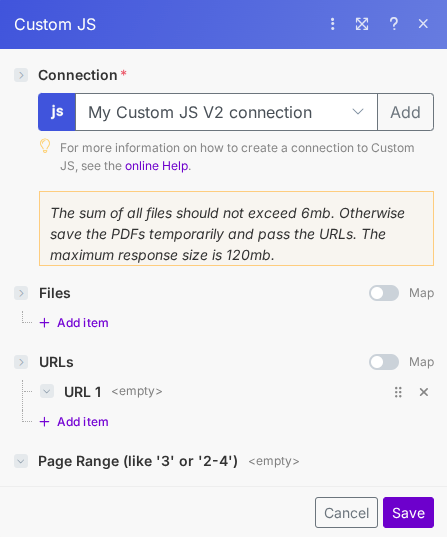
This module supports three input types: Files, URLs, and Page Range.

  • Files: Upload PDFs generated from other modules. Keep in mind the total file size must not exceed 6MB. If your files are larger, consider hosting them temporarily and using the URLs field instead.
  • URLs: Provide direct links to online PDFs for processing.
  • Page Range: Specify which pages to extract. If left blank, the module will split the entire document into single-page PDFs.

The maximum response size is 120MB, so plan your extraction accordingly.

Related Articles

Continue reading on similar topics

PDF Generation in Power Automate: Complete Guide 2025
·Guide

PDF Generation in Power Automate: Complete Guide 2025

Generate professional PDFs in Power Automate with CustomJS. Create invoices, receipts, reports, and certificates with custom HTML templates, QR codes, and advanced formatting. No Azure Functions required.

power-automatepdfhtml-to-pdf