npm Packages in Make: What You Can Use on Which Plan
Updated November 2026
Make's own Code app gives you three JavaScript packages (moment, moment-timezone and lodash) on Core, Pro and Teams, and lets you import other npm packages only on Enterprise. The CustomJS module for Make gives you more than 40 preinstalled npm packages, from cheerio and pdf-lib to jsonwebtoken and axios, on every plan, including the free one.
This guide lists who gets what, then walks through the packages by job (dates, data, HTML, files, crypto, HTTP, vendor SDKs) with a short working example for each, so you can paste the one you need into the Execute Inline JavaScript module and move on. The Make facts were checked on apps.make.com/code in October 2026.
TL;DR
Make Code app below Enterprise: moment, moment-timezone, lodash. Python: pendulum, toolz, requests. Nothing else. Not available on Make's Free plan at all.
Make Enterprise: the same three plus custom imports (Make's docs name axios, zod, otplib and luxon as examples).
CustomJS: more than 40 packages preinstalled on every plan, loaded with a plain require() at the top of the script. No package.json, no install step.
If moment and lodash cover your task and you are on a paid Make plan, the Code app is the right tool. This article says so again further down.
Need a package that is not on the list? Ask through the contact address on the npm modules page; the runtime is shared, so it is added for everyone.
Which npm packages can I use in Make, on which plan?
Five situations, one row each. Make figures are from apps.make.com/code and Make's pricing page as of October 2026; CustomJS figures are our plan limits on the same date.
Plan
JavaScript packages
Add your own?
Timeout
Cost per run
Make Free
None. The Code app is not offered on the Free plan.
No
n/a
n/a
Make Core, Pro, Teams
moment, moment-timezone, lodash
No
30 s
2 credits per second of runtime
Make Enterprise
The same three, plus custom imports added in the module's Advanced settings
1 Make credit, 600 requests per month (20 per day), $0
CustomJS Pro and up
Same list
On request
60 s
1 Make credit, 100 / 500 / 5,000 requests per day at $9 / $29 / $99 per month
Two things the table does not show. First, Make's Code app runs inside Make with no second vendor, which is a real advantage when the three bundled packages are enough. Second, "on request" for CustomJS means an email, not a self-service install: the runtime is shared, so a new package is installed once and then available to every workspace.
How do I load an npm package in the CustomJS module?
With require(), the same way you would in a Node.js file. Every package on the list is already installed on the CustomJS servers, so there is no package.json, no npm install, and no version field to fill in. The script runs in Node.js with async/await, fetch, Buffer and the built-in crypto module available without any require at all.
Here is a complete example that uses two packages at once: moment-timezone to show order times in the shop's local timezone and json-2-csv to turn the result into a file the next module can attach to an email. Put this bundle in the Input field (a mapped Make collection should go through the JSON app's Transform to JSON module first):
The run takes about 120 ms on the CustomJS side; the median inline script across all customers takes 121 ms. Make bills it as one operation, and the typeof input === "string" line is there because a single mapped value arrives as a string while a valid JSON string is parsed for you.
How do I convert dates between timezones? (moment-timezone)
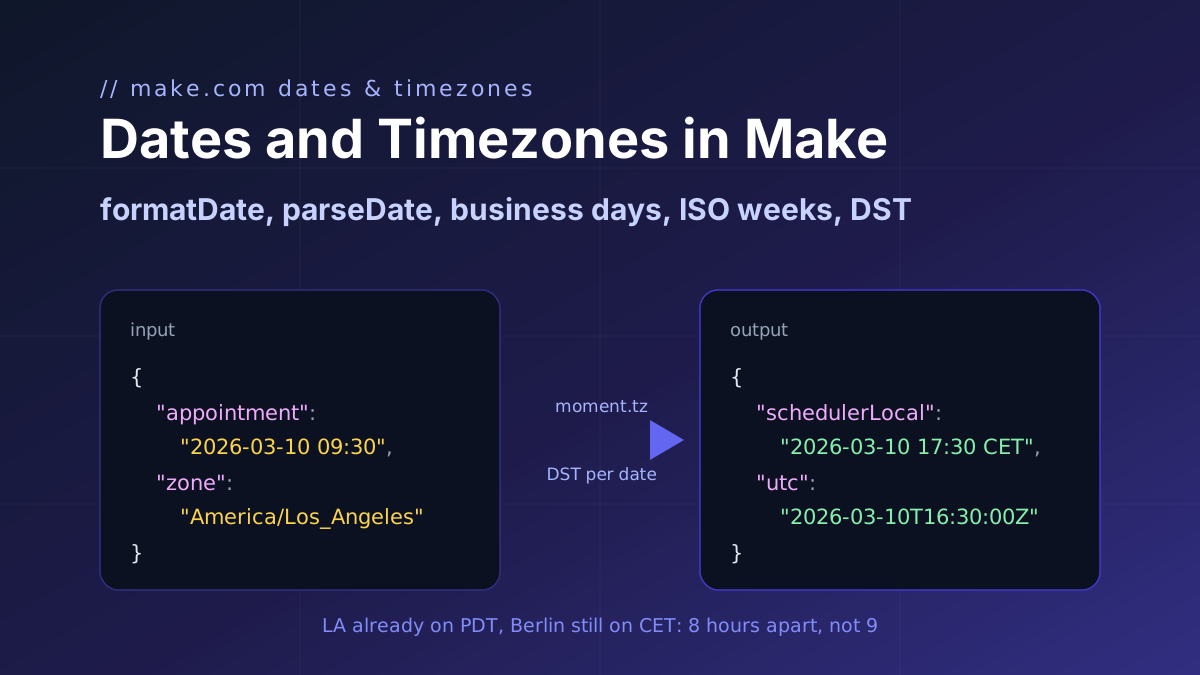
Make's formatDate takes a timezone argument, and for a single conversion it is enough. Reach for moment-timezone when the input zone and the output zone both come from data, when you need the offset as a number, or when daylight saving rules matter and you want the IANA database to handle them.
moment-timezone is one of the three packages Make's Code app bundles, so this logic also runs there on a paid Make plan. The no-code alternative is the Format Date & Convert Timezone module.
How do I group, filter and calculate without lodash? (mathjs, jsonpath-plus)
lodash is not on the CustomJS list, and for most of what people use it for you do not need it. groupBy, uniq, sumBy and sortBy are a reduce, a Set, and the array methods Node has had since 2015:
For three orders from two customers this returns {"totals":[{"customer":"Acme","orders":2,"total":165},{"customer":"Globex","orders":1,"total":80.5}],"uniqueSkus":["A-100","B-200"]}. The Group & Aggregate Array module does the same grouping without code, and the group-and-sum guide covers the Iterator-free pattern in depth.
Two packages that do earn their place. mathjs evaluates a formula supplied as a string, which means the pricing rule can live in a data store instead of in the scenario:
const math = require('mathjs');
const{ formula, vars } = typeofinput === "string" ? JSON.parse(input) : input;
// formula is a string such as "price * qty * (1 - discount) * 1.19"const result = math.evaluate(formula, vars);
return{ result: math.round(result, 2)};
With {"formula":"price * qty * (1 - discount) * 1.19","vars":{"price":49.9,"qty":3,"discount":0.1}} the result is {"result":160.33}. jsonpath-plus pulls values out of deep, irregular JSON (a webhook payload from a system you do not control) with one path expression instead of a chain of get() calls:
For an invoices array with INV-7 (paid, 120), INV-8 (open, 80) and INV-9 (paid, 45.5) this returns {"paidIds":["INV-7","INV-9"],"sum":245.5}. Statistics beyond sum and average (median, percentiles, regression) are covered in the statistics guide with simple-statistics and fraction.js.
How do I parse HTML or render a template? (cheerio, nunjucks)
Make's Text Parser can match one regular expression against HTML. The moment the page has a table, nested tags or attributes you care about, regex stops being reliable and cheerio (jQuery-style selectors on the server) takes over. This reads a supplier's price table:
const cheerio = require('cheerio');
const $ = cheerio.load(input); // input is the HTML stringconst rows = $("tr").has("td").map((i, tr)=>{const cells = $(tr).find("td");
return{
item: cells.eq(0).text().trim(),
price: Number(cells.eq(1).text().replace(/[^0-9.]/g, ""))};
}).get();
return rows;
Given <table><tr><th>Item</th><th>Price</th></tr><tr><td>Desk lamp</td><td>$39.00</td></tr><tr><td>Cable, 2 m</td><td>$7.50</td></tr></table> as input and Return Type Array, Make receives two bundles: {"item":"Desk lamp","price":39} and {"item":"Cable, 2 m","price":7.5}.
The other direction, data into HTML, is nunjucks. Loops and conditionals inside a template are hard to express with Make's text functions; in nunjucks they are a for block. Values are HTML-escaped by default, so a customer name containing < does not break the page:
const nunjucks = require('nunjucks');
const data = typeofinput === "string" ? JSON.parse(input) : input;
const template = `<h2>Quote {{ number }}</h2>
<ul>
{% for line in lines %} <li>{{ line.name }}: {{ line.qty }} x {{ line.price }} EUR</li>
{% endfor %}</ul>
<p>Valid until {{ validUntil }}</p>`;
return nunjucks.renderString(template, data);
The returned HTML string is what you feed into the HTML to PDF module or an email module in the next step.
Use our Make App to execute JavaScript directly in Make.
pdf-lib creates PDFs from drawing commands and, more usefully, opens existing PDFs to fill form fields, merge documents or stamp a page. It does not render HTML; for an invoice designed in HTML and CSS use the HTML to PDF module instead. Return Type Binary expects an object with data (base64), mime and filename, and Make then treats the output as a file:
Input {"number":"R-2041","lines":[{"name":"Consulting, 2 h","amount":240},{"name":"Travel","amount":35.6}]} produces a one-page A4 PDF named receipt-R-2041.pdf. To open a PDF that arrived from a previous module, pass its base64 in the input and call PDFDocument.load(Buffer.from(input.pdf, "base64")). The base64 and Buffer guide explains how files move in and out of the module.
How do I sign, hash or verify tokens? (crypto-js, jsonwebtoken, jose, jsrsasign)
Make has sha256, md5 and base64 as built-in functions, and the HTTP module can do OAuth. What it does not do is produce or check a JSON Web Token, or verify a webhook signature with a compare that is not a plain string equality. Pass the secret in through the Input field, mapped from a Make variable, rather than typing it into the code.
Verifying a webhook's HMAC-SHA256 signature with crypto-js (Node's built-in crypto.createHmac does the same without a require):
const CryptoJS = require('crypto-js');
const{ payload, secret, signature } = typeofinput === "string" ? JSON.parse(input) : input;
// payload is the raw request body as a string, exactly as it was receivedconst expected = CryptoJS.HmacSHA256(payload, secret).toString(CryptoJS.enc.Hex);
return{ valid: expected === signature, expected };
Issuing a short-lived JWT for a customer portal link with jsonwebtoken:
jose covers the asymmetric side: verifying an RS256 or ES256 token against a provider's JWKS endpoint (jose.createRemoteJWKSet plus jose.jwtVerify) and encrypting payloads. jsrsasign signs with PEM keys and is the one to use when an API hands you a private key file and a signing recipe written for it. For Google APIs specifically, google-auth-library (below) already does the service-account JWT dance for you.
How do I call an API that has no Make module? (axios, node-fetch, form-data)
Make's HTTP module handles a single request well. Code wins when the call needs a loop (pagination until an empty page), a retry with backoff, or a transformation on the response in the same operation. axios is the shortest way to write that:
The global fetch is also available, and node-fetch exists for scripts written against its API; the three behave the same for ordinary JSON calls. form-data is for the case the HTTP module makes awkward: a multipart upload where the file comes from an earlier module as base64.
A vendor SDK saves you the auth header, the base URL and the pagination format. Make already has modules for most of these services, so the SDK is for the operation the module does not expose, or for combining a lookup with a transformation in one step.
Package
Typical use in a scenario
Entry point
openai
Classify or extract from text, with the response parsed in the same step
new OpenAI({ apiKey })
@hubspot/api-client
Batch reads and writes, associations, endpoints the Make module lacks
new hubspot.Client({ accessToken })
pipedrive
Deals, products and custom fields in one call; the client setup differs between major versions, so test a small call first
require('pipedrive')
airtable
Filtered reads returning a clean array, bulk updates
new Airtable({ apiKey }).base(id)
firebase-admin
Firestore reads and writes, custom auth tokens
firebaseAdmin.initializeApp(...)
google-auth-library
Service-account access tokens for any Google API (with @googleapis/drive and @googleapis/docs also installed)
new GoogleAuth({ credentials, scopes })
aws-sdk
S3 uploads and presigned URLs, SES, DynamoDB (v2 API)
new AWS.S3({ region, credentials })
One example, Airtable: fetch every lead that matches a formula and return only the fields the next module needs, as one array, for one operation.
With Return Type Array each element becomes a bundle. Make's own Airtable module can run the same search; the difference is that the reshaping happens here instead of in an Iterator plus a Set Variable per record.
How do I request a package that is not on the list?
The full list is maintained at /integration/make/npm-modules, which also lists the contact address for additions. Say which package and what for; a package that solves a general problem is usually added to the shared runtime, and because the runtime is shared it then works for every workspace, free or paid. What the list deliberately does not include is packages that need native binaries or a headless browser; for screenshots and HTML rendering CustomJS has separate modules so those jobs do not need a package at all.
Pin nothing. Since the packages are preinstalled, a script that worked yesterday keeps working; updates are rolled out to the runtime, not to your code, and breaking major-version upgrades are avoided for that reason.
When Make's built-in is enough
Do not add a code step for these. They cost one operation each in Make and nothing to maintain.
A single date format or timezone conversion.formatDate(date; "YYYY-MM-DD"; "Europe/Berlin") and addDays are built in and documented at make.com/en/help/functions.
Sum, average, min, max or count of one array. The Numeric Aggregator does one of them per module; sum() and map() in the mapping panel do the simple cases inline.
Splitting, replacing, trimming and base64.split, replace, base64 and toBinary cover most string work without a module.
One HTTP request with a known response shape. The HTTP module, with "Parse response" on, is simpler than axios for a single call.
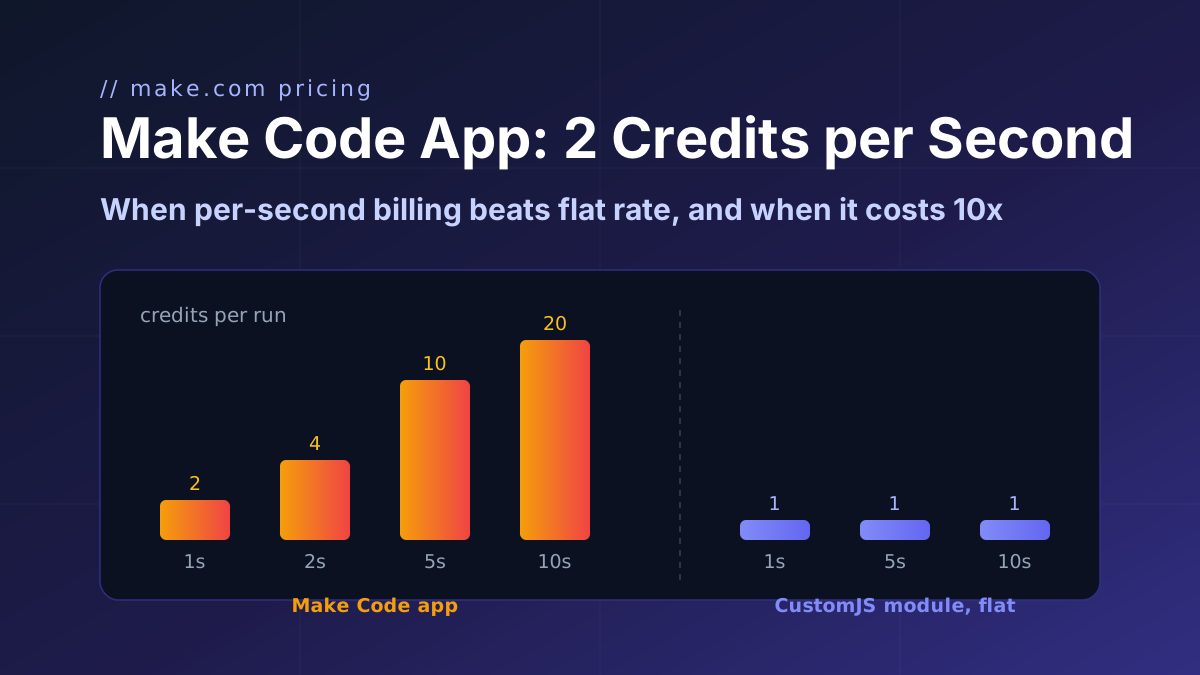
You are on a paid Make plan, your task fits moment or lodash, and the script finishes in under about 2 seconds. Make's Code app is then the cheaper home for it at 2 credits per run with no second vendor. The Code app pricing guide has the break-even math.
A Make module already exists for the API operation. HubSpot, Pipedrive, Airtable and Google modules cover the common calls; use the SDK only for what they do not expose.
The honest summary: the three packages Make bundles cover dates and array utilities, and Make's functions cover more than people expect. Reach for the CustomJS list when the task needs HTML parsing, a PDF, a signed token, a vendor SDK, a multipart upload, or when you are on Make's Free plan and the Code app is not there.
Every snippet above runs on the CustomJS free tier: 600 requests per month, 30 seconds per request, no credit card. Create a workspace, copy the API key into the Make connection, and paste the example closest to your problem.
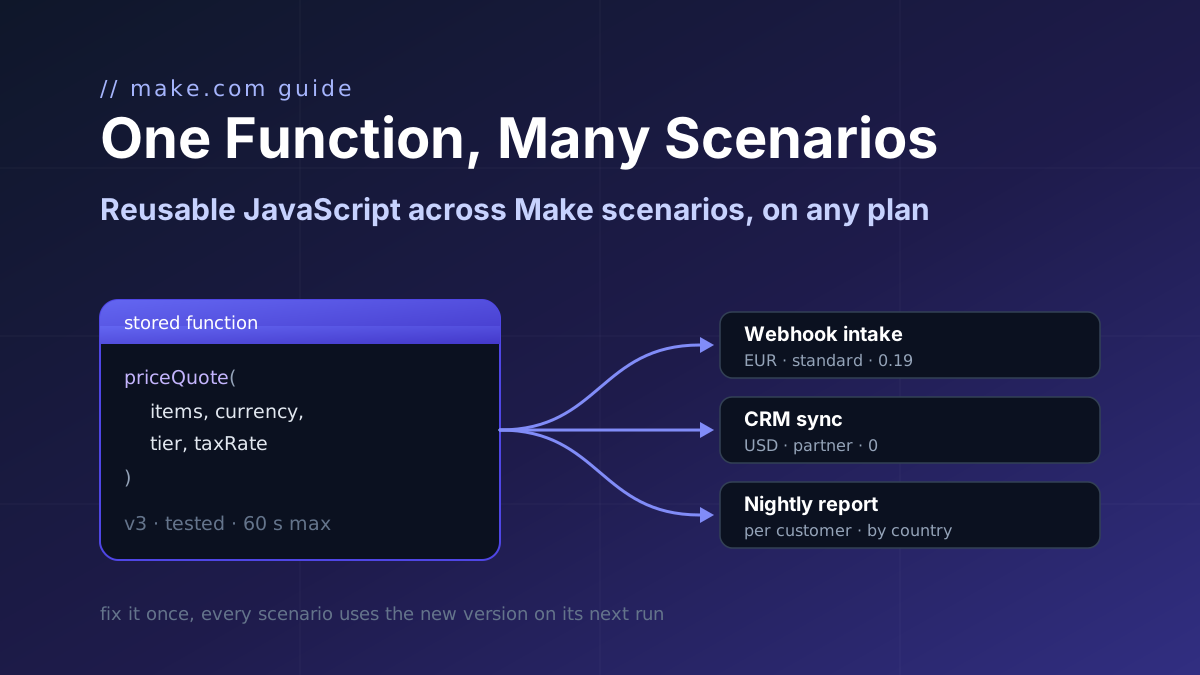
Make's Code app has no shared library and Custom Functions are Enterprise-only. Store one JavaScript function with parameters and call it from a webhook intake, a CRM sync and a nightly report.
Make's Code app bills 2 credits per second, caps at 30 s and ships npm only on Enterprise. CustomJS bills 1 credit per call with npm and stored functions on every plan. Break-even at 1 to 15 s.
What Make's formatDate, parseDate and addDays can do, where they stop, and five short JavaScript scripts for DST-safe conversion, business days, ISO weeks, month and quarter bounds and locale formatting.