·Guide
Statistics and Exact Money Math in Make.com
Median, standard deviation, percentiles, regression and cent-exact money splits in Make.com with one JavaScript step. No Google Sheets detour, copy-paste recipes.
makemake-comstatistics
Updated October 2026
Make's Numeric Aggregator computes exactly one function per module (SUM, AVG, COUNT, MAX or MIN), and it only works on bundles coming out of an Iterator, so every item in your array costs one operation. If you need sum and max per customer, a count of distinct values, or a deduplicated total, the shortest fix is a twelve-line JavaScript step that reads the whole array once, returns the grouped result as one object, and costs one operation no matter how many items go in.
Below: what the native Iterator + Numeric Aggregator chain gives you and where it stops, the twelve lines that replace it, and five copy-paste recipes (group by and sum, max and min per group, count distinct, dedupe before aggregating, top N). All Make facts were checked against Make's help center and the Make Academy on October 7, 2026.
The Numeric Aggregator lives in Make's Tools app. Its fields are Source Module (the Iterator or search module that produces the bundles), Aggregate function, Value (the mapped number to aggregate) and, under advanced settings, Group by and "Stop processing after an empty aggregation". The Aggregate function dropdown has five entries, per the Make Academy course on aggregators (checked October 7, 2026): AVG, SUM, COUNT, MAX and MIN. You pick one.
That single choice is the limitation. There is no "SUM and MAX" option, no second Value field, and no way to express "count the distinct customers". Make's aggregator documentation does describe a Group by field on all aggregators: a formula is evaluated per incoming bundle, and the module "outputs one bundle per each distinct formula's value", each with a Key and the result. So "max order per customer" is possible natively. What you get back, though, is three separate bundles for three customers, so every module after the aggregator runs three times, and turning those bundles into one array for a single Google Sheets write needs yet another Array Aggregator behind it.
In one pass, the native module cannot give you more than one metric, a count of distinct values, a deduplicated sum, the item that produced the max, or a sorted top-N list. Each is either a second full pass over the bundles or not available at all.
Take six orders from a webhook or an HTTP module. This is the dataset used in every example on this page:
[
  { "id": "A-1001", "status": "paid", "total": 19.90,
    "customer": { "name": "Acme GmbH", "country": "DE" } },
  { "id": "A-1002", "status": "open", "total": 249.00,
    "customer": { "name": "Beta Logistics", "country": "AT" } },
  { "id": "A-1003", "status": "paid", "total": 99.50,
    "customer": { "name": "Acme GmbH", "country": "DE" } },
  { "id": "A-1004", "status": "refunded", "total": 12.00,
    "customer": { "name": "Cafe Nord", "country": "DE" } },
  { "id": "A-1005", "status": "paid", "total": 64.00,
    "customer": { "name": "Acme GmbH", "country": "DE" } },
  { "id": "A-1006", "status": "paid", "total": 130.00,
    "customer": { "name": "Beta Logistics", "country": "AT" } }
]
The native build is Iterator (array in, six bundles out) followed by Numeric Aggregator with Source Module = Iterator, Aggregate function = SUM, Value = total, Group by = customer.name. Output: three bundles, each carrying a Key ("Acme GmbH", "Beta Logistics", "Cafe Nord") and a Result (183.4, 379, 12). Make's operations documentation states that "each bundle triggers its own module run", so the Iterator runs once and the aggregator runs six times: seven operations for one sum.
Now add the order count per customer and the largest single order. That is a second Numeric Aggregator (COUNT) and a third (MAX), each fed from the same Iterator and each running six more times: nineteen operations, three branches, and three bundle streams you still have to stitch back together by Key. Count distinct statuses per customer is not available at all, because COUNT counts bundles, not unique values.
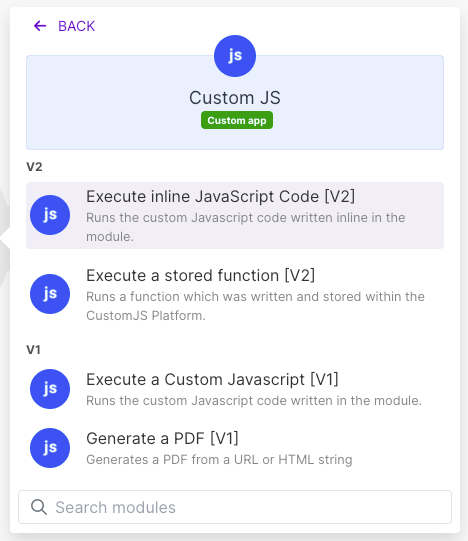
Add the CustomJS Execute Inline JavaScript module directly after the module that produced the array. Map the array into the Input field (if it is a Make collection rather than a JSON string, put Make's Transform to JSON module in front), set Return Type to Object, and paste these twelve lines into JavaScript Code:
const orders = typeof input === "string" ? JSON.parse(input) : input;
const groups = {};
for (const o of orders) {
  const key = o.customer.name;
  const amount = Number(o.total);
  const g = groups[key] || { customer: key, orders: 0, revenue: 0, max: 0 };
  g.orders += 1;
  g.revenue = Math.round((g.revenue + amount) * 100) / 100;
  g.max = Math.max(g.max, amount);
  groups[key] = g;
}
return { groups: Object.values(groups) };
The first line is the only defensive one: a mapped array arrives in the input variable either as a parsed array or as a JSON string, and this handles both. The loop keeps one object per customer and updates count, sum and max in the same pass. The rounding on the revenue line prevents floating-point tails like 183.39999999999998. The return is mandatory: whatever you return becomes the module output.
Output, as the next module sees it in the mapping panel:
{
  "groups": [
    { "customer": "Acme GmbH",      "orders": 3, "revenue": 183.4, "max": 99.5 },
    { "customer": "Beta Logistics", "orders": 2, "revenue": 379,   "max": 249 },
    { "customer": "Cafe Nord",      "orders": 1, "revenue": 12,    "max": 12 }
  ]
}
One module, one operation, one output bundle. The median inline script on our infrastructure finishes in 121 ms; this one, on six items, is well under that. Map groups[] into a Google Sheets "Add rows" module, or feed it into an Iterator if each customer needs its own follow-up action: iterating three groups costs three operations. From our logs, 52% of the inline scripts customers run do exactly this kind of work, a total, a count or an aggregate over an array.
The Iterator itself consumes one operation, and every module behind it runs once per bundle. A Numeric Aggregator therefore costs as many operations as there are items, and every additional metric is another aggregator over the same bundles.
| Array size | One sum (Iterator + Numeric Aggregator) | Sum, count and max (three aggregators) | One JavaScript step |
|---|---|---|---|
| 50 items | about 51 operations | about 151 operations | 1 operation |
| 200 items | about 201 operations | about 601 operations | 1 operation |
| 1,000 items | about 1,001 operations | about 3,001 operations | 1 operation |
The JavaScript step also consumes one request from your CustomJS quota: 600 per month (20 per day) free, 100 per day for $9 per month, 500 per day for $29, 5,000 per day for $99 (pricing). Make bills it as one credit per call however long the code runs; the request timeout is 30 seconds on free and 60 seconds on paid plans. An hourly scenario over a 200-item array is roughly 145,000 operations a month natively for a single sum, versus about 720 with the code step.
Each recipe below is complete. Paste it as-is, change the field names, and keep Return Type on Object (or Array where the script returns a bare array). All of them run on the sample dataset above and were tested in Node.js 20.
Group by country instead of customer, and return average order value next to the sum. Changing the grouping is a matter of editing one line.
const orders = typeof input === "string" ? JSON.parse(input) : input;
const round2 = (n) => Math.round(n * 100) / 100;
const groups = {};
for (const o of orders) {
  const key = o.customer.country;           // change the grouping here
  const g = groups[key] || { country: key, orders: 0, revenue: 0 };
  g.orders += 1;
  g.revenue += Number(o.total);
  groups[key] = g;
}
return Object.values(groups).map((g) => ({
  ...g,
  revenue: round2(g.revenue),
  avgOrderValue: round2(g.revenue / g.orders)
}));
Output: DE with 4 orders, 195.4 revenue and 48.85 average; AT with 2 orders, 379 revenue and 189.5 average. Set Return Type to Array for this one, since it returns the list directly.
The Numeric Aggregator's MAX returns a number and nothing else. In code you can carry the order id along, which is usually what the next step (a lookup, a message) needs.
const orders = typeof input === "string" ? JSON.parse(input) : input;
const groups = {};
for (const o of orders) {
  const key = o.customer.name;
  const amount = Number(o.total);
  const g = groups[key] ||
    { customer: key, min: amount, max: amount, maxOrderId: o.id };
  if (amount < g.min) g.min = amount;
  if (amount > g.max) { g.max = amount; g.maxOrderId = o.id; }
  groups[key] = g;
}
return { groups: Object.values(groups) };
On the sample data Acme GmbH returns min 19.9, max 99.5 and maxOrderId "A-1003"; Beta Logistics returns min 130, max 249, "A-1002".
A Set holds each value once, so its size is the distinct count. This recipe returns the distinct customer count overall, the list of distinct statuses, and distinct customers per country.
const orders = typeof input === "string" ? JSON.parse(input) : input;
const perCountry = {};
for (const o of orders) {
  const key = o.customer.country;
  if (!perCountry[key]) perCountry[key] = new Set();
  perCountry[key].add(o.customer.name);
}
return {
  distinctCustomers: new Set(orders.map((o) => o.customer.name)).size,
  distinctStatuses: [...new Set(orders.map((o) => o.status))],
  customersPerCountry: Object.entries(perCountry).map(([country, set]) => ({
    country,
    distinctCustomers: set.size
  }))
};
Output: 3 distinct customers, statuses ["paid", "open", "refunded"], DE with 2 distinct customers and AT with 1.
Webhook retries and overlapping API pages produce duplicate items that silently inflate a sum, and Make has no "distinct by field" module. This recipe keeps the first occurrence of every id, reports how many it dropped, and parses European decimal strings such as "99,50" and "1.249,00" on the way, since exports from German or Austrian systems often deliver totals as text.
const raw = typeof input === "string" ? JSON.parse(input) : input;

// "99,50" -> 99.5 and "1.249,00" -> 1249; plain numbers pass through
const toNumber = (v) => {
  if (typeof v === "number") return v;
  const s = String(v ?? "").trim();
  const normalized = s.includes(",") ? s.replace(/\./g, "").replace(",", ".") : s;
  const n = parseFloat(normalized.replace(/[^0-9.\-]/g, ""));
  return Number.isNaN(n) ? 0 : n;
};

// keep the first occurrence of every id, drop the rest
const seen = new Set();
const orders = raw.filter((o) => {
  if (seen.has(o.id)) return false;
  seen.add(o.id);
  return true;
});

let revenue = 0;
for (const o of orders) revenue += toNumber(o.total);

return {
  received: raw.length,
  duplicatesRemoved: raw.length - orders.length,
  orderCount: orders.length,
  revenue: Math.round(revenue * 100) / 100
};
Feed it the sample array plus a retried copy of A-1003 with total "99,50" and an extra order A-1007 with total "1.249,00", and it returns received 8, duplicatesRemoved 1, orderCount 7, revenue 1823.4. Returning duplicatesRemoved gives you a health metric to alert on. To dedupe and then group, run this filter first and paste the grouping loop from the main example underneath, reading from orders.
"Top 5 customers by revenue" requires aggregating first and sorting the aggregate second, which natively is a second Iterator pass over the groups. In code it is one sort() on the result you already have.
const orders = typeof input === "string" ? JSON.parse(input) : input;
const TOP_N = 2;
const groups = {};
for (const o of orders) {
  const key = o.customer.name;
  const g = groups[key] || { customer: key, orders: 0, revenue: 0 };
  g.orders += 1;
  g.revenue = Math.round((g.revenue + Number(o.total)) * 100) / 100;
  groups[key] = g;
}
const ranked = Object.values(groups)
  .sort((a, b) => b.revenue - a.revenue)    // highest revenue first
  .map((g, i) => ({ rank: i + 1, ...g }));
return { top: ranked.slice(0, TOP_N), all: ranked };
With TOP_N = 2 the sample data ranks Beta Logistics first (379) and Acme GmbH second (183.4), with Cafe Nord only in all. Flip the comparison to a.revenue - b.revenue for the bottom performers.
Yes. The same CustomJS Make app includes a Group & Aggregate Array module that covers everything on this page from a form: map the array into Items, set Group By Field to a dot path such as customer.name, and add as many aggregations as you need, each with an operation (Sum, Average, Min, Max, Count non-empty, Count distinct, First, Last, Collect values, Join as text), a field path and an output key. A Deduplicate By field removes duplicates before grouping, and Sort groups by orders the result, which covers the top-N case. It tolerates localized numbers like "19,90", costs one operation per call like the inline module, and returns one array of groups plus group count, total items and removed duplicates.
Use the module when the aggregation is standard. Use the inline script when you need something the form does not offer, such as the id of the max order or a condition inside the loop. If several scenarios share the same logic, store it once as an Execute Stored Function and call it by name from each scenario.
Do not add a code step in these cases:
sum(), avg(), max(), min() and length() work inside any field without an Iterator, and map() can pluck one numeric field out of an array of collections first (Make's functions reference, checked October 7, 2026). No group-by there, but a plain total needs none.The switch point is array size times run frequency times number of metrics. Once that reaches thousands of operations per month, the code step stops being a style choice.
n8n needs it less. Its native Summarize node groups by one or more fields ("Fields to Split By") and offers Sum, Average, Min, Max, Count, Count Unique, Concatenate and Append, per n8n's docs (checked October 7, 2026), which covers most of the recipes above for free. For the rest, such as the max-order id or dedupe-then-group, n8n's built-in Code node runs the same JavaScript: replace the first line with const orders = $input.all().map((i) => i.json); and return [{ json: result }]. There is no CustomJS node for n8n; a stored function can be called from n8n's HTTP Request node via the CustomJS REST endpoint. The cost argument does not apply either, since n8n Cloud bills per workflow execution, not per item. See the Make vs Zapier vs n8n comparison for where code fits on each platform.
If your scenario needs more than one function per group, a distinct count, a deduplicated sum or a ranked list, run it as one JavaScript step for one operation. Add the CustomJS app from Make, paste your API key into the connection, and the free plan covers 600 requests a month with no credit card. The math and statistics guide continues from here.
Group and aggregate arrays free, 600 requests per month
Continue reading on similar topics
Median, standard deviation, percentiles, regression and cent-exact money splits in Make.com with one JavaScript step. No Google Sheets detour, copy-paste recipes.
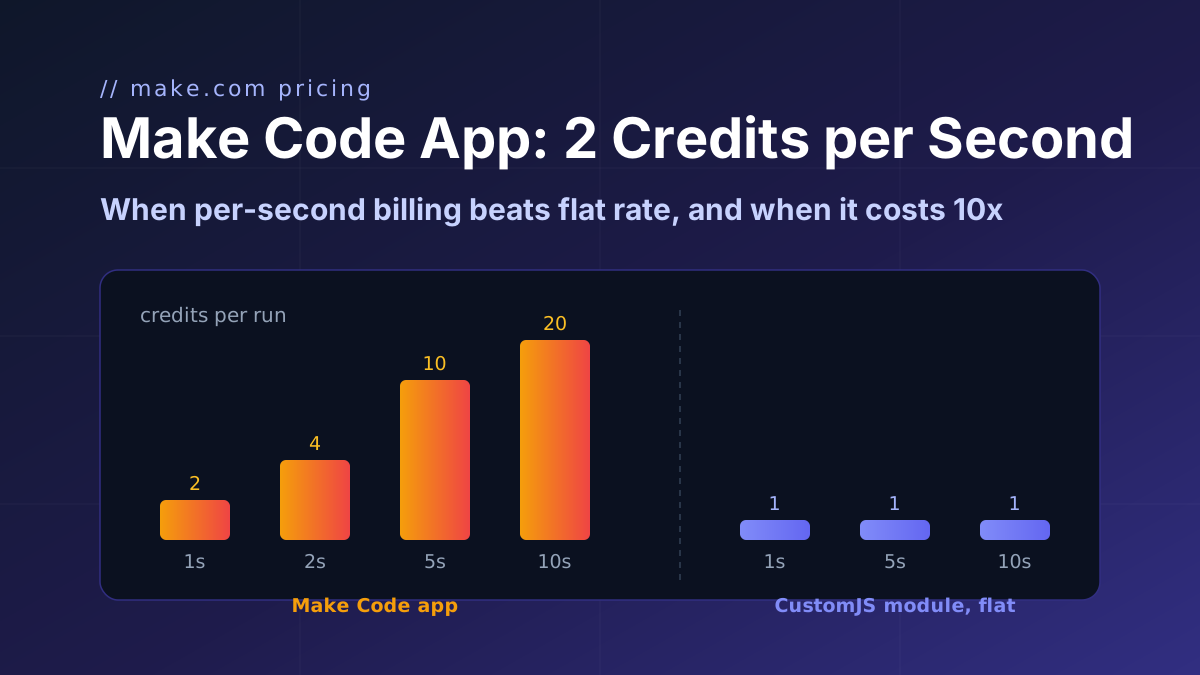
Make's Code app bills 2 credits per second of runtime. Honest break-even math: when that beats a flat 1-credit module, and when it costs 10x more.
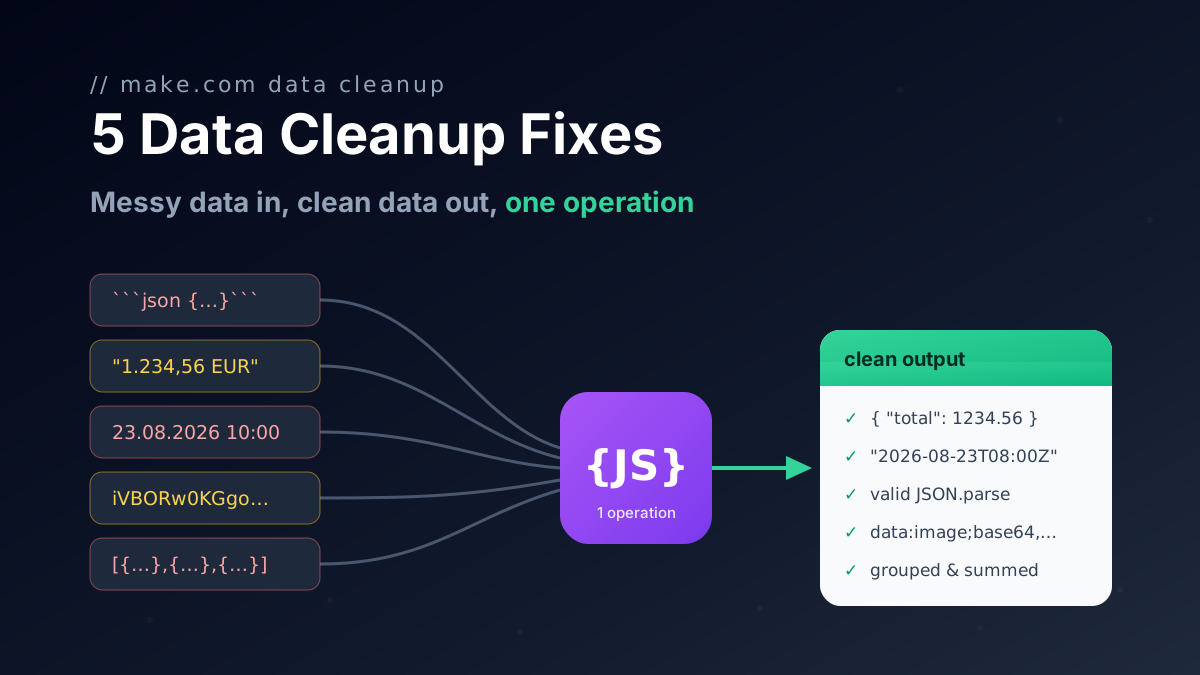
Five one-operation JavaScript fixes for Make.com data transformation: broken AI JSON, group and sum arrays, localized numbers, timezones, file to Base64.