Call Google Apps Script From Make With a Code Step
Updated November 2026
Deploy the Apps Script as a web app with a doPost function, then POST JSON to its /exec URL from a code step with fetch. Google answers with a 302 redirect to a one-time URL that holds the JSON, so the client must follow redirects, which fetch does by default and Make's HTTP module does when "Allow redirects" is Yes.
The example adds a dropdown (data validation rule) to a Google Sheets range. Make's Google Sheets app has no module for that as of October 2026, although it does ship "Add a Conditional Format Rule".
TL;DR
Apps Script side: doPost(e) parses e.postData.contents and returns JSON through ContentService.
Deploy as web app, "Execute as: Me", "Who has access: Anyone". Any other access setting needs a Google OAuth token on the request.
Gotcha 1: the 302 redirect. Gotcha 2: a wrong access setting returns an HTML login page with status 200.
Check a shared secret from Script Properties in doPost. The URL alone is not authentication.
Which Google Workspace actions does Make's native module not cover?
Make's Google Sheets app lists 20 actions (make.com/en/integrations/google-sheets, checked October 2026): rows, cells, ranges, sheets, conditional format rules, and a generic "Make an API Call". Data validation rules are not among them, and the 13 Google Docs modules have no named ranges. Apps Script reaches both through SpreadsheetApp and DocumentApp, under your own Google account, with no API key and no Cloud project.
What does the Apps Script side look like?
Create a script at script.google.com, paste this, and store a random string as SECRET under Project Settings, Script Properties:
Deploy, New deployment, type Web app, "Execute as: Me", "Who has access: Anyone". The deployment ID is the middle part of https://script.google.com/macros/s/<id>/exec. After every code change, create a new version and point the deployment at it; /exec serves the deployed version, not the editor.
How do I call the web app from a Make code step?
Map the values into the Input field as a JSON object (or put Make's Transform to JSON module in front). The secret and the deployment ID come from the Input too, so they are not hard-coded in the blueprint.
const data = typeofinput === "string" ? JSON.parse(input) : input;
const url = "https://script.google.com/macros/s/" + data.deploymentId + "/exec";
// fetch follows the 302 to script.googleusercontent.com by defaultconst res = awaitfetch(url, {
method: "POST",
headers: {"Content-Type": "application/json"},
body: JSON.stringify({
secret: data.secret,
spreadsheetId: data.spreadsheetId,
sheet: data.sheet,
range: data.range,
values: data.values
})});
const text = await res.text();
if(!res.ok)thrownewError("Apps Script " + res.status + ": " + text.slice(0, 200));
let result;
try{
result = JSON.parse(text);
}catch(err){// HTML here means "Who has access" is not set to AnyonethrownewError("Not JSON from Apps Script: " + text.slice(0, 120));
}if(!result.ok)thrownewError("Apps Script error: " + result.error);
return result;
Output, available in the mapping panel of the next module:
{"ok":true,
"range":"F2:F500",
"options":4}
The code itself finishes in the median 121 ms; the rest of the wall time is Google running the script. The CustomJS request timeout is 30 s on the free plan and 60 s on paid plans, so keep the script short even though Apps Script allows six minutes.
Why does the web app answer with a 302, and what do I do about it?
Google's Content Service does not serve your output from script.google.com. The POST runs the script, the response is a 302 to a one-time URL on script.googleusercontent.com, and a GET on that URL returns the JSON (Apps Script docs, checked October 2026). Node's fetch follows by default and switches POST to GET on a 302, which is what Google expects. In Make's HTTP module the switch is "Allow redirects" (Yes, up to 10 hops). With curl use -L and drop -X POST, which would keep POST on the GET-only target and return 405.
Execute as me or as the user, and do I need OAuth?
"Execute as: Me" plus "Who has access: Anyone" is the only combination that works with a plain POST and no Google token. The script runs with your permissions, so the shared secret is what keeps strangers out. "Anyone with Google account" or "Only myself" requires a user's OAuth bearer token, which a server-side code step does not have; Google then returns its HTML login page with status 200 and JSON.parse fails. "Execute as: User accessing the web app" is for browser users who see a consent screen, not for automation.
Use our Make App to execute JavaScript directly in Make.
The Apps Script Execution API (scripts.run) calls any function in a project deployed as "API executable". It needs a standard Cloud project shared by script and caller, the Apps Script API enabled, and a user OAuth token covering every scope the script uses. Google's docs state it does not work with service accounts (checked October 2026), so the token comes from an OAuth client plus a stored refresh token; google-auth-library is preinstalled on every CustomJS plan (npm modules) and its OAuth2Client handles the refresh.
Route
Setup
Auth
Reach
Native Google module
None
Make's Google connection
Listed modules, plus REST endpoints via "Make an API Call"
Apps Script web app
Deploy once, redeploy on change
None from Google; your shared secret
Everything Apps Script services reach, as your account
Execution API
Cloud project, API enabled, OAuth client
User OAuth token, no service accounts
Any function, 6 min cap, basic types only
When Make's built-in is enough
The action exists as a module (rows, cells, conditional formatting, Doc from template, Drive copy). One credit, no deployment.
The Google REST API has the endpoint. Data validation is a setDataValidation request in the Sheets batchUpdate, and the Google Sheets "Make an API Call" module reaches it with Make's own connection. Apps Script wins when you want the simpler SpreadsheetApp methods or several operations in one call.
The script must act on each user's own files. The plain POST pattern runs as you only.
You only transform data and never touch Google. Use a built-in function or a code step without HTTP; see custom API calls in Make for the general pattern.
The free CustomJS plan covers 600 requests per month and works on Make's free plan, no credit card needed.
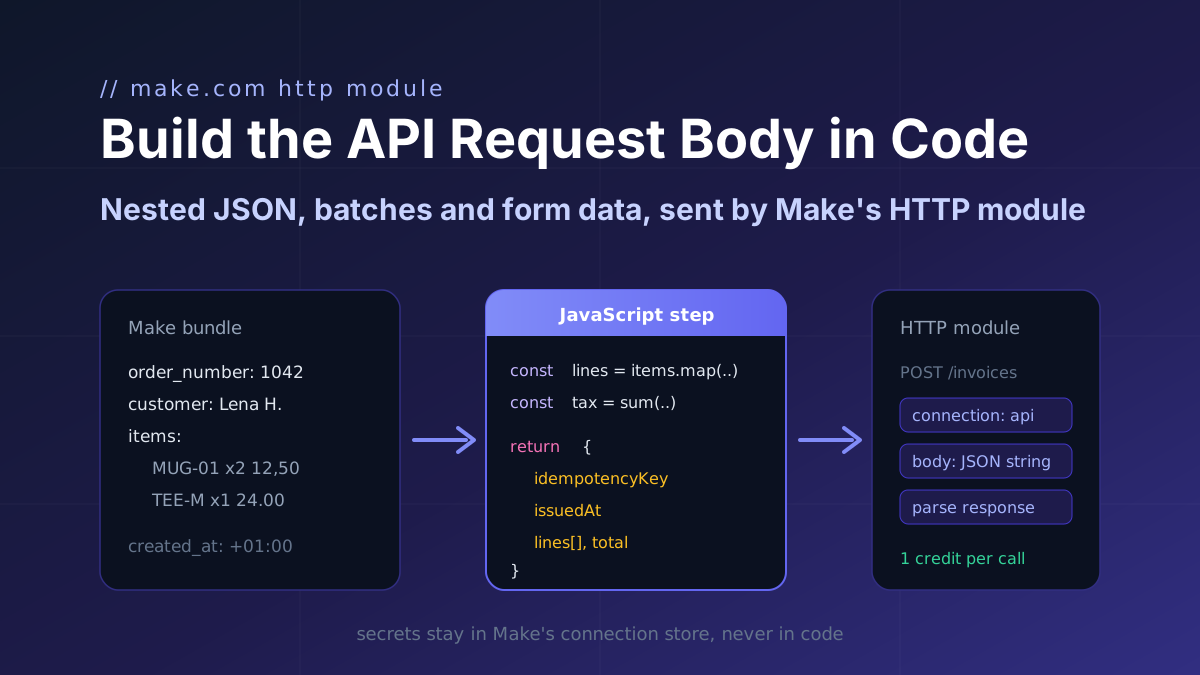
Turn a Make bundle into the exact JSON an API expects (nested arrays, computed totals, ISO timestamps, idempotency keys) in one JavaScript step, then map it into Make's HTTP module.
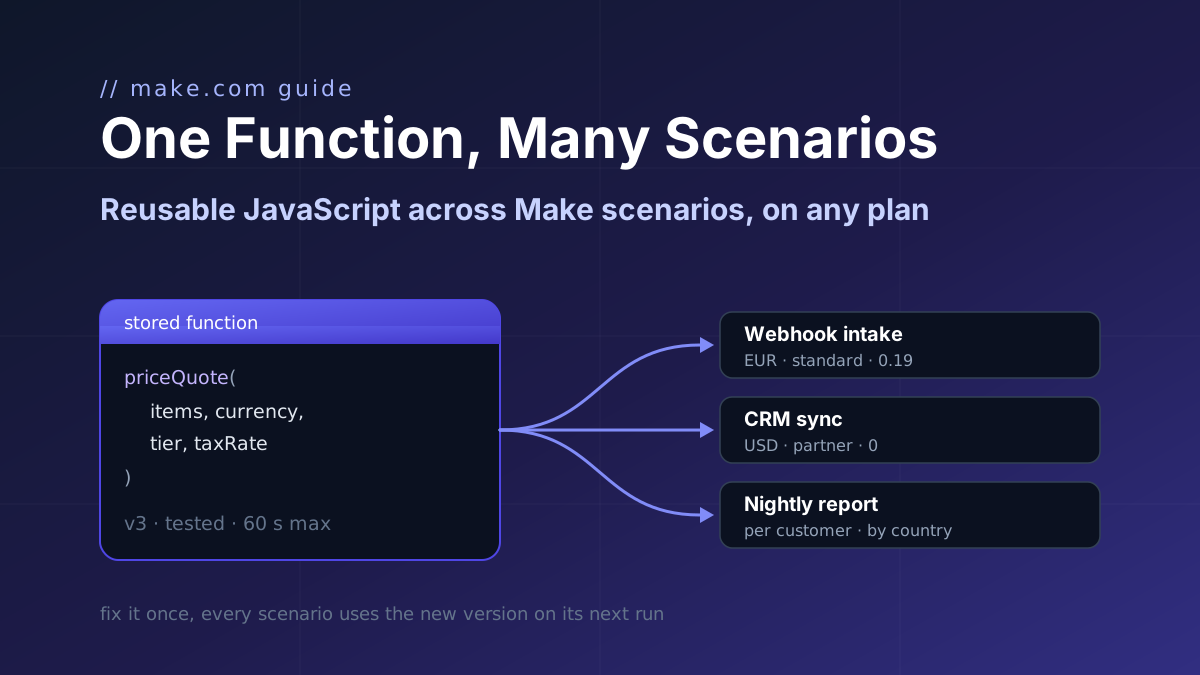
Make's Code app has no shared library and Custom Functions are Enterprise-only. Store one JavaScript function with parameters and call it from a webhook intake, a CRM sync and a nightly report.
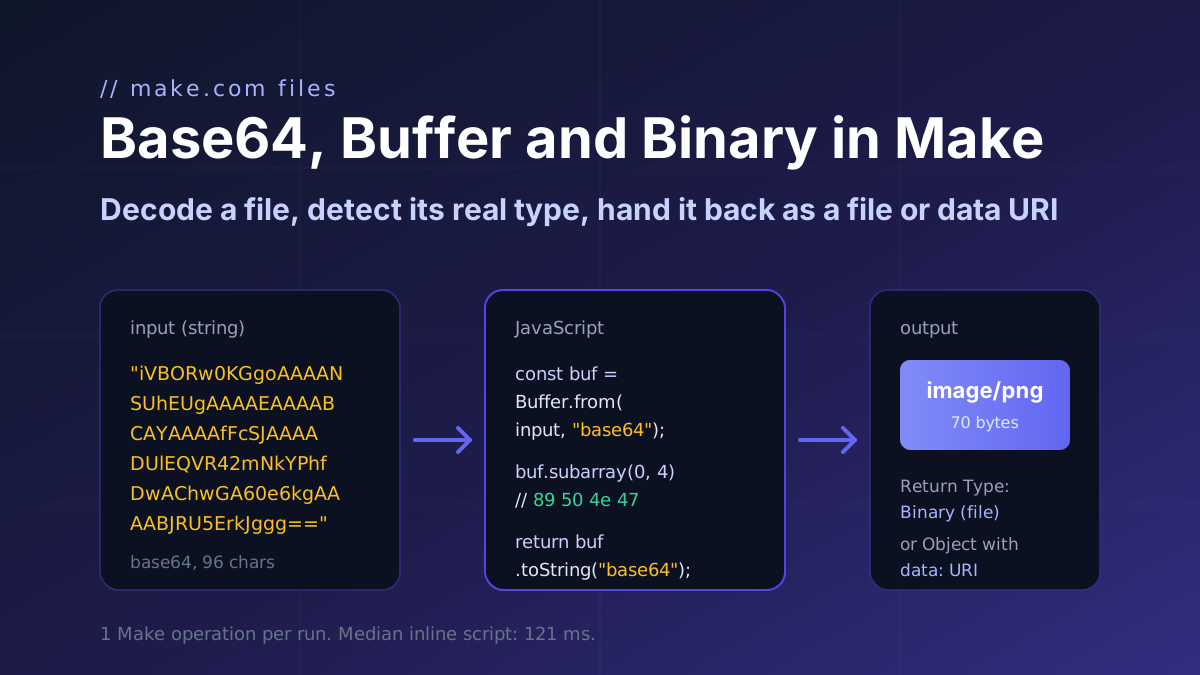
How a file moves through Make.com as base64 and binary: decode it with Buffer.from, detect the real type from the header bytes, and return a file or a data URI. Code with input and output.