Extract Order Numbers, Emails and IDs From Text With a Regex in Make
Updated October 2026
Make's Text Parser "Match pattern" module runs one regular expression against one text and returns one bundle per match, which is exactly right when you need a single value such as an order number out of an email. When you need several patterns in one pass, one flat array instead of a stream of bundles, or a readable error when nothing matched, a 15-line JavaScript step with matchAll and named groups does the whole job in one operation.
Regular expressions are the single most common thing people run in a code step on Make: 34% of the inline scripts CustomJS customers run contain a regex, and those scripts account for 48% of all executions. This guide shows both tools side by side, the exact JavaScript to copy, the input and output it produces, and the cases where you should stay with the Text Parser.
TL;DR
Text Parser "Match pattern": one regex, ECMAScript flavor, "Global match" for all matches, one output bundle per match. Named groups and lookbehind work in the pattern (checked October 2026).
Its limits are structural: one pattern per module, bundles instead of an array (so an Array Aggregator usually follows), no number parsing, no deduplication, no custom error message.
The JavaScript version below extracts order numbers, email addresses, UUIDs and invoice totals in European and US formats in one pass and returns one object the next module maps directly.
A second snippet throws new Error(...) when nothing matched, so the run stops with a message that says what was expected. 37% of inline scripts validate their input this way.
Both snippets finish in about 120 ms. Cost in Make: 1 credit per call, no matter how many patterns run inside.
What does Make's Text Parser "Match pattern" module do well?
The module takes a Pattern and a Text and emits what the capture groups matched. Make's documentation (help.make.com/regexp, checked October 2026) describes the switches: Global match ("If enabled, then the module retrieves all matches in the text. If disabled, then the module retrieves only the first entry"), Case sensitive, Multiline (so ^ and $ match per line), and Continue the execution of the route even if the module returns no results. The regex flavor is ECMAScript, the same engine JavaScript uses, which is why Make's own guidance is to test patterns on regex101 with the ECMAScript flavor selected.
Three things it does well:
One value out of one text. Pattern ORD-(\d{4})-(\d{5}), Global match off, and the next module can map $1 and $2. No code, one operation.
Named groups as labels. Write (?<order>ORD-\d{4}-\d{5}) and the output item is labeled order instead of $1. Lookbehind such as (?<=Total:\s*) also works, because the engine is ECMAScript. Both are confirmed by Make's community regex guide, not by the help page itself, which does not mention either.
Fan-out by design. With Global match on, every match becomes its own bundle, and every module after it runs once per match. If the goal is "create one task per email address found", that is exactly the behavior you want, and no code step beats it.
One documented rule worth knowing: "If the pattern does not contain any capture groups, the output bundle will be empty." Wrap the part you want in parentheses, always.
Where does the Text Parser stop?
The limits are not about regex syntax. They are about what happens around the regex.
One pattern per module. Order numbers, email addresses and totals are three patterns, so three Text Parser modules, each with its own bundles, and three Array Aggregators if you want lists. Combining them with alternation (A|B|C) in one pattern gives you one group per alternative with the others empty, and Make community threads from 2023 show people hitting "only the first group has a value" and infinite-loop errors with that approach.
Bundles, not an array. Global match returns N bundles. To get ["[email protected]", "[email protected]"] into one field of one HTTP request or one Sheets row, you add an Array Aggregator (one more module, N more operations through the chain).
Strings only. "1.234,56" and "980.00" come out as text. Turning them into the numbers 1234.56 and 980 is another module (Parse Localized Number, or a parseNumber formula with the right separator per format).
No deduplication, no normalization. If the same order number appears twice in the email, you get two bundles. Lowercasing emails or trimming whitespace is yet another step.
No custom failure. When nothing matches, the module either stops the route silently or continues with no bundles. There is no way to say "stop and tell me the text had no order number".
Every one of those is solvable in Make with more modules. The question is whether five modules and an aggregator are cheaper to build and run than 15 lines of code.
How do I extract order numbers, emails, UUIDs and totals in one JavaScript step?
Add the CustomJS module Execute Inline JavaScript, map the email body (or any text field) into Input, set Return Type to Object, and paste the code. A single mapped text arrives in the code as the string input; the first line also accepts a JSON object with a text field.
Input (a support email body, mapped as plain text):
Hi team,

two orders from today need a manual check:

ORD-2026-00123 (customer [email protected]) was paid twice.
Total: 1.234,56 EUR
ORD-2026-00127 (customer [email protected]) is missing the invoice.
Total: 980.00 USD
Payment reference: 3f2a9c1e-7b4d-4e8a-9c2b-1d5e6f7a8b9c
Reply to [email protected] or [email protected], please.
Ref ORD-2026-00123 again for the refund.
Four patterns, one pass, one operation, one object. The run takes about 120 ms on the CustomJS side (the median inline script across all customers takes 121 ms), and the next module maps orders[], totals[1].amount or orderCount directly.
What each line does:
text.matchAll(re) returns every match of a regex that carries the g flag, including its groups. The spread [...] turns the iterator into an array you can map.
m.groups.order reads the named group (?<order>...). Names survive refactoring; m[3] does not.
unique() removes the repeated order number and the repeated address (lowercased first, so Anna.Keller@ and anna.keller@ count once).
toNumber() decides by the last separator: a comma followed by exactly two digits means European format (dots are thousands separators), otherwise commas are thousands separators. 1.234,56 and 1,234.56 both become 1234.56.
How do named groups and lookbehind work in the pattern?
A named group is a normal capture group with a label: (?<name>pattern). In JavaScript the match object exposes it as m.groups.name. In the total pattern above, (?<amount>\d[\d.,]*) and (?<currency>EUR|USD) give you two labeled values per match, which is what lets the script return { amount, currency } objects instead of positional strings.
A lookbehind, (?<=Total:\s*), requires "Total:" and optional whitespace right before the match without including them in it. That is why the amount comes back as 1.234,56 and not Total: 1.234,56. Node supports variable-length lookbehind, so \s* inside it is fine.
Three more patterns you will reach for, tested in Node 20:
// Invoice numbers like INV-000482 or Rechnung 2026-0482const invoices = [...text.matchAll(/\b(?:INV-|Rechnung\s+)(?<no>[\d-]{4,})\b/gi)]
.map((m)=> m.groups.no);
// Dates in 24.10.2026 or 2026-10-24 form, returned as ISO stringsconst dateRe = /\b(\d{2})\.(\d{2})\.(\d{4})\b|\b(\d{4})-(\d{2})-(\d{2})\b/g;
const dates = [...text.matchAll(dateRe)]
.map((m)=>(m[1] ? m[3] + "-" + m[2] + "-" + m[1] : m[0]));
// Phone numbers with an international prefix: +49 30 1234567, +1 (415) 555-0100const phones = [...text.matchAll(/\+\d{1,3}[\s().-]*(?:\d[\s().-]*){6,14}\d/g)]
.map((m)=> m[0].replace(/[\s().-]/g, ""));
The email pattern is practical rather than RFC-complete: it matches addresses as people write them and does not validate the domain. If you need a strict check, call require("validator").isEmail() on each result, since npm packages are available on every CustomJS plan.
Use our Make App to execute JavaScript directly in Make.
How do I stop the scenario with a readable error when nothing matched?
Silent empties are the expensive failure mode: the order number is missing, the next module writes an empty cell, and you find out a week later. 37% of the inline scripts customers run validate their input before returning. The pattern: extract, check, and throw new Error(...) with a message that names what was expected and shows the beginning of the text it looked at.
const text = typeofinput === "string" ? input : (input.text || "");
const orders = [...text.matchAll(/\b(?<order>ORD-\d{4}-\d{5})\b/g)]
.map((m)=> m.groups.order);
if(orders.length === 0){const preview = text.replace(/\s+/g, " ").trim().slice(0, 80);
thrownewError("No order number in the form ORD-YYYY-NNNNN found. Text starts with: " +
JSON.stringify(preview));
}return{ orders, orderCount: orders.length };
Input (an email that forgot the reference):
Hello, I paid for my order last Tuesday but the parcel never arrived.
Can you check? Thanks, Mike
Result: the CustomJS module fails with this message, so Make applies its normal error handling: the run stops and the message is shown on the module in the execution log, or an error handler route attached to the module takes over.
Error: No order number in the form ORD-YYYY-NNNNN found. Text starts with:
"Hello, I paid for my order last Tuesday but the parcel never arrived. Can you ch"
If you would rather keep the scenario running and branch on the result, return { ok: false, error: "..." } instead of throwing and put a filter on ok. Throwing is the right choice when an unparseable text is a bug you want to see; returning is the right choice when it is a normal case you want to route.
Text Parser or JavaScript: which one for which job?
Need
Text Parser "Match pattern"
Inline JavaScript (CustomJS)
One value from one text
1 module, 1 operation
1 module, 1 operation, 1 request
Every match as its own bundle (fan-out)
Global match on, built in
Return an array, Return Type Array, then an Iterator
Every match as one array field
Text Parser + Array Aggregator (N+2 operations)
1 operation, array in the output
Three or four patterns on the same text
One module per pattern, plus aggregators
1 operation, one object with a key per pattern
Named groups, lookbehind
Supported (ECMAScript engine)
Supported (Node 20)
Numbers from "1.234,56" and "1,234.56"
Extra module or formula per format
Three lines, both formats
Deduplicate, lowercase, trim
Extra modules or formulas
One line each
Stop with a readable error on no match
Not available (route stops or continues empty)
throw new Error("...")
Plan requirement
Any Make plan, including Free
Any Make plan; CustomJS Free gives 600 requests/month
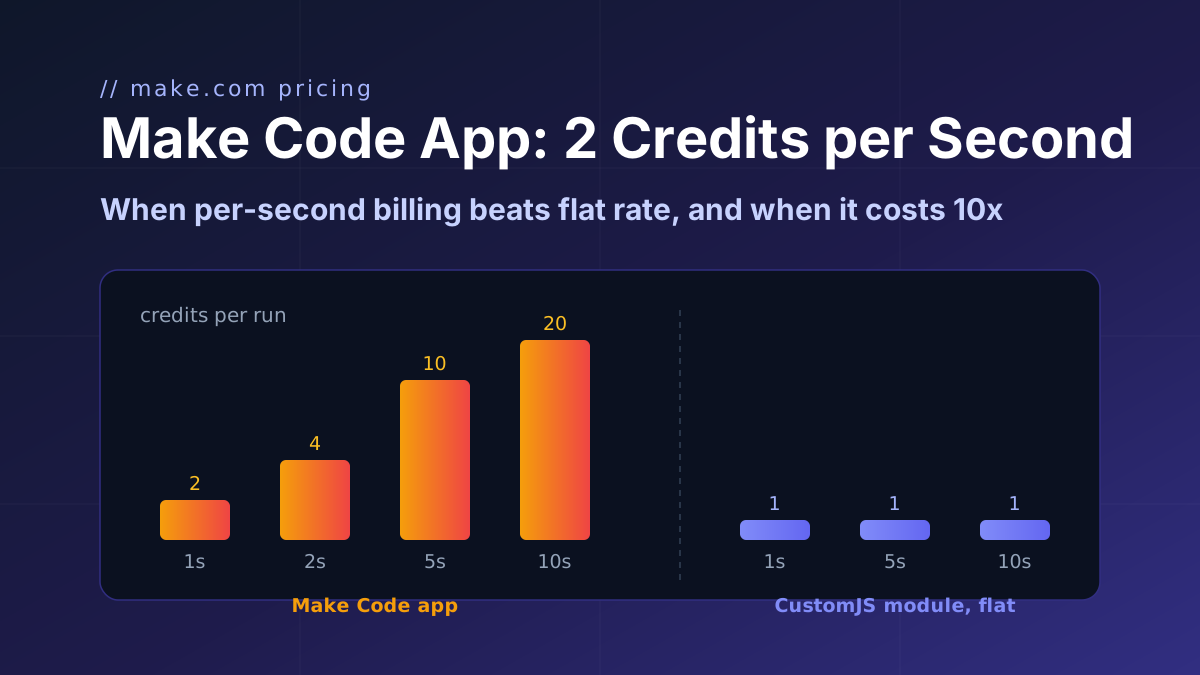
For comparison, Make's own Code app (JavaScript or Python) also handles all of the right-hand column, on paid Make plans, at 2 credits per second of runtime instead of 1 credit per operation. For a 120 ms regex that rounds to 2 credits per run, so for pure regex work the price difference is small; the pricing comparison has the full math.
When Make's built-in is enough
Do not add a code step for these. The Text Parser or a mapping formula is the simpler tool:
One pattern, one value. Pulling a single order number or tracking code out of a subject line is exactly what "Match pattern" with Global match off is for. One module, zero code, and the mapping panel shows $1 or your group name right away.
You want one bundle per match anyway. If the next step is "create a CRM contact for every email address found", Global match already produces the per-match bundles you need. A code step would return an array and you would add an Iterator to get back to where the Text Parser started.
Simple string surgery.split(), replace() (which accepts a regex in Make), trim(), lower() and substring() in the mapping panel cover "take the part after the colon" and "remove the dashes" without any module at all.
HTML pages. For scraping, the Text Parser's "Get elements from HTML" and "HTML to text" modules are purpose-built and need no pattern.
You are at the 20 requests per day free limit of CustomJS and the scenario runs often. Text Parser operations draw only on Make credits. Either stay with the built-in or budget for the $9 plan (100 requests per day).
Reach for the code step when you count the modules you are about to add and get to three or more, when you need the results as one array or object, when the numbers need parsing, or when a non-match should fail loudly.
How do I set this up in Make, step by step?
Add the CustomJS app, module Execute Inline JavaScript, and create a connection with the API key from app.customjs.space (free, no credit card).
Input: map the text field (email body, form message, PDF text). A single mapped value arrives as a string. If you want to pass several fields, send a JSON object and read input.text; Make collections need the Transform to JSON module in front.
JavaScript Code: paste the snippet. Adjust the order number pattern to your own format, for example INV-\d{6} or #\d{4,}.
Return Type: Object. Run once, and the output fields show up in every following module's mapping panel.
If the same extraction is needed in several scenarios, save it once as a stored function with a text parameter and call it by name. Changing the pattern then changes it everywhere.
The same code runs unchanged in n8n's built-in Code node (read the text from $json instead of input) and in the CustomJS connector for Power Automate.
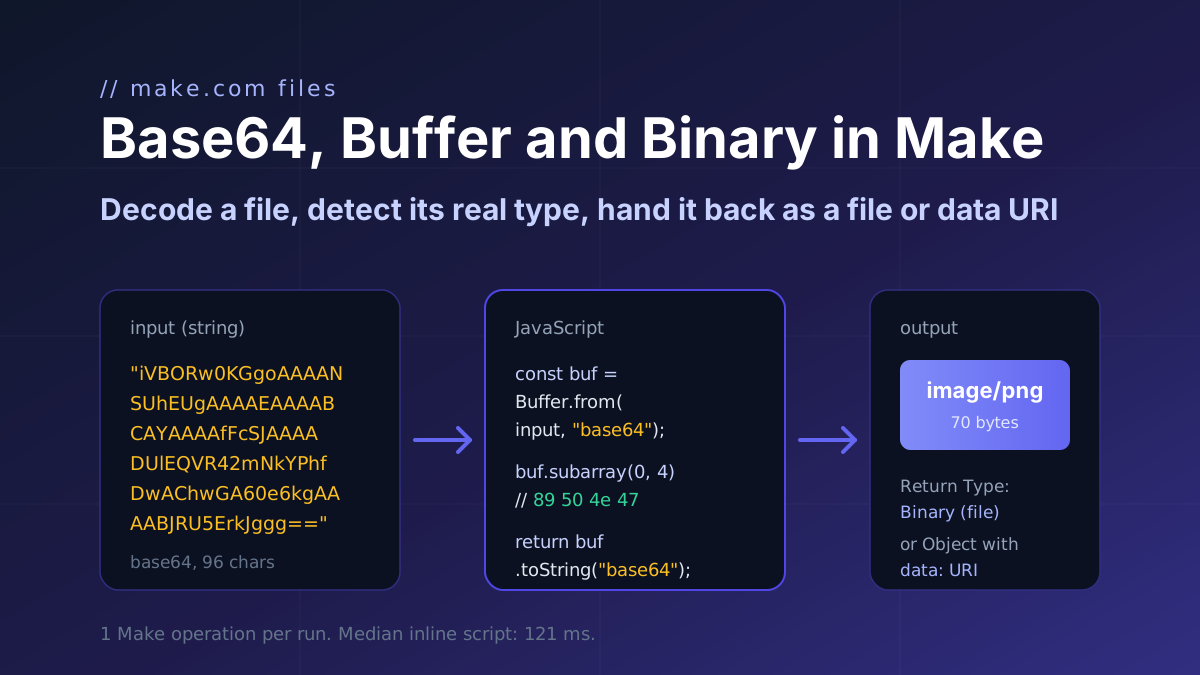
How a file moves through Make.com as base64 and binary: decode it with Buffer.from, detect the real type from the header bytes, and return a file or a data URI. Code with input and output.
Make's Code app bills 2 credits per second, caps at 30 s and ships npm only on Enterprise. CustomJS bills 1 credit per call with npm and stored functions on every plan. Break-even at 1 to 15 s.
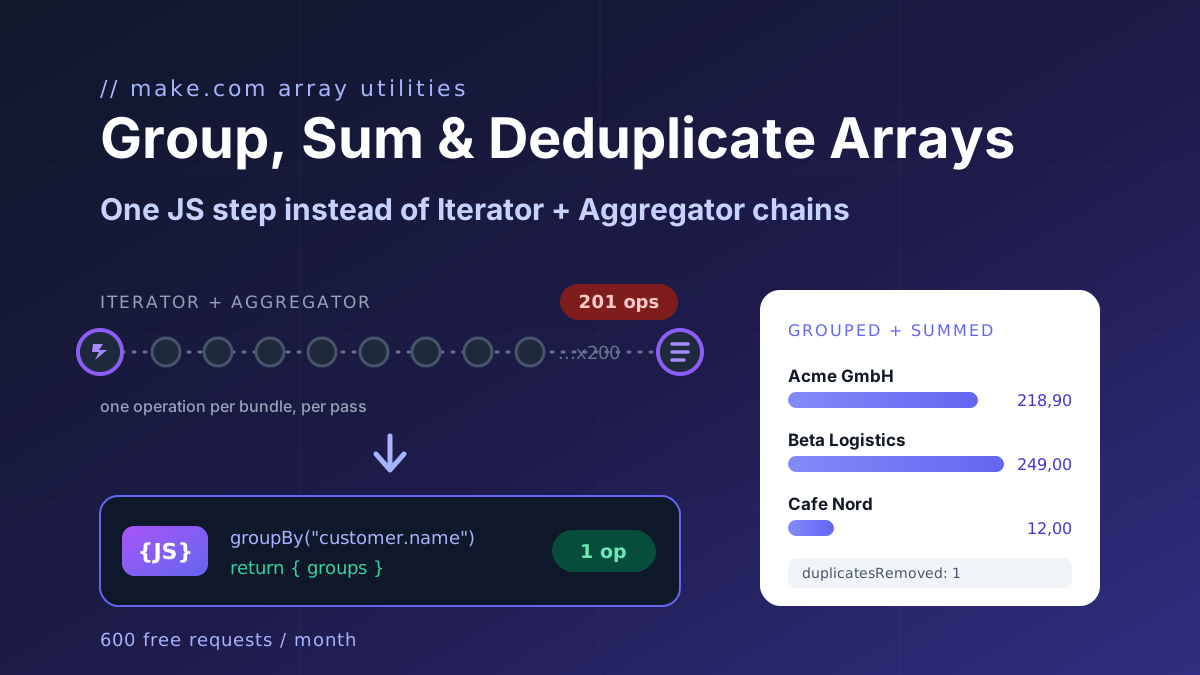
Make's Numeric Aggregator computes one function per module and costs one operation per item. The twelve-line JavaScript fix for group by, max per group, count distinct, dedupe and top N, plus the no-code module.