Pass Files Between Make Modules: Base64, Buffer and Binary Explained
Updated October 2026
A file travels between Make modules as binary data, and the moment it has to pass through a text field, a JSON body or a JavaScript step it becomes a base64 string. In a CustomJS code step you turn that string back into bytes with Buffer.from(input, "base64"), do whatever you need with the bytes, and hand the result back either as a file (Return Type Binary) or as a base64 string via .toString("base64").
Roughly two thirds of the inline scripts our customers run touch base64 or Buffer in some way, and almost nobody writes down how the pieces fit. This guide does: how Make stores a file, what Make's own toBinary(), toString() and base64() do (checked against Make's function reference in October 2026), how to get a file into and out of the Execute Inline JavaScript module, and the five mistakes that produce a "corrupt file" error.
TL;DR
Make keeps a file as binary data in a module's output, usually in a field called Data. Wrap it in base64() to get a string you can map into a text field or a JSON body.
In the code step, Buffer.from(str, "base64") gives you the bytes. The first four bytes tell you the real file type: %PDF, 89 50 4E 47 for PNG, FF D8 FF for JPEG, 50 4B for ZIP.
To hand a file back, set Return Type to Binary and return { data, mime, filename }. To embed it in an HTML template, return a data: URI string instead.
The Input field takes up to 8 MB. Base64 adds a third, so plan for files up to about 6 MB. Requests time out after 30 s on the free plan and 60 s on paid plans.
If all you need is base64 to file or file to base64, Make's built-in toBinary(x; base64) and base64(x) do it with zero code. The code step earns its place when you have to inspect, change or fetch the bytes.
How does Make represent a file between modules?
When a module such as HTTP "Get a file", Google Drive "Download a file" or Email "Get an attachment" produces a file, its output bundle carries the content as binary data, typically in a field named Data, next to a file name. Modules that accept files have a matching binary field, and mapping Data from one to the other needs no conversion.
The trouble starts when the file has to go through something that only accepts text: a JSON body, a custom field, or the Input field of a code module. Make provides three functions for this, and their names cause most of the confusion (all three verified in Make's text and binary function reference, October 2026):
base64(text) "transforms text to base64": base64(Make) returns TWFrZQ==. In practice it is also what you wrap around a binary Data field to get the file as a base64 string. There is no function called toBase64(), even though forum posts (and an older article of ours) use that name.
toBinary(value; encoding) "converts any value to binary data". Without the second argument it turns text into bytes. With base64 or hex as the second argument it decodes that encoding, so toBinary(1.output; base64) turns a base64 string back into a file a module can accept.
toString(value) "converts any value to a string". toString(toBinary(TWFrZQ==; base64)) gives Make, Make's own documented example. Applied to a PDF it gives garbage, because a PDF is not text.
Those three convert. They cannot look inside the bytes, change them, or fetch them from somewhere Make has no module for. That is where the code step comes in.
What is base64, in one paragraph?
Base64 is a way to write arbitrary bytes using only 64 printable characters (A to Z, a to z, 0 to 9, + and /), with = as padding at the end. Every 3 bytes become 4 characters, so a base64 string is about 33 percent longer than the file it represents: a 3 MB PDF becomes a 4 MB string. It is not encryption and not compression, it is just a spelling of bytes that survives JSON, email and text fields unharmed. A data URI is the same base64 string with a prefix that names the type, for example data:image/png;base64,iVBOR..., which browsers and PDF renderers accept anywhere a URL would go.
How do I map a file into the CustomJS Input field?
The Input field of the Execute Inline JavaScript module takes text. Wrap the file's binary field in base64() and, if you want to pass the file name along with it, build a small JSON object around both:
Because that is a valid JSON string, it arrives in the code as a parsed object: input.file and input.name. Base64 never contains quotes or backslashes, so it is safe inside JSON. File names can contain quotes, so if yours come from user uploads, build the object with Make's Transform to JSON module instead of typing the braces by hand. Every snippet below starts with typeof input === "string" ? JSON.parse(input) : input so it works either way. If you map only {{base64(3.data)}} and nothing else, input is simply that string.
How do I decode base64 into bytes and detect the real file type?
This is the main pattern. It cleans the incoming string, refuses files that are too large, decodes them, reads the first four bytes to identify the format regardless of what the extension claimed, and returns a clean base64 string plus a data URI. Return Type: Object.
const data = typeofinput === "string" ? JSON.parse(input) : input;
// 1. Strip a data URI prefix and any whitespace a previous module left inlet b64 = String(data.file || "")
.replace(/^data:[^;]+;base64,/, "")
.replace(/\s/g, "");
// 2. Guard the size before decoding (base64 holds 3 bytes per 4 characters)const approxBytes = Math.floor((b64.length * 3) / 4);
if(approxBytes > 8 * 1024 * 1024){return{ error: "File is about " + approxBytes + " bytes, limit is 8 MB"};
}// 3. Decode the string into real bytesconst buf = Buffer.from(b64, "base64");
// 4. Read the first bytes to find out what the file really isconst hex = buf.subarray(0, 4).toString("hex");
let mime = "application/octet-stream";
if(buf.subarray(0, 4).toString("latin1") === "%PDF") mime = "application/pdf";
elseif(hex === "89504e47") mime = "image/png";
elseif(hex.startsWith("ffd8ff")) mime = "image/jpeg";
elseif(hex.startsWith("504b")) mime = "application/zip";
elseif(hex.startsWith("474946")) mime = "image/gif";
// 5. Re-encode cleanly and hand both forms back to Makeconst clean = buf.toString("base64");
return{
mime,
sizeBytes: buf.length,
headerHex: hex,
base64: clean,
dataUri: "data:" + mime + ";base64," + clean
};
Sample input. The data URI prefix claims JPEG, which is the kind of thing an upstream form or AI step gets wrong:
The bytes say PNG, so the script says PNG. Every common format starts with a fixed signature: a PDF with the text %PDF, a PNG with 89 50 4E 47, a JPEG with FF D8 FF, a GIF with 47 49 46, and a ZIP (which is also what DOCX and XLSX are) with 50 4B. Add else if lines for the formats you handle.
Decoding a 2 MB file and reading its header takes a few milliseconds in Node; the median inline execution on our platform, network round trip included, takes 121 ms. Each run costs 1 Make operation regardless of runtime.
How do I return a file instead of a string?
The Return Type field decides what Make sees. With Text, Object or Array the return value shows up as mappable fields. With Binary, Make receives a file, and the script has to return an object with exactly three keys: data (the base64 string), mime and filename. The next module maps it like any other binary output.
A typical case is building a file from data. This script turns order rows into a CSV file (the reverse of parsing CSV in Make). Return Type: Binary.
const data = typeofinput === "string" ? JSON.parse(input) : input;
const lines = [["sku", "qty", "price"].join(";")];
for(const row of data.rows){
lines.push([row.sku, row.qty, row.price].join(";"));
}const csv = lines.join("\r\n");
// Text becomes bytes with an explicit encoding, bytes become base64const bytes = Buffer.from(csv, "utf8");
return{
data: bytes.toString("base64"),
mime: "text/csv",
filename: "order-" + data.orderId + ".csv"};
Note the explicit "utf8" in Buffer.from(csv, "utf8"). Text has to become bytes before it can become base64, and naming the encoding keeps umlauts and accents intact.
When the destination is an HTML template, for example the HTML to PDF module, you do not want a file. You want a data: URI for <img src> or a CSS @font-face rule, so the renderer never fetches anything. Keep Return Type on Object and return the dataUri field from the main example. The decision in one table:
Where the result goes
Return Type
What to return
A module with a file field (Drive upload, email attachment, FTP)
Binary
{ data, mime, filename }
An HTML template or email body
Object
A data:<mime>;base64,... string
A JSON API body that expects a base64 field
Object
The raw base64 string, no prefix
Just the file type, size or a yes/no check
Object
{ mime, sizeBytes, ok }, leave the bytes out
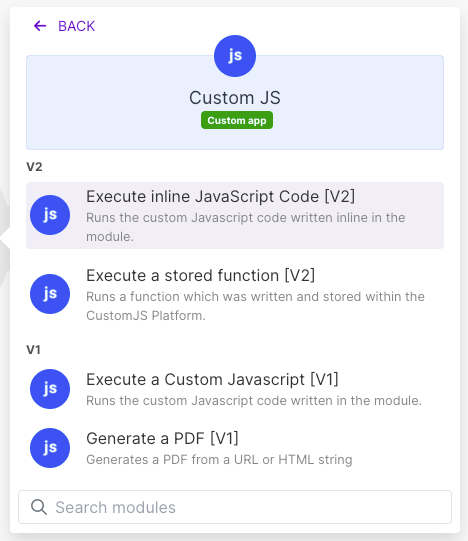
Use our Make App to execute JavaScript directly in Make.
How do I download a file from a URL and return it as base64?
The second most common base64 script starts from a URL (a logo in a CRM record, a signed download link, an image returned by an AI API) and ends as a base64 string or data URI. fetch is available in the code step, so it is one request plus the same Buffer line our custom API calls guide uses to embed fonts and logos:
If the URL is public and you need nothing beyond the base64 and the data URI, do not write this. The File to Base64 (from URL) module in the same CustomJS app downloads, follows redirects, detects the content type and returns Base64, Data URI, Content Type and Size as mappable fields, for the same 1 operation. Reach for the script when the download needs a header (an API key, a Bearer token), when you want to check the bytes first, or when one run fetches several files.
How large can the file be?
Three limits apply, and the first one is the one people hit.
8 MB per request. The Input field and the File to Base64 module both accept up to 8 MB. Base64 is a third larger than the file, so that means roughly a 6 MB file. Both scripts check the size first so an oversized file produces a readable error instead of a failed module.
Request timeout. 30 seconds on the free plan, 60 seconds on paid plans. Decoding never gets near that, but a slow download can. The fetch example passes AbortSignal.timeout(20000) so a hanging server fails after 20 seconds with a clear message.
Make's own file limit. Make caps file size per plan: 5 MB on Free, 100 MB on Core, 250 MB on Pro and 500 MB on Teams (Make pricing page, checked October 2026). A larger file never reaches the code step.
For anything above 6 MB, do not push the bytes through the scenario. Pass a URL or storage path between modules and let the final system download it, or generate the PDF directly in the module that needs it.
Which mistakes break base64 in Make most often?
Every "the file is corrupt" or "cannot open" report we have debugged came down to one of these five.
Mistake
What you see
Fix
Double encoding
The "file" opens as a text file containing base64. base64(Make) is TWFrZQ==, encoding that again gives VFdGclpRPT0=.
Encode once. If a module already hands you base64, do not wrap it in base64() again, and do not call .toString("base64") on a string.
Data URI prefix left in
The first bytes decode to garbage because data:image/png;base64, was decoded as if it were content.
Strip it: str.replace(/^data:[^;]+;base64,/, ""). The main example does this on every input.
Newlines and spaces in the string
Base64 copied from an email or a log has a line break every 76 characters. Node ignores them, but Make's toBinary() and many APIs reject the string.
str.replace(/\s/g, "") before decoding, then re-encode with .toString("base64") for a clean single line.
Forgetting the encoding argument
Buffer.from("TWFrZQ==") gives the bytes of the 8 characters T, W, F, r, Z, Q, =, =, not the 4 bytes of "Make". The output is the right length to look plausible and completely wrong.
Always Buffer.from(str, "base64") when decoding.
Treating binary as UTF-8
buf.toString() with no argument reads the bytes as UTF-8 text. On a 70 byte PNG the round trip comes back as 90 bytes, because invalid sequences were replaced. The image will not open.
Only call toString("utf8") on text. For files use toString("base64") or pass the Buffer on as is.
Not a mistake: URL-safe base64, which uses - and _ instead of + and / and often drops the padding (JSON Web Tokens use it). Node's Buffer.from(str, "base64") accepts both alphabets, so the scripts above need no special case. To produce it, use buf.toString("base64url").
When Make's built-in is enough
A code step is a module, a connection and a line of JavaScript to maintain. Do not add one for these cases, where Make's own functions do the whole job:
Base64 string to file. An API returned {"pdf": "JVBERi0..."} and you want to attach it or upload it. Map toBinary(1.pdf; base64) into the file field.
File to base64 string. A file from Drive, Dropbox or a webhook has to become a base64 field in a JSON body. Map base64(2.data) into the HTTP module's body.
Text to file. You built a CSV or HTML string with Make's text functions and a module needs a file. toBinary(text) does it on the spot.
Base64 text back to readable text. A webhook sends a base64-encoded body. toString(toBinary(1.body; base64)) decodes it in the mapping panel.
Public URL to base64. The HTTP module's "Get a file" plus base64() on its output, or the File to Base64 module if you also want the data URI and content type.
The code step is the right tool when you have to inspect the bytes (verify the type, measure the size, reject what you do not want), change them (strip a prefix, clean a broken string, build a file from several inputs, hand a PDF to pdf-lib from the npm package list), or fetch them with headers Make's HTTP module cannot send. The same logic runs unchanged in n8n's built-in Code node, since it is plain Node.js.
The scripts in this article run as they are in the Execute Inline JavaScript module. The free plan includes 600 requests per month with no credit card, and the Make app, the npm packages and the File to Base64 module are included on every plan.
Five one-operation JavaScript fixes for Make.com data transformation: broken AI JSON, group and sum arrays, localized numbers, timezones, file to Base64.
Call any API from Make.com: WebSockets, Digest auth, OAuth 1.0 signatures, and Base64 binaries with copy-paste JavaScript that runs inside your scenario.
Median, standard deviation, percentiles, regression and cent-exact money splits in Make.com with one JavaScript step. No Google Sheets detour, copy-paste recipes.