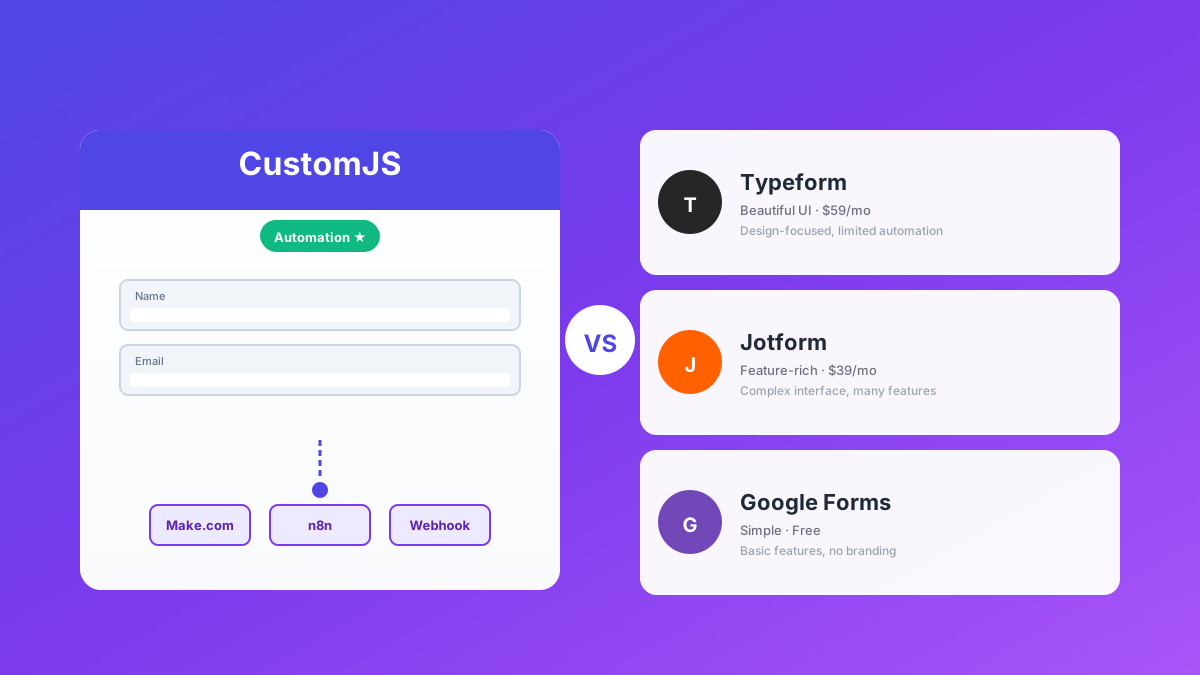
Build Smart Forms with Webhooks: Automate Lead Generation & User Onboarding
Traditional forms are broken. You collect data, but then what? Manual data entry, delayed follow-ups, disconnected systems—it's a workflow nightmare. In 2026, smart businesses don't just collect form submissions; they trigger automated workflows that turn every submission into immediate action.
Form webhooks bridge the gap between data collection and automation. When someone fills out your contact form, lead generation form, or registration form, webhooks instantly send that data to Make.com, n8n, or Zapier—triggering CRM updates, email sequences, Slack notifications, and more. No manual work, no delays, just pure automation.
This comprehensive guide shows you how to build smart forms with webhooks that automate lead generation, user onboarding, event registration, and customer support. We'll cover practical examples using CustomJS's Form Builder with native Make.com and n8n integration, plus 600 free form submissions per month.
TL;DR
Form webhooks send form data to automation tools like Make.com, n8n, and Zapier in real-time.
Automate lead generation: Form → CRM → Email sequence → Sales notification—all in seconds.
CustomJS Form Builder includes native Make.com and n8n modules with 600 free submissions/month.
Custom domains and white-label forms available for professional branding.
Why Traditional Forms Fail
Most businesses still use traditional forms that dump submissions into an inbox or spreadsheet. The problems are obvious:
No automation: Every submission requires manual processing and follow-up.
Manual data entry: Copy-pasting form data into your CRM wastes hours every week.
Slow follow-up: By the time you respond, your lead has already contacted a competitor.
Disconnected systems: Your form, CRM, email tool, and project management are separate islands.
No tracking: You can't measure conversion rates or optimize your funnel.
According to Salesforce research, companies that respond to leads within 5 minutes are 100x more likely to convert them. Traditional forms make this impossible. Form webhooks make it automatic.
Form Builder + Webhooks: The Modern Approach
A form webhook is a real-time HTTP callback that fires whenever someone submits your form. Instead of storing data in a database or sending an email, the webhook sends structured JSON data to your automation platform.
Here's how it works:
User fills out your form (contact, registration, demo request, etc.)
Form submission triggers a webhook POST request with the form data
Your automation platform (Make.com, n8n, Zapier) receives the data
Workflow executes: Add to CRM, send email, create task, notify team, etc.
All of this happens in under 2 seconds
Unlike traditional form builders like Typeform or Google Forms, webhook-powered forms integrate directly with your business systems. You're not just collecting data—you're triggering business processes.
How to Build Smart Forms with Webhooks
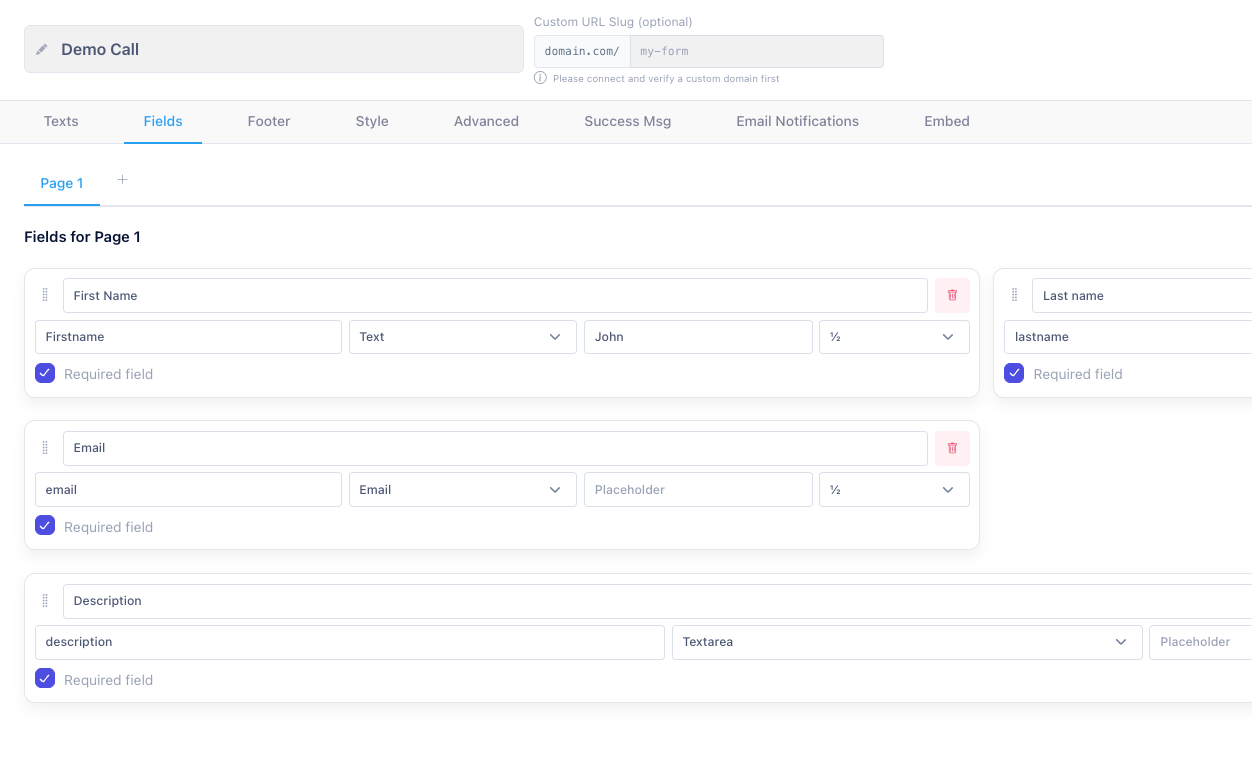
Building forms with webhook automation is simple with CustomJS Form Builder. No coding required - just drag and drop fields, configure your webhook, and you're done.
Three Simple Steps:
1. Build Your Form
Use our visual builder to add fields, customize styling, and set up validation. No coding required.
2. Connect Your Webhook
Add your Make.com, n8n, or Zapier webhook URL. Test the connection to ensure data flows correctly.
3. Deploy & Automate
Publish your form as a standalone page or embed it on your website. Submissions trigger your automation workflows instantly.
Your Data, Always Accessible
Beyond webhook automation, CustomJS automatically stores every form submission. You can view, search, and download all your data anytime—no spreadsheet setup required.
Built-in Submission Management
View All Submissions
Access a complete dashboard of all form submissions with search and filter capabilities. See submission date, form fields, and source tracking.
Download as Spreadsheet
Export your data as CSV or Excel files anytime. Perfect for backup, analysis, or importing into other systems. One-click download, no configuration needed.
Search & Filter
Find specific submissions quickly with powerful search and filtering. Filter by date range, form field values, or custom criteria.
Best of Both Worlds
Your submissions trigger instant webhook automation AND are stored for manual review. If a webhook fails or you need to audit data later, everything is safely stored in your CustomJS dashboard. No data loss, ever.
AI-Generated Forms: The Future of Form Building
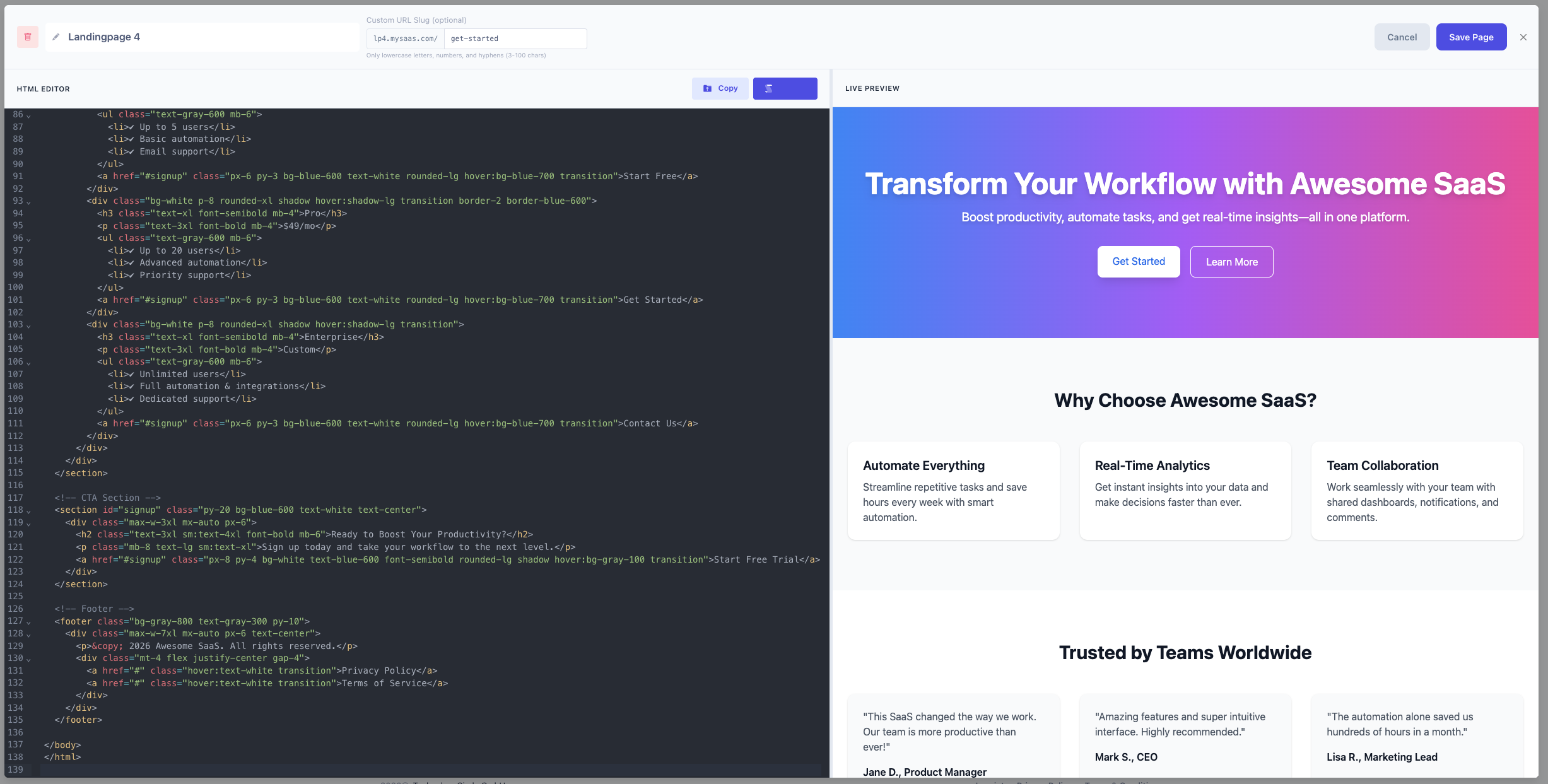
Why build forms manually when AI can do it for you? Generate complete HTML forms with AI tools like ChatGPT, Claude, or Gemini, then host them instantly with CustomJS.
How It Works:
Prompt AI: Tell ChatGPT, Claude, or Gemini what kind of form you need:
"Create a lead generation form with fields for name, email, company, budget range, and message. Style it with Tailwind CSS and make it mobile-responsive. Add form validation and a webhook submission to https://my-webhook-url.com"
Get Complete HTML: The AI generates a fully functional HTML form with styling, validation, and webhook integration built-in.
Host Instantly: Copy the HTML and deploy it with CustomJS HTML Hosting. Get a live URL in seconds.
Connect Your Domain: Add your custom domain (e.g., forms.yourcompany.com) for a professional look.
Why AI-Generated Forms?
10x Faster: Generate forms in minutes instead of hours
Custom Design: Get exactly the layout and styling you want
Full Control: Edit the HTML/CSS/JS however you want
No Vendor Lock-in: Your HTML, your data, your infrastructure
With CustomJS, you're not locked into a proprietary builder. If your AI generates a complex React or Tailwind form, we host it and handle the backend logic seamlessly. Your code, your design, your infrastructure.
Subject: Thanks for your interest, !

Hi ,

Thank you for requesting a demo of our product.
We've received your message and will get back to you
within 24 hours.

In the meantime, check out these resources:
- Product Demo Video: [link]
- Case Studies: [link]
- Pricing: [link]

Best regards,
The Team
Slack Notification: Alert your sales team
🎯 New Demo Request!

Name:
Email:
Company:
Message:

[View in CRM] [Send Email]
This entire workflow executes in under 3 seconds. Your lead receives an immediate response, your CRM is updated, and your sales team is notified—all automatically.
n8n Workflow Example
Here's a typical n8n workflow that processes form submissions automatically:
Workflow Steps:
Webhook Trigger: Receives form data when someone submits
Data Validation: Validates email format and cleans input data
Google Sheets: Logs submission to spreadsheet for tracking
CRM Update: Creates or updates contact in your CRM (HubSpot, Salesforce, etc.)
Email Automation: Sends personalized welcome email to the lead
Team Notification: Alerts sales team via Slack with lead details
This entire workflow executes in under 3 seconds. Your lead receives an immediate response, your CRM is updated, and your sales team is notified—all automatically.
Advanced Form Webhook Features
1. Conditional Logic
Route form submissions based on user input. For example, enterprise leads go to senior sales, mid-market leads to standard sales, and small businesses to self-service onboarding.
2. Lead Scoring
Automatically score leads based on form data like company email domain, company size, budget range, and industry. High-scoring leads ("Hot") get immediate attention, while lower-scoring leads enter nurture sequences.
3. Multi-Step Forms
Break long forms into multiple steps to improve completion rates. Each step sends data to your webhook with a session ID for tracking, allowing you to follow up even if users don't complete all steps.
4. File Upload Handling
Process file uploads like resumes or documents by converting them to base64 and sending via webhook, or uploading to cloud storage (Google Drive, Dropbox, S3) and sending the file URL.
5. Spam Protection
Protect your forms with honeypot fields (hidden fields that bots fill out), time-based validation (reject submissions that happen too quickly), and rate limiting to prevent abuse.
Custom Domains for White-Label Forms
Professional businesses need branded form URLs. Instead of forms.customjs.io/your-form, use your own domain like forms.yourcompany.com.
Benefits of Custom Domains:
Brand consistency: Forms match your company domain and branding
Trust signals: Customers trust forms on your domain more than third-party URLs
SEO benefits: Form pages can rank for your brand keywords
Email deliverability: Confirmation emails from your domain have better inbox rates
Professional appearance: No "Powered by" badges or external branding
Setup Process:
Choose a subdomain (e.g., forms.yourcompany.com, apply.yourcompany.com)
Add a CNAME record pointing to your form hosting provider
Configure SSL certificate for HTTPS (automatic with most providers)
Update your form URLs to use the custom domain
CustomJS Form Builder supports custom domains with automatic HTTPS and can be configured in minutes. Check our API documentation for details.
Form Webhook Security Best Practices
1. Webhook Authentication
Verify webhook requests with a secret token to prevent unauthorized submissions. Add the token to request headers and validate it in your workflow.
2. Rate Limiting
Prevent abuse by limiting submission frequency. Disable the submit button after submission and track submissions by IP or email address on the server side.
3. Data Validation
Always validate email formats, sanitize text inputs to remove HTML/scripts, and clean data before processing. This prevents XSS attacks and ensures data quality.
4. HTTPS Only
Always use HTTPS for form submissions to protect user data in transit. Modern browsers will warn users about insecure forms on HTTP pages.
5. GDPR Compliance
If you collect data from EU users, ensure GDPR compliance:
Add a privacy policy link and consent checkbox
Clearly state how you'll use the data
Provide a way for users to request data deletion
Store data securely and only for as long as necessary
Don't share data with third parties without explicit consent
Measuring Form Performance
Track key metrics to optimize your form conversion rates:
Key Metrics to Track:
Form views: How many people see your form
Form starts: How many people begin filling it out
Form completions: How many people submit successfully
Conversion rate: Completions / Views
Drop-off points: Which fields cause users to abandon
Time to complete: How long users spend on the form
Lead quality: How many submissions convert to customers
A/B Testing:
Test different form variations to improve conversion:
Form length (short vs. long)
Field labels and placeholders
Submit button text and color
Required vs. optional fields
Single-step vs. multi-step forms
Form position on the page
Common Webhook Integration Patterns
Pattern 1: CRM Enrichment
Automatically enrich lead data with company information from services like Clearbit or Hunter.io. Add company size, industry, revenue estimates, and technology stack to your CRM records.
Pattern 2: Multi-Channel Notification
Notify your team across multiple channels simultaneously: Slack for instant alerts, email for detailed information, SMS for urgent leads, and project management tools like Trello or Asana for task creation.
Pattern 3: Conditional Workflows
Route submissions based on business logic. Enterprise leads (high budget) get executive demos, mid-market leads get case studies, and small businesses enter self-service onboarding.
Pattern 4: Data Synchronization
Keep multiple systems in sync by sending form data to HubSpot, Mailchimp, Google Sheets, Airtable, and your analytics dashboard simultaneously.
Troubleshooting Common Issues
Issue 1: Webhook Not Receiving Data
Symptoms: Form submits but workflow doesn't trigger
Solutions:
Check webhook URL is correct and accessible
Verify CORS settings allow your domain
Check browser console for network errors
Test webhook with curl or Postman
Verify webhook endpoint is active in Make.com/n8n
Issue 2: Duplicate Submissions
Symptoms: Same form data sent multiple times
Solutions:
Disable submit button after first click
Add submission ID to track duplicates
Implement idempotency in your workflow
Use debouncing on submit handler
Issue 3: Slow Form Submission
Symptoms: Form takes several seconds to submit
Solutions:
Use async/await properly to avoid blocking
Show loading indicator during submission
Optimize webhook endpoint response time
Consider using a queue for heavy processing
Issue 4: Missing Form Data
Symptoms: Some fields are empty in webhook
Solutions:
Check field names match between form and webhook
Verify all fields are included in FormData object
Test with browser DevTools to inspect payload
Add default values for optional fields
Form Webhook vs. Traditional Form Builders
Feature
Form Webhooks
Traditional Builders
Automation
Real-time workflows with Make.com, n8n, Zapier
Limited integrations, often requires Zapier
Response Time
Instant (< 2 seconds)
Manual processing or delayed webhooks
Customization
Full control over HTML, CSS, JavaScript
Limited to builder templates
Branding
Custom domains, no external branding
"Powered by" badges on free plans
Data Ownership
Full control, send to your systems
Stored in builder's database
Pricing
Pay per submission or workflow
Monthly subscription per form
Complexity
Requires technical setup
No-code, drag-and-drop
Best For
Developers, agencies, automation-first businesses
Non-technical users, simple forms
Why CustomJS? Pricing & Value Comparison
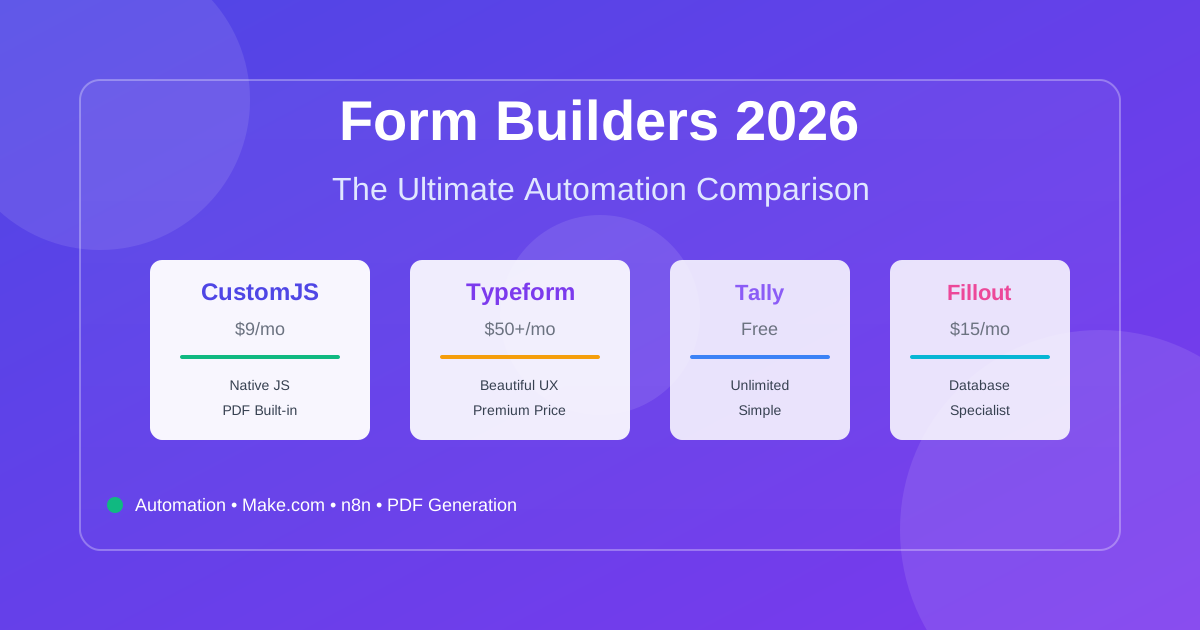
While Tally offers great free forms and Typeform offers premium design, they often lock professional features like Custom Domains and White-labeling behind $30-$50/month paywalls. CustomJS bridges this gap by offering Pro features for just $9/month, including a shared execution pool for JS logic and PDF rendering.
Price Comparison: CustomJS vs. Competitors
Typeform Pro
$29-$50/month
✓ Custom branding
✓ Remove "Powered by"
✗ Limited webhooks
✗ No JS execution
Tally Pro
$29/month
✓ Unlimited forms
✓ Custom domains
✗ Basic webhooks only
✗ No backend logic
BEST VALUE
CustomJS Pro
$9/month
✓ Custom domains
✓ White-label forms
✓ Unlimited webhooks
✓ JS execution pool
✓ PDF generation
🚀 Unique: JavaScript Execution Pool
CustomJS's secret weapon is the execution pool. Run custom JavaScript logic before your webhook fires. This means you can:
Validate and transform data before sending to Make.com/n8n (saves automation operations)
Calculate lead scores server-side without exposing logic to the client
Enrich form data with API calls (geocoding, company lookup) before webhook delivery
Generate PDFs dynamically from form data (invoices, tickets, reports)
Result: You save money on Make.com/n8n operations by doing heavy lifting in CustomJS's execution pool. One $9/month subscription replaces multiple expensive automation steps.
CustomJS Form Builder Integration
CustomJS offers a complete form solution with webhook automation built-in. Learn more about our Form Builder with visual editor and native integrations.
Key Features:
Native Make.com Module: Drag-and-drop form submission triggers
Native n8n Node: Official n8n integration for workflow automation
600 Free Submissions/Month: Generous free tier for testing and small projects
Custom Domains: White-label forms on your domain
Webhook Endpoints: Send data to any webhook URL
Spam Protection: Built-in honeypot and rate limiting
File Uploads: Handle attachments and documents
Multi-Step Forms: Break long forms into steps
Getting Started:
Sign up for a free CustomJS account
Create a new form or use an existing HTML form
Configure webhook URL (Make.com, n8n, or custom endpoint)
A form webhook is an HTTP callback that sends form submission data to a specified URL in real-time. When someone submits your form, the webhook instantly sends the data to your automation platform (Make.com, n8n, Zapier) or custom endpoint, triggering workflows like CRM updates, email sequences, and team notifications.
How do form webhooks differ from traditional form submissions?
Traditional forms send data to an email address or store it in a database, requiring manual processing. Form webhooks send data directly to automation platforms, triggering instant workflows. This means your CRM is updated, emails are sent, and your team is notified—all within seconds of form submission, with zero manual work.
Which automation platforms work with form webhooks?
Form webhooks work with any platform that accepts HTTP POST requests, including Make.com, n8n, Zapier, Integromat, Pipedream, and custom APIs. CustomJS offers native modules for Make.com and n8n, making setup even easier with drag-and-drop integration.
Can I use custom domains for my forms?
Yes! Custom domains allow you to host forms on your own domain (e.g., forms.yourcompany.com) instead of a third-party URL. This improves trust, branding, and email deliverability. CustomJS Form Builder supports custom domains with automatic HTTPS configuration.
How do I prevent spam submissions?
Implement multiple layers of spam protection: honeypot fields (hidden fields that bots fill out), time-based validation (reject submissions that happen too quickly), rate limiting (limit submissions per IP/email), and webhook authentication (verify requests with a secret token). CustomJS includes built-in spam protection.
What happens if my webhook endpoint is down?
Most automation platforms (Make.com, n8n) have retry mechanisms that attempt to deliver webhook data multiple times if the endpoint is temporarily unavailable. For critical forms, implement a fallback email notification or store submissions in a database as backup.
Can I send form data to multiple webhooks?
Yes! You can configure your form to send data to multiple webhook URLs simultaneously. This is useful for sending data to different systems (e.g., CRM + analytics + email platform) or creating redundancy. Most form builders support multiple webhook destinations.
How do I handle file uploads with webhooks?
Convert uploaded files to base64 encoding and include them in the webhook payload, or upload files to cloud storage (Google Drive, Dropbox, S3) first and send the file URL via webhook. The base64 approach works for small files, while cloud storage is better for large files like resumes or documents.
Are form webhooks GDPR compliant?
Form webhooks themselves are neutral—GDPR compliance depends on how you handle the data. Ensure you: (1) add a privacy policy link and consent checkbox, (2) clearly state how you'll use the data, (3) only send data to GDPR-compliant services, (4) provide data deletion mechanisms, and (5) use HTTPS for all transmissions.
What's the best way to test form webhooks?
Use webhook testing tools like webhook.site or requestbin.com to inspect webhook payloads before connecting to your production workflow. These tools give you a temporary URL that logs all incoming requests, letting you verify data structure and troubleshoot issues before going live.
Conclusion
Form webhooks transform passive data collection into active business automation. Instead of manually processing form submissions, you can trigger instant workflows that update your CRM, send personalized emails, notify your team, and move leads through your sales funnel—all automatically.
Whether you're automating lead generation, user onboarding, event registration, or customer support, form webhooks with Make.com and n8n integration provide the speed and flexibility modern businesses need. With 600 free submissions per month and native automation platform support, CustomJS makes it easy to build smart forms that work for you.
Compare the best form builders for automation in 2026. CustomJS vs. Typeform vs. Jotform vs. Tally vs. Fillout. Features, pricing, and real-world use cases. Save $420-1,056/year on automation costs.
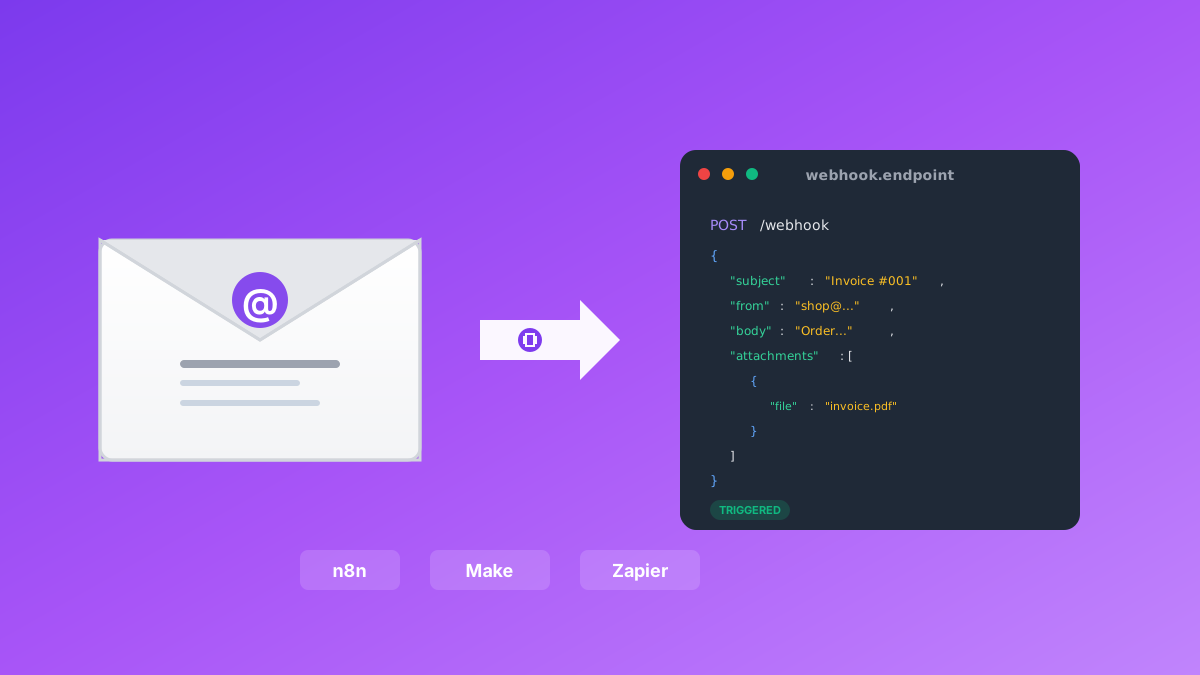
Convert emails to webhooks for Make.com, n8n, and Zapier automation. Process invoices, support tickets, orders, and alerts automatically. Native n8n module included. 600 free emails/month.