Generate Certificate PDFs in n8n
Certificates are generated in bulk and read one at a time, which is why they are worth doing properly. This workflow issues one on course completion, in landscape A4, with an ID that a verification page can look up later.
600 free requests / month, no credit card
- Document
- Certificate
- Platform
- n8n, cloud or self-hosted
- Page size
- A4 landscape, 297 x 210
- Output
- PDF, binary
// live preview
A landscape certificate, ready to print
The page is 297 by 210, so the width and height are swapped compared with every other template here. Put a long name in and watch the layout hold.
// the workflow
Completion in, certificate out
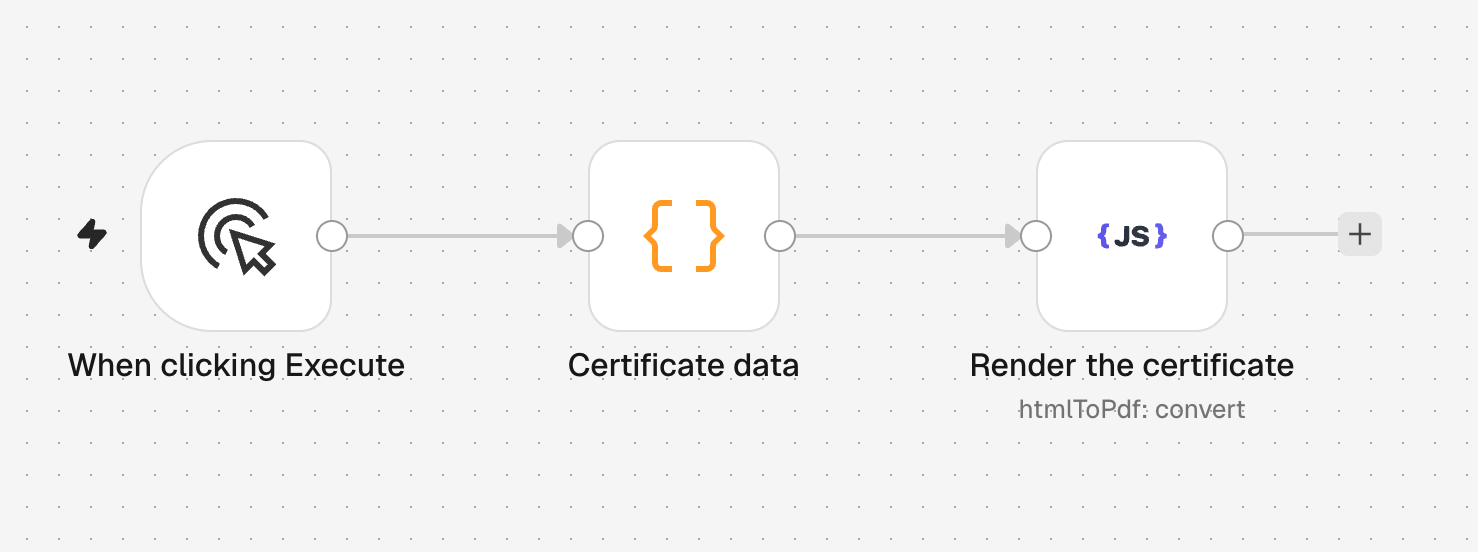
Import the workflow and run it once. The loop node is there for the realistic case: a course finishes and thirty certificates are issued at once, each as its own item with its own binary file.
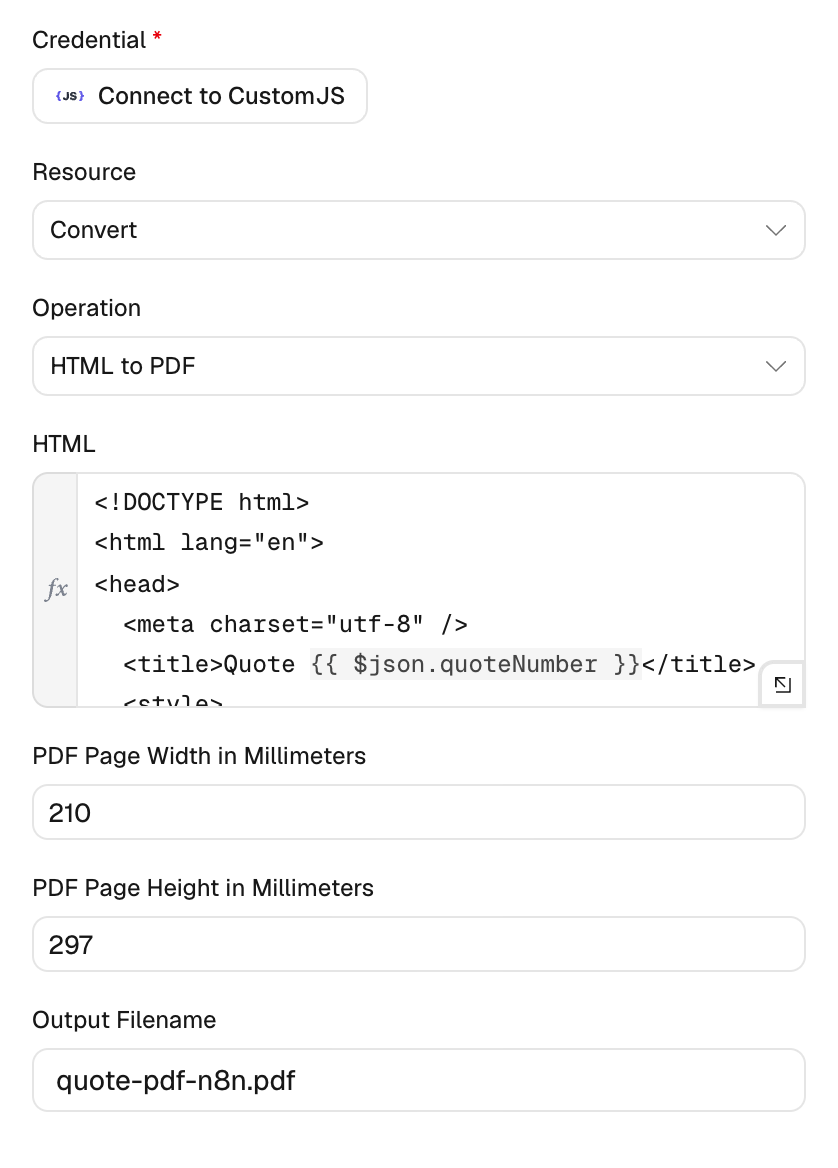
The landscape page size on the node
{
  "resource": "convert",
  "operation": "htmlToPdf",
  "pdfWidthMm": 297,
  "pdfHeightMm": 210,
  "outputFilenamePdf": "=certificate-{{ $json.certificateId }}.pdf"
}
Building a verification ID that does not collide
// Code node, before the PDF node
const year = new Date().getFullYear();
const month = String(new Date().getMonth() + 1).padStart(2, '0');
const seq = String($itemIndex + 1).padStart(4, '0');

return [{ json: { ...$json, certificateId: `CJS-${year}-${month}-${seq}` } }];
What the node looks like
// step by step
Build it yourself
- 1
Install the CustomJS node
Open the node panel and search for CustomJS. The node is published, so on n8n Cloud it is in the list already and nothing has to be installed. On a self-hosted instance, add it once under Settings, Community nodes as
@custom-js/n8n-nodes-pdf-toolkit-v2. The installation page has the details. - 2
Add your API key
Create a credential of type CustomJS API and paste the key from your workspace. One key covers PDF, screenshots and the other endpoints.
- 3
Swap the page to landscape
Set pdfWidthMm to 297 and pdfHeightMm to 210 on the node. Leaving them at the default renders a portrait page with the design squeezed into the top half.
- 4
Give each certificate an ID
Generate the ID in the workflow and write it both onto the document and into your database. Without that pair there is no way to answer the question a certificate exists to answer: is this real.
- 5
Name the file after the ID
Set the output filename to an expression so each file is distinct. A folder of thirty files all called output.pdf is the usual result of skipping this.
- 6
Deliver and record
Email each file to its recipient and store the ID, the name and the issue date. A simple page that looks up the ID is enough to make the verification line on the document true.
// html template
What makes it look printed rather than generated
A serif face, a double border and real signature rules. None of it is clever, and all of it is the difference between a certificate and a letter.
The double border
.sheet {
  padding: 18mm;
  border: 2px solid #4338ca;
  outline: 1px solid #c7d2fe;
  outline-offset: 6mm;
}
Signature lines that line up
<div class="meta">
  <div class="sig">
    <div class="rule">{{ issuer.signatory }}</div>
    <div>{{ issuer.role }}</div>
  </div>
  <div class="id">{{ certificateId }}</div>
  <div class="sig">
    <div class="rule">{{ issuer.name }}</div>
    <div>Issued {{ issuedAt }}</div>
  </div>
</div>
Add a QR code pointing at the verification URL if certificates are checked by people rather than systems. The post on QR codes in PDFs shows how to generate one in the same workflow.
Questions about this template
Related templates
Turn invoice data from any n8n node into a finished PDF with one CustomJS node. Importable workflow, editable HTML template, no headless browser to run.
Turn a deal in your CRM into a sendable quote PDF, with scope lines, a discount row and an expiry date that the workflow calculates.
Render a delivery note from an order, with ordered against shipped quantities, carrier details and a signature line. No prices on the document.
Issue your first certificate
Create a workspace, add the API key to n8n, and set the page to landscape.