Screenshot API: Automated Website Screenshots for Thumbnails & Previews
A powerful screenshot API is essential for modern web applications. Whether you're building a link preview system, creating social media cards, or automating screenshot generation for portfolios, having a reliable website screenshot API enables you to capture web pages programmatically at scale.
According to recent studies, content with compelling visual previews receives up to 94% more views than content without images. Social media platforms like Twitter, LinkedIn, and Facebook rely heavily on Open Graph images to display rich link previews, making automated thumbnail generation a must-have feature for content management systems and marketing tools.
This comprehensive guide covers everything you need to know about screenshot APIs, from basic website capture to advanced use cases like interactive browser automation, social media card generation, and portfolio screenshot systems. We'll explore practical implementations using the CustomJS Screenshot API, which offers 600 free screenshots per month with seamless integration into Make.com and n8n workflows.
TL;DR
Screenshot API with browser automation - click buttons, fill forms, handle cookie banners before capturing.
600 free screenshots per month - no credit card required to get started.
Interactive features: crop specific areas, automate logins, dismiss pop-ups programmatically.
Native Make.com and n8n modules for no-code screenshot automation workflows.
Perfect for link previews, social media cards, portfolio screenshots, and website monitoring.
What is a Screenshot API?
A screenshot API is a programmatic interface that captures screenshots of web pages automatically. Unlike manual screenshot tools, a website screenshot API can process hundreds or thousands of URLs via HTTP requests, making it essential for applications that need to generate visual previews at scale.
Modern screenshot APIs go beyond simple page captures. They offer interactive browser automation - click buttons, fill forms, handle cookie banners, and navigate websites before taking the screenshot. This enables you to capture authenticated pages, dismiss pop-ups, and get clean screenshots of any website state.
Common use cases include generating Open Graph images for social sharing, building link preview systems for chat applications, automating portfolio screenshots for web agencies, website monitoring and change detection, and creating visual sitemaps for documentation.
Why Use a Screenshot API?
Manual screenshot creation is time-consuming, inconsistent, and doesn't scale. Here's why automation is essential:
Scale: Generate thousands of thumbnails automatically instead of capturing each one manually.
Consistency: Ensure uniform dimensions, quality, and styling across all thumbnails.
Real-time updates: Automatically refresh thumbnails when websites change or update content.
Cross-device testing: Capture screenshots from multiple device viewports simultaneously.
Integration: Connect thumbnail generation directly into your CMS, marketing tools, or automation workflows.
Cost efficiency: Eliminate manual labor costs and reduce time-to-market for visual content.
The CustomJS Screenshot API handles the complexity of browser automation, rendering, and image optimization, allowing you to focus on building features rather than managing Puppeteer infrastructure.
How the CustomJS Screenshot API Works
The CustomJS Screenshot API is powered by Puppeteer (headless Chrome) and captures high-quality website screenshots via simple HTTP requests. Create a CustomJS function with the SCREENSHOT utility, deploy it, and call it from any programming language.
The API supports interactive browser automation - click elements, type into forms, wait for content to load, and crop specific areas. It automatically handles complex scenarios like lazy-loaded images, dynamic content, single-page applications, and cookie banners.
Interactive Screenshot Generator
Try the live tool below - enter any URL, add browser interactions like clicking cookie banners, and crop specific areas to see how the API works.
The interactive widget above demonstrates the full power of the Screenshot API. You can visually configure all actions and then get the exact API code you need.
Screenshot API: Basic Example
Here's how to use the CustomJS Screenshot API to capture website screenshots. This works with any HTTP client in any programming language.
Automatically generate Open Graph images for social media sharing. When users share your content on Twitter, LinkedIn, or Facebook, these platforms display rich previews using Open Graph meta tags.
Optimal Dimensions for Social Platforms
Twitter/X: 1200x630px (1.91:1 ratio) - Maximum file size 5MB
LinkedIn: 1200x627px (1.91:1 ratio) - Recommended for best display
Instagram: 1080x1080px (1:1 ratio) - Square format
Pinterest: 1000x1500px (2:3 ratio) - Vertical format preferred
Custom Social Cards with Screenshot API
For fully custom social cards, create a temporary HTML page and screenshot it:
const axios = require('axios');

// Create temporary HTML page URL or use data URI
const htmlContent = `
  <!DOCTYPE html>
  <html>
  <head>
    <style>
      body {
        margin: 0;
        width: 1200px;
        height: 630px;
        background: linear-gradient(135deg, #667eea 0%, #764ba2 100%);
        display: flex;
        align-items: center;
        justify-content: center;
        font-family: -apple-system, sans-serif;
      }
      .card {
        background: white;
        padding: 60px;
        border-radius: 20px;
        max-width: 1000px;
      }
      h1 { font-size: 56px; margin: 0 0 20px 0; color: #1a202c; }
      p { font-size: 28px; color: #4a5568; margin: 0; }
    </style>
  </head>
  <body>
    <div class="card">
      <h1>My Article Title</h1>
      <p>Article description here</p>
    </div>
  </body>
  </html>
`;

// Option 1: Upload HTML to temporary URL and screenshot it
// Option 2: Use data URI (for smaller HTML)
const dataUri = 'data:text/html;base64,' + Buffer.from(htmlContent).toString('base64');

const screenshot = await axios.post(
  'https://e.customjs.io/screenshot',
  {
    input: {
      url: dataUri,
      commands: []
    }
  },
  {
    headers: {
      'x-api-key': 'YOUR_API_KEY',
      'Content-Type': 'application/json'
    },
    responseType: 'arraybuffer'
  }
);
This approach gives you complete control over the design while generating actual PNG screenshots.
Use Case 2: Link Preview System
Build a link preview system similar to Slack, Discord, or WhatsApp. When users paste a URL, automatically fetch and display a visual preview with thumbnail, title, and description.
Web agencies and freelancers can automate portfolio screenshot generation. Instead of manually capturing and updating project screenshots, automatically generate fresh thumbnails on demand or on a schedule.
Automatically generate featured images for blog posts. When authors publish content without uploading a featured image, the CMS can automatically generate one from the article's URL or custom HTML template.
One of the most powerful features of the Screenshot API is browser automation. You can click buttons, fill forms, and handle cookie banners before capturing the screenshot.
💡 Tip: Use the interactive widget at the top of this article to visually configure these actions. It generates the exact code you need!
Integration with Make.com and n8n
CustomJS offers native modules for Make.com and n8n, making it easy to integrate screenshot generation into no-code workflows.
Make.com Integration
Use the CustomJS module in Make.com to generate thumbnails without writing code:
Add the CustomJS module to your scenario
Select "Generate Screenshot" action
Configure URL and viewport settings
Receive screenshot as base64 or URL
Send to Google Drive, Dropbox, email, or any other service
Example workflow: When a new blog post is published in WordPress → Generate social media card → Upload to Cloudinary → Update post meta tags
n8n Integration
Similarly, n8n users can leverage CustomJS nodes for screenshot automation:
Install the CustomJS n8n node
Configure your API key
Use the Screenshot function
Connect to other nodes for complete automation
Example workflow: Schedule weekly → Fetch portfolio URLs from Airtable → Generate screenshots → Upload to S3 → Send notification
Best Practices for Website Thumbnails
2. Use Browser Interactions
Take advantage of CustomJS's interactive features. Click cookie banners, fill forms, and navigate to specific states before capturing screenshots. This ensures clean, professional results.
3. Crop Precisely
Use the bounding box feature to capture only the content you need. This is perfect for extracting specific elements like charts, product images, or content blocks without unnecessary surrounding content.
4. Cache Thumbnails
Store generated thumbnails and only regenerate when content changes. Use URL-based caching keys and implement cache invalidation strategies.
5. Test Your Configuration
Use the interactive widget on the Screenshot API page to test your configuration visually before implementing it in code. This saves time and ensures your screenshots look exactly as expected.
Available Automation Commands
The Screenshot API supports various automation commands that you can chain together to interact with websites before capturing:
CustomJS offers transparent, developer-friendly pricing for screenshot generation:
Free Tier: 600 screenshots per month (no credit card required)
Starter Plan: $9/month for 3,000 screenshots
Growth Plan: $29/month for 15,000 screenshots
Enterprise: Custom pricing for high-volume needs
Each screenshot generation counts as one API call. There are no hidden fees or per-pixel charges. Compare this to alternatives like ScreenshotAPI ($29/month for 5,000 screenshots) or ApiFlash ($12/month for 1,000 screenshots).
1. What's the difference between a screenshot API and a thumbnail generator?
A screenshot API captures the visual appearance of any web page, while a thumbnail generator typically refers to creating optimized preview images. CustomJS's Screenshot API does both - it captures screenshots and can optimize them for specific use cases like social media cards or link previews.
2. Can I generate screenshots from HTML instead of URLs?
Yes! You can use data URIs to screenshot HTML content directly, or create a temporary preview page and screenshot it. For example, encode your HTML as base64 and use it as a data URI: data:text/html;base64,.... This is perfect for generating custom social media cards with full control over the design.
3. How long does it take to generate a screenshot?
Most screenshots are generated in 2-5 seconds. Complex pages with heavy JavaScript or many images may take up to 10 seconds. Pages requiring multiple interactions (clicks, form fills) may take slightly longer.
4. What image format is returned?
The Screenshot API returns PNG images by default. You can configure the response type in your CustomJS function settings.
5. Can I capture screenshots of password-protected pages?
Yes! Use the browser interaction commands to fill login forms and click submit buttons. You can chain multiple actions: type username, type password, click login, then capture the screenshot. This works for most authentication systems.
6. How do I handle cookie banners and pop-ups?
Use the 'click' command to automatically dismiss cookie banners and pop-ups. You can target elements by their text content (e.g., "Accept All") or CSS selectors. The interactive widget makes this easy - just click the element visually and it generates the code for you.
7. Can I use this in Make.com or n8n?
Yes! CustomJS offers native modules for both Make.com and n8n, making it easy to integrate screenshot generation into no-code workflows without writing any code.
8. Can I capture only a specific part of a page?
Absolutely! Use the bounding box feature to define the exact area you want to capture. Specify x, y coordinates and width, height dimensions. This is perfect for capturing specific elements like charts, images, or content sections without the entire page.
Conclusion
Automated website thumbnail generation is essential for modern web applications, from social media card generation to link preview systems and portfolio automation. CustomJS provides a powerful, easy-to-use Screenshot API that handles the complexity of browser automation, rendering, and image optimization.
With 600 free screenshots per month, native Make.com and n8n integration, and support for advanced features like device emulation and custom CSS injection, CustomJS is the ideal solution for developers and businesses automating visual content generation.
Whether you're building a link preview system, automating social media cards, or maintaining a portfolio gallery, the Screenshot API offers the flexibility and reliability you need to deliver professional results at scale.
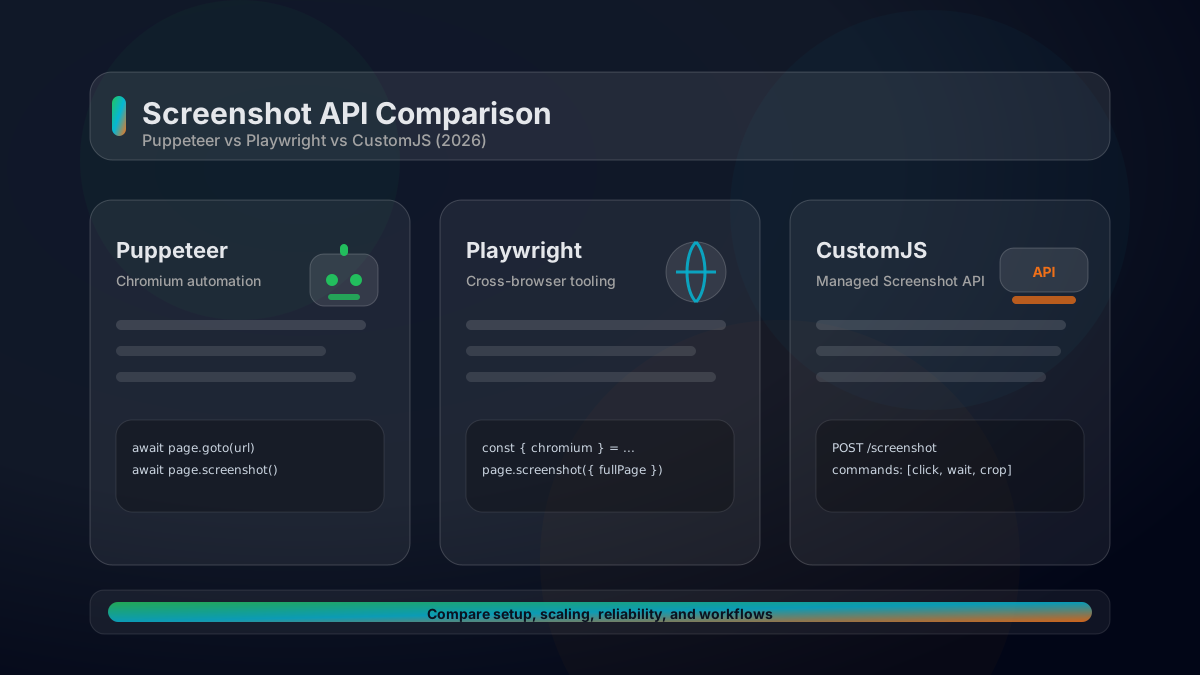
A practical comparison of Puppeteer vs Playwright vs a managed Screenshot API. Feature matrix, code examples, scaling considerations, and how to choose in 2026.