Reusable JavaScript Functions Across Make Scenarios: One Function, Many Scenarios
Updated October 2026
Make has no built-in way to share a piece of JavaScript between scenarios below the Enterprise plan: the Code app keeps each script inside its own module, and Make's Custom Functions, which do share code across a team, are Enterprise-only and capped at 300 ms with no network access. The working option on any Make plan is a stored function: write the JavaScript once in CustomJS, give it named parameters, and call it from every scenario that needs it with the Execute Stored Function module.
This guide shows one stored function, priceQuote, called from three scenarios with different parameters: a webhook intake, a CRM sync and a nightly report. It also says when a stored function is overkill. The Make limits quoted here were checked against Make's documentation on October 7, 2026.
TL;DR
A Make Code module stores its script inside that module. Reuse means copy-paste or a blueprint export. There is no shared library.
Make Custom Functions do share code, but only on Enterprise, and limited to 300 ms, 5,000 characters, synchronous code, no HTTP and no libraries.
A CustomJS stored function is written once, has named parameters, is versioned, and is called by name from any number of scenarios, on every plan including free.
Move code out of a scenario when you paste a snippet a second time, apply a fix twice, pass about 40 lines, or need an npm package or an async HTTP call.
Test the function once with sample parameters in the editor, then wire the scenarios to it. A later fix reaches all of them on their next run.
Why can't I share code between Make scenarios?
Because Make's native code options were built for one scenario at a time. The Code app (JavaScript and Python, open beta, paid Make plans only) is a module like any other: its script lives in the module's settings. If two scenarios need the same logic, each holds its own copy. The only transport is copy-paste or a blueprint export, and a blueprint moves a whole scenario, not one function. When you later fix a bug, you fix it once per copy, and you have to remember where the copies are.
Make Custom Functions deserve a fair description. They live in a Functions section at the team level, every team member can use them in the mapping panel of any scenario, every save creates a history record you can compare and restore, and there is a debug console under the editor. That is a real shared library. The catch is the fence around it, checked on October 7, 2026 at help.make.com/custom-functions: Enterprise plan only, no more than 300 milliseconds per call, no more than 5,000 characters of code, synchronous only, no HTTP requests, no third-party libraries, no recursion, no calling one custom function from another. Good for a short pure formula, unusable for anything that fetches, waits or imports.
So no plan below Enterprise has a sharing mechanism, and the Enterprise mechanism cannot run the code most people want to share. A stored function fills that gap from outside Make.
When should I move inline code to a stored function?
Inline code is the right default. The Execute Inline JavaScript module keeps the snippet next to the scenario that uses it, and most snippets never need more than that. Four signals say it is time to move the code out:
You paste the same snippet into a second scenario. Two copies are two places to fix. Three is a maintenance problem.
You had to apply one fix twice. If you ever searched your scenarios for "where else did I use this", that was the moment.
The script passes about 40 lines. The module's code field is a plain text box. Past 40 lines, missing braces cost more time than opening a real editor.
The script needs an npm package or an async HTTP call. These are the scripts you least want duplicated, because a changed endpoint then has to be changed everywhere.
Our usage data backs the fourth signal. Across stored functions on the platform, 39% make an HTTP call, 40% use async, and 30% import an npm package. The median stored function is 110 lines long, and a request can run up to 60 seconds on paid plans (30 seconds on free). None of that fits a 300 ms, 5,000 character, no-network box.
How does a stored function work in Make?
You write the function in the code editor at app.customjs.space and save it under a name. In the panel next to the code you define dynamic parameters, here items, currency, tier and taxRate. In the code, each one is available as input.items, input.currency and so on. The code ends with return, and the returned value is what Make receives. The function also gets a response type (text, JSON, HTML, PDF or PNG); for data, return an object and pick JSON.
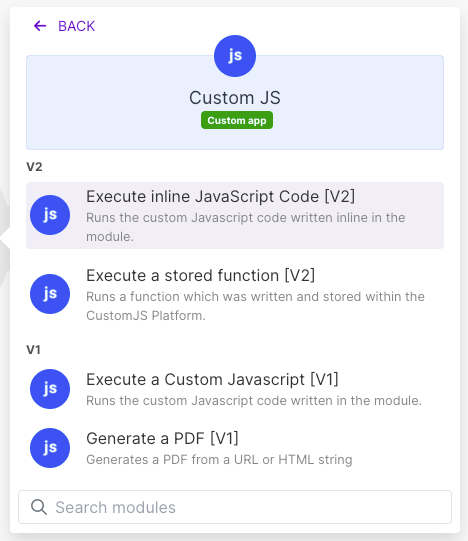
In Make, add the CustomJS app and choose the Execute Stored Function module (Make lists it as "Execute a Stored Function"). Select the function by name. Make then shows one input field per parameter, so one scenario maps items from a webhook bundle and another from a CRM deal, without touching the code. Each call costs 1 Make credit and 1 CustomJS request, however long the code runs. The require() list from the npm modules page is available inside the function on every plan.
Two details save time. Parameters arrive as strings; a Make collection or array goes through Make's Transform to JSON module first, and the function parses it with JSON.parse. And values that should change without a code edit (a discount table, an HTML template) can live in a static variable of the function, readable as variables.name.
Example: one priceQuote function, three scenarios
The function takes line items, a currency, a customer tier and a tax rate, and returns subtotal, discount, tax, total and a formatted string. The business rules (tier discounts, rounding to cents) live in one place.
This function makes no network call and finishes in roughly 120 ms per request; the median inline script on the platform takes 121 ms.
The three scenarios map the same four parameters from different sources:
Scenario
items
currency / tier / taxRate
What happens with the output
1. Webhook intake
Cart array from the order form, through Transform to JSON
EUR / standard / 0.19
totalFormatted goes into the confirmation email, total into the orders sheet
2. CRM sync
Deal line items from HubSpot, aggregated and transformed to JSON
USD / partner / 0
total and discount are written back to the deal amount and a discount property
3. Nightly report
Yesterday's unbilled orders, one call per order inside an Iterator
From the customer record / from the customer record / by country
Totals are aggregated into one row per customer and sent to the finance channel
The CRM sync call, for example, sends ten DESK-120 units at 349.00 with tier partner and tax rate 0, and gets back subtotal 3490, discount 523.5, total 2966.5 and "$2,966.50". Same code, different numbers, no second copy.
The payoff shows up at the first change. Say finance adds a reseller tier at 25%, or finds that half cents were rounded the wrong way. You edit the function once, save, and all three scenarios use the new version on their next run. With inline code that is three edits in three scenarios, and the one you forget produces wrong invoices for a month.
Use our Make App to execute JavaScript directly in Make.
How do I test a stored function before wiring three scenarios to it?
Test it once, in the editor, with sample input. The editor lets you fill in each parameter and run the function without a scenario attached, so you see the returned object or the error directly. Four runs catch most problems:
The happy path. Paste the sample items, set currency, tier and tax rate, and check the totals with a calculator: 698 + 379 = 1077, tax 204.63, total 1281.63.
Missing or empty items. The function returns an error field instead of throwing, so the scenario can route on it with a filter.
Strings where numbers are expected. Make often delivers "2" rather than 2. The Number() calls handle that; test it anyway.
An unknown tier."vip" is not in the table and should fall back to 0% rather than produce NaN.
Only then add the Execute Stored Function module to the first scenario, map the parameters, and run it once. The function is already proven, so the only open question is the mapping. Repeat for the other two. Saved versions mean a later change that goes wrong can be rolled back without touching any scenario.
How do the four ways to run code in Make compare?
Make limits checked on October 7, 2026 against Make's documentation; CustomJS limits from the pricing page.
Make Code app (inline)
Make Custom Functions
CustomJS inline
CustomJS stored function
Sharing across scenarios
None. Copy-paste or blueprint export
Yes, team-wide, with version history
None. Copy-paste
Yes, called by name from any scenario, versioned
Time limit
30 s (Enterprise: 300 s)
300 ms
30 s free, 60 s paid
30 s free, 60 s paid
Code size
Not a stated limit
5,000 characters
Module text field
Editor, median function 110 lines
npm packages
moment, moment-timezone, lodash; others on Enterprise
None
Full list, every plan
Full list, every plan
Network and async
Yes
No HTTP, synchronous only
fetch, async/await
fetch, async/await
Plan
Paid Make plans, 2 credits per second
Make Enterprise
Any Make plan, 1 credit per call, CustomJS free tier 600 requests/month
Any Make plan, 1 credit per call, CustomJS free tier 600 requests/month
Read the table in both directions. On Make Enterprise with a pure formula under 300 ms, Make Custom Functions are the native answer and need no third party. On a paid Make plan with a one-second script in a single scenario, the Code app is fine and, as the pricing comparison shows, often cheaper. The stored function wins when code has to be shared, when it needs a package or an HTTP call, or when the Make plan is below Enterprise.
Who actually uses stored functions?
One number from our own data, because it describes the pattern rather than the product: customers who use stored functions are the longest-tenured group on the platform, with a median tenure of 15 months. We read that as a property of the workflow. Once logic lives in one named, versioned place, the scenarios around it become cheaper to change, and people keep building on them instead of rebuilding them. It is the same reason developers put shared code in a library.
When Make's built-in is enough
A stored function is one more thing to maintain. Do not create one in these cases:
The logic is a one-line mapping formula.formatDate, replace, split, sum and the rest of Make's functions cost nothing extra and need no code step. A formula repeated in three scenarios is fine.
The code is short and used in one scenario. Keep it inline. Moving a 12-line snippet to a stored function gains nothing until a second scenario needs it.
You are on Make Enterprise and the function is pure. Synchronous, under 300 ms, under 5,000 characters, no fetch, no library: use Make Custom Functions. They are shared, versioned and native.
You want to reuse a whole scenario. Scenario templates and blueprint export are built for that. A stored function shares logic, not modules and connections.
The task is a single API call with no transformation. Make's HTTP module does that without code. The custom API calls guide covers where code starts to earn its place.
n8n has a free built-in Code node, and the priceQuote logic runs there unchanged with $input.all() or $json in place of input. To share one function across Make and n8n, call the stored function's REST URL from n8n's HTTP Request node, so both tools run the same code.
The free tier includes 600 requests per month and the full npm list, no credit card. Write the function once, test it, and point the first scenario at it.
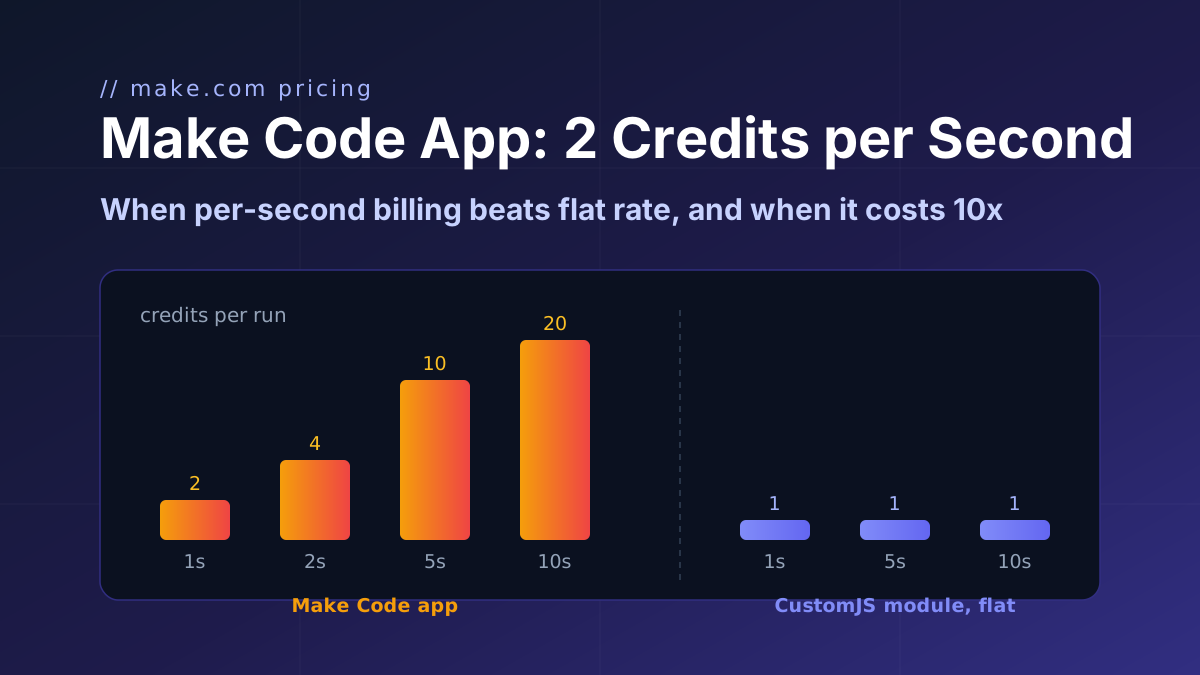
Make's Code app bills 2 credits per second, caps at 30 s and ships npm only on Enterprise. CustomJS bills 1 credit per call with npm and stored functions on every plan. Break-even at 1 to 15 s.
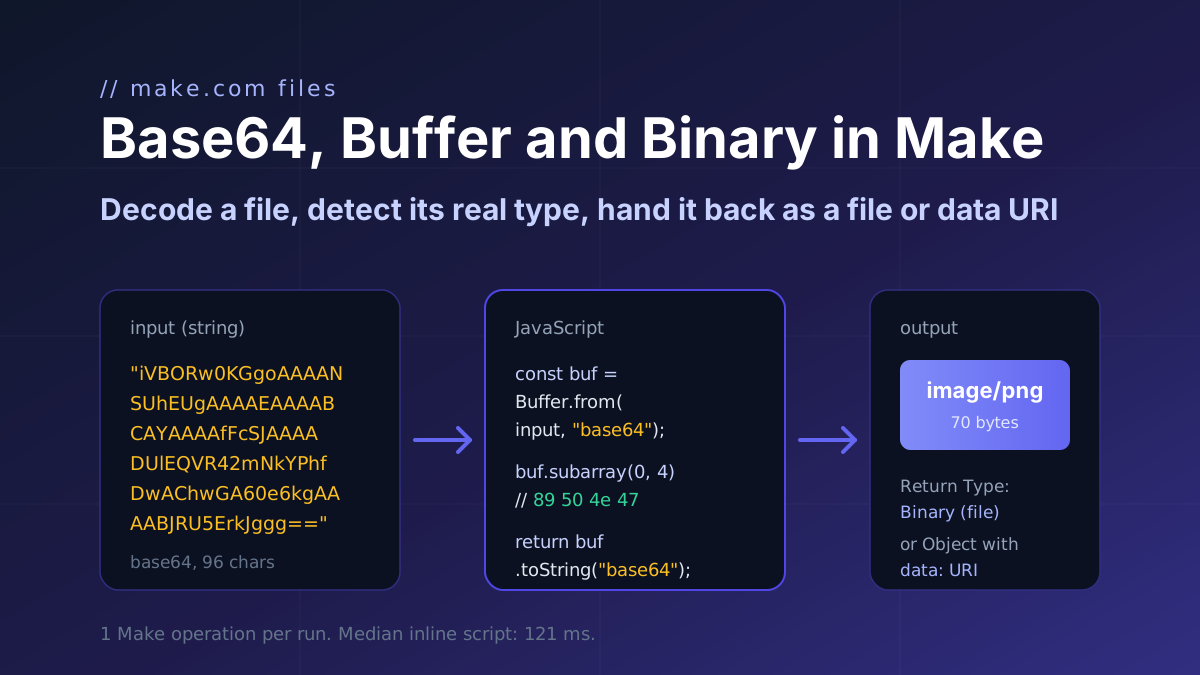
How a file moves through Make.com as base64 and binary: decode it with Buffer.from, detect the real type from the header bytes, and return a file or a data URI. Code with input and output.
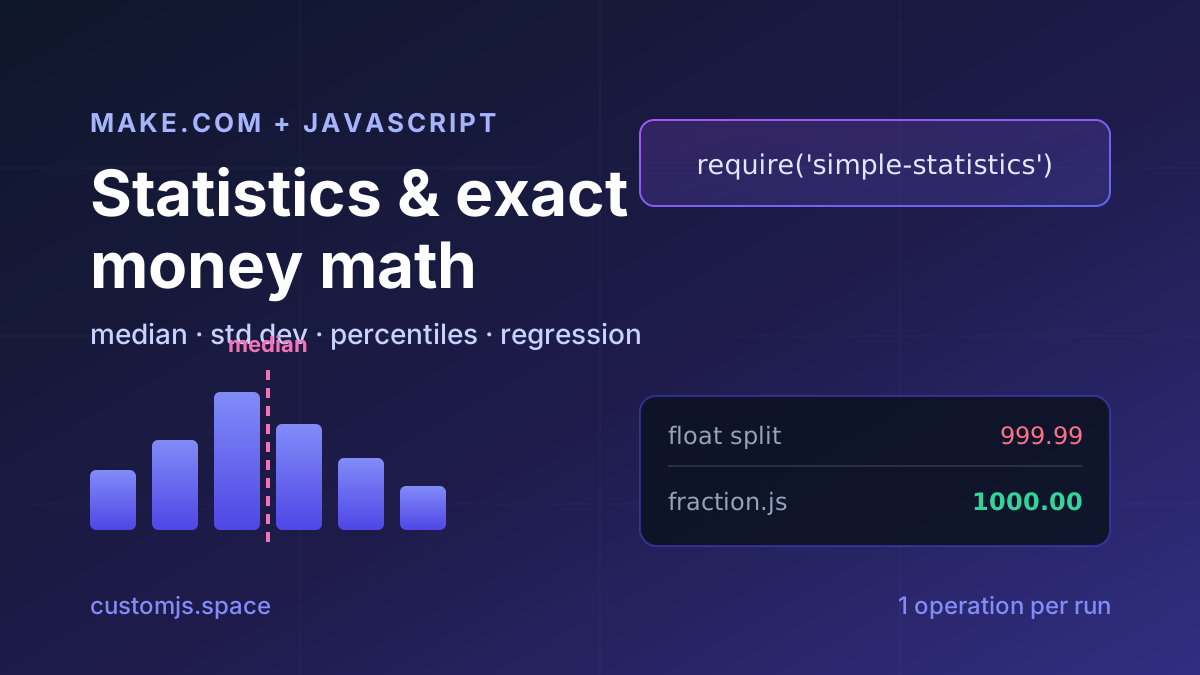
Median, standard deviation, percentiles, regression and cent-exact money splits in Make.com with one JavaScript step. No Google Sheets detour, copy-paste recipes.