React Contact Form for S3 + CloudFront: Serverless Email Without AWS Lambda
A React SPA built with Vite is a folder of index.html, hashed JavaScript bundles, and a few images. Sync it to an S3 bucket, point CloudFront at the origin, and you have a global static site for cents a month. Then a stakeholder asks for a contact form, and every AWS tutorial in the first ten search results sends you down the same rabbit hole: API Gateway, Lambda, SES, IAM, a verified sender domain, and a deploy pipeline that has nothing to do with your React code.
You can skip that. A React <ContactForm /> can POST straight from the browser to a hosted form endpoint, validate with react-hook-form and Zod, send an email plus a PDF auto-reply, and ship as part of the same static bundle you push to S3. No Lambda, no SES, no API Gateway. This guide walks through the component, the build, the CloudFront pieces that actually matter (CORS, response headers, edge rate-limiting), and the cost difference at the volumes a typical marketing site or SaaS landing page actually sees.
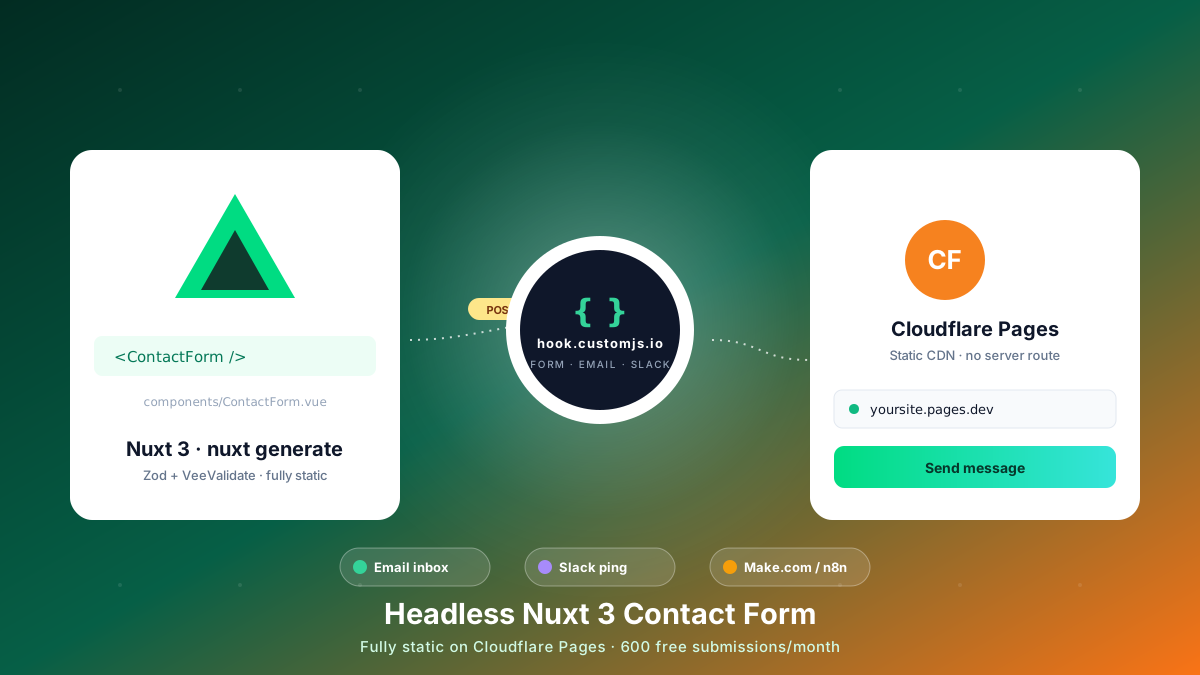
This is the React-specific implementation of the pattern from our pillar guide on serverless static site hosting. The Hugo and Nuxt versions live next door if you maintain sites across more than one stack.
TL;DR
An S3 + CloudFront bundle has no server runtime, so the AWS-native answer to forms is API Gateway + Lambda + SES, which is three services, three IAM policies, and a separate deploy.
A <ContactForm /> component built on react-hook-form + Zod can POST a JSON payload directly to a hosted endpoint and keep the SPA fully static.
Validation is typed end-to-end with zodResolver, so the same schema validates the form, infers the payload type, and documents the request body.
One CustomJS workflow handles the email notification, an optional PDF auto-reply attachment for the visitor, and a webhook fan-out to Make.com or n8n.
At 1k submissions a month the AWS stack costs roughly $4 to $9 once you add CloudWatch and SES; CustomJS is $0 inside the 600 a month free tier and predictable above it.
The same component drops into Azure Static Web Apps or Cloudflare Pages unchanged. Only the deploy command changes; the React code, the env-variable name, and the JSON payload stay the same.
Why "Just Add a Lambda" Is the Wrong Default
The AWS-native answer is the right answer in one specific case: you already run Lambda in production, the team owns the IAM and CloudFormation conventions, and SES is already verified for the sending domain. Everywhere else, you are paying setup time and ongoing maintenance for what other stacks treat as a checkbox.
Here is what the AWS-native path actually involves, end to end:
An API Gateway REST or HTTP API with a POST /contact route, deployed to a stage.
A Lambda function (Node, Python, or whatever) that validates the input, calls SES, and returns a JSON response.
SES set up in a region that supports it, with the sending domain verified by DNS and the account moved out of the sandbox so it can email arbitrary recipients.
IAM roles for the Lambda (permissions to invoke SES), for API Gateway (permission to invoke the Lambda), and execution-role trust policies for both.
CORS headers configured on API Gateway, including the OPTIONS preflight route.
CloudWatch Logs for the Lambda, with a log-group retention policy, because the default is "forever" and surprises every team eventually.
Some kind of pipeline (SAM, CDK, Serverless Framework, raw Terraform) that owns and re-deploys all of the above.
None of that is hard in isolation. Together it is half a day's work the first time, then a recurring tax every time a CORS preflight changes, a runtime is deprecated, or an IAM policy gets tightened. For a marketing contact form on a SaaS landing page, the cost-to-value ratio is poor.
The Honest Comparison
Three plausible paths for a React SPA hosted on S3 + CloudFront. The middle row is what most AWS-shop tutorials recommend; the bottom row is what this guide builds.
Approach
Services to operate
Cold-start risk
Portable off AWS?
Third-party form (Formspree / Basin / Netlify)
None on AWS
None
Yes
API Gateway + Lambda + SES
3 to 4 (plus IAM and CloudWatch)
Cold start on infrequent traffic
No (AWS-specific)
React POST to CustomJS endpoint
None on AWS
None (managed)
Yes (works on Azure SWA, Cloudflare Pages)
The bottom row keeps the React SPA exactly as it is. Build artifacts go to S3, the CDN serves them, and a JSON POST goes out from the browser at submit time.
Architecture in One Diagram
All dynamic concerns live behind one endpoint URL. The React build never has to know about your inbox, your CRM, or the PDF template attached to the auto-reply.
[ React + Vite SPA ]  ->  vite build  ->  dist/
        |   (static HTML + JS, synced to S3, served via CloudFront)
        v
<ContactForm />  ->  useContactForm()  ->  fetch POST (JSON)
        |
        v
[ https://hook.customjs.io/<hook-id> ]
        |  validates, stores, returns 200
        |--> Email to your inbox
        |--> Email to visitor + PDF auto-reply
        `--> Make.com / n8n scenario (CRM, Slack, ...)
Swap the inbox, change the auto-reply copy, add a Slack step, and the React bundle does not rebuild. The contract between the SPA and the backend is one JSON POST.
Step 1: Bootstrap the React + Vite Project
If you already have a React SPA, skip ahead. For everyone else, three commands get you a TypeScript Vite app with the dependencies this guide uses.
# 1. Create a TypeScript Vite app
npm create vite@latest my-site -- --template react-ts
cd my-site

# 2. Install form + validation libraries
npm install react-hook-form @hookform/resolvers zod

# 3. Local env var (browser-side, read at build time)
echo "VITE_CONTACT_ENDPOINT=https://hook.customjs.io/abc123def456" > .env.local
react-hook-form handles the form state, zod defines the schema, and @hookform/resolvers/zod bridges the two so a single schema validates input and infers the TypeScript type for the payload.
Step 2: One Schema, Two Jobs
The Zod schema is the source of truth for validation and for the TypeScript type the rest of the code consumes. Define it once and reuse the inferred type for the fetch payload, the field handlers, and any analytics events you emit on submission.
// src/schemas/contact.ts
import { z } from 'zod'

export const contactSchema = z.object({
  name: z.string().min(2, 'Please enter your name'),
  email: z.string().email('Enter a valid email address'),
  message: z.string().min(10, 'Your message is a little short'),
  // Honeypot: must stay empty (real users never see it)
  company: z.string().max(0).optional(),
})

export type ContactInput = z.infer<typeof contactSchema>
The company field is a honeypot. A real visitor never sees it (we hide the wrapper with CSS), so any submission where it is filled gets dropped silently. We also use this trick further down to add a time-on-form check, which catches the bots the honeypot misses.
Step 3: The Submission Hook
Keep the network logic out of the component. A small custom hook returns a typed submit function and a status that you can drive the UI from. Cold-start aside, the most common reason a contact form silently fails in production is that the endpoint URL is undefined because the env var is missing. The hook reads the URL through globalThis._importMeta_.env and throws if it is not configured.
// src/hooks/useContactForm.ts
import { useState } from 'react'
import type { ContactInput } from '../schemas/contact'

type Status = 'idle' | 'submitting' | 'success' | 'error'

const ENDPOINT = globalThis._importMeta_.env.VITE_CONTACT_ENDPOINT
if (!ENDPOINT) {
  throw new Error('VITE_CONTACT_ENDPOINT is not set. Add it to .env.local before build.')
}

export function useContactForm() {
  const [status, setStatus] = useState<Status>('idle')
  const [errorMessage, setErrorMessage] = useState('')

  async function submit(payload: ContactInput) {
    setStatus('submitting')
    setErrorMessage('')

    try {
      const res = await fetch(ENDPOINT, {
        method: 'POST',
        headers: { 'Content-Type': 'application/json' },
        body: JSON.stringify({
          source: window.location.pathname,
          ...payload,
        }),
      })

      if (!res.ok) throw new Error('Request failed: ' + res.status)
      setStatus('success')
    } catch (err) {
      setStatus('error')
      setErrorMessage(err instanceof Error ? err.message : 'Unknown error')
    }
  }

  return { status, errorMessage, submit }
}
The Vite convention is VITE_* prefix for any variable that needs to ship to the browser. The value is read at build time and baked into the bundle, so a missing env var in CI is the kind of bug that shows up only in production. The early throw in the hook surfaces it locally instead.
Step 4: The Reusable <ContactForm /> Component
Wire the schema, the hook, and react-hook-form into a single component. useForm consumes the Zod schema through zodResolver, so errors are typed and field-scoped, and the submit handler only fires once the input is valid.
That is the entire component: typed fields, inline error messages, a disabled state while submitting, distinct success and error panels, and a hidden honeypot. Drop it into any page with one line:
// src/pages/Contact.tsx
import { ContactForm } from '../components/ContactForm'

export function ContactPage() {
  return (
    <section>
      <h1>Get in touch</h1>
      <ContactForm />
    </section>
  )
}
Try the Same Round Trip Live
The widget below posts the same shape of payload to the same kind of endpoint. Submit it to watch the submitting, success, and reset states without leaving the page.
The endpoint accepts the JSON, then runs whatever workflow you defined for that hook ID. A minimal setup sends two emails: one notification to your inbox, and one to the visitor with a PDF receipt or quote attached. The {{ ... }} tokens are filled from the submitted payload using the same Nunjucks templating used across the CustomJS API.
{
  "trigger": { "type": "form-submission", "hookId": "abc123def456" },
  "steps": [
    {
      "type": "email",
      "name": "Notify sales",
      "to": "[email protected]",
      "subject": "New contact from {{ source }}",
      "html": "<h2>{{ name }}</h2><p>{{ email }}</p><p>{{ message }}</p>"
    },
    {
      "type": "pdf",
      "name": "Render auto-reply PDF",
      "templateId": "contact-confirmation",
      "data": { "name": "{{ name }}", "message": "{{ message }}" },
      "output": "confirmation"
    },
    {
      "type": "email",
      "name": "Send confirmation to visitor",
      "to": "{{ email }}",
      "subject": "Thanks for reaching out, {{ name }}",
      "html": "<p>We received your message and will reply shortly. A copy is attached.</p>",
      "attachments": [{ "name": "confirmation.pdf", "ref": "confirmation" }]
    }
  ]
}
The PDF is rendered from an HTML template the same way our HTML receipt generator works, so the visual side is plain HTML and CSS. From here, teams typically add a Slack notification for the sales channel, a CRM upsert via the Make.com module or the n8n integration, or a conditional branch that routes enterprise leads to a different inbox. None of those require touching the React bundle.
Step 6: Build and Deploy to S3 + CloudFront
Vite emits the production bundle to dist/. The only piece of AWS in this pipeline is the bucket and the distribution. No Lambda, no API Gateway, no SES, no IAM role for any of those.
# Production build
npm run build                # outputs to dist/

# Sync hashed assets (long cache) then index.html (no cache) separately
aws s3 sync dist/ s3://my-bucket --delete \
  --exclude "index.html" \
  --cache-control "public, max-age=31536000, immutable"

aws s3 cp dist/index.html s3://my-bucket/index.html \
  --cache-control "no-cache, no-store, must-revalidate"

# Invalidate the CloudFront cache for index.html
aws cloudfront create-invalidation \
  --distribution-id E1ABCDEF1234 \
  --paths "/index.html"
The two --cache-control rules above are worth keeping. Vite fingerprints hashed assets, so they can be cached for a year. index.html must not be cached aggressively, or visitors will keep loading the stale HTML that references retired bundle filenames.
For the CloudFront distribution, use these settings:
Setting
Value
Origin
S3 bucket via Origin Access Control (OAC)
Default root object
index.html
Viewer protocol policy
Redirect HTTP to HTTPS
SPA fallback
Custom error response: 403 / 404 to /index.html with status 200
Response headers policy
SecurityHeadersPolicy (managed)
The SPA fallback is the line most teams forget the first time. Without it, a hard refresh on /contact returns a 403 from S3 because there is no contact object in the bucket. The custom error response rewrites those misses to /index.html so the React Router takes over.
CORS and CSP at the CloudFront Edge
Because the POST goes to a third-party HTTPS endpoint, CORS is configured on the receiving side, not on CloudFront. CustomJS hooks respond with permissive CORS headers by default, so a fetch from any static origin works without configuration on your end. Two CloudFront-side adjustments are still worth thinking through.
1. Content Security Policy
If you add a CSP header, the form endpoint has to appear in connect-src. The simplest path is a custom CloudFront Response Headers Policy that includes the directive:
# Sample CSP for a React SPA that POSTs to a CustomJS hook
Content-Security-Policy:
  default-src 'self';
  script-src 'self';
  style-src 'self' 'unsafe-inline';
  img-src 'self' data:;
  connect-src 'self' https://hook.customjs.io;
  font-src 'self' data:;
Without the connect-src entry, the submission fetch fails with a CSP violation that the browser logs but the user never sees. If the form is silently dropping submissions after you add CSP, this is almost always why.
2. Edge rate-limiting (optional)
Spam bots that find a public form endpoint will hammer it. CustomJS rate-limits per hook ID, but you can layer your own throttle on the static site so bots never get past CloudFront in the first place. AWS WAF supports a rate-based rule on the distribution that drops anything beyond N requests per 5 minutes from a single IP:
# Rate-based rule: drop any IP that posts more than 50 requests in 5 minutes
aws wafv2 create-rule-group \
  --name contact-form-throttle \
  --scope CLOUDFRONT \
  --capacity 10 \
  --rules '[{
    "Name":"rate-limit",
    "Priority":1,
    "Statement":{"RateBasedStatement":{"Limit":50,"AggregateKeyType":"IP"}},
    "Action":{"Block":{}},
    "VisibilityConfig":{
      "SampledRequestsEnabled":true,
      "CloudWatchMetricsEnabled":true,
      "MetricName":"contact-form-throttle"
    }
  }]'
For most marketing sites this is overkill. Add it once you see actual abuse in the logs, not preemptively.
Cost Comparison at 1k Submissions a Month
Numbers below are list prices, mid-2026, in us-east-1. Real bills vary with region, data transfer, and how much logging you keep around, but the rough order of magnitude is stable.
Line item
AWS-native stack
CustomJS endpoint
API Gateway (1k requests)
~$0.0035
N/A
Lambda invocations + duration
~$0.20
N/A
SES outbound emails
~$0.10 (1k emails)
Included
CloudWatch Logs (default retention)
~$3 to $8 if not pruned
Included (dashboard logs)
PDF rendering
Bring your own Lambda + library
Included
Engineering time (recurring)
Real
Zero
Monthly total
$4 to $9
$0 (free 600/mo, then flat)
The hard cost difference is small at 1k submissions a month. The difference that does not appear on the bill is the runbook: rotating IAM keys, upgrading Node runtimes when AWS retires them, debugging the CloudWatch entry the first time a CORS preflight fails. That is what teams pay for, and it does not stop.
Same Component on Azure Static Web Apps
Nothing in the component is AWS-specific. The schema, the hook, and the form markup are plain React. To ship the same code on Azure Static Web Apps, build the bundle the same way and push it with the SWA CLI instead of aws s3 sync.
# Build once
npm run build

# Deploy with the SWA CLI
npx @azure/static-web-apps-cli deploy ./dist \
  --deployment-token "$AZURE_SWA_TOKEN" \
  --env production

# Same env-var convention: set VITE_CONTACT_ENDPOINT in the GitHub Actions
# secrets or the SWA portal. No Azure Function, no SendGrid, no host change
# to the <ContactForm /> component.
The native Azure path is an Azure Function plus SendGrid for outbound mail. Skipping both keeps the deploy single-tier and the form portable: a year from now, when someone proposes moving the SPA to Cloudflare Pages, the migration is a different deploy command and nothing else. The full host comparison across AWS, Azure, Cloudflare Pages, Netlify, and Vercel lives in the pillar guide.
Stopping Spam Without a Captcha Wall
Two cheap layers stop the overwhelming majority of bots with no friction for real visitors. Add a third only if the first two are not enough.
1. Honeypot (already wired)
The company field from the Zod schema is hidden with CSS, not type="hidden", because bots skip hidden inputs but happily fill labelled text inputs. The submit handler drops any submission that fills it.
/* styles.css - hide the wrapper from humans, keep it in the DOM for bots */
.hp {
  position: absolute;
  left: -9999px;
  width: 1px;
  height: 1px;
  overflow: hidden;
}
2. Time-on-form check
Bots submit in milliseconds. Record when the component mounts and reject anything submitted faster than a human could type. Reject quietly so the bot learns nothing about why it failed.
// Inside ContactForm.tsx
import { useEffect, useRef } from 'react'

const mountedAt = useRef(0)
useEffect(() => { mountedAt.current = Date.now() }, [])

const onSubmit = handleSubmit(async (values) => {
  if (values.company) return                              // honeypot
  if (Date.now() - mountedAt.current < 2000) return       // too fast -> bot
  await submit(values)
})
3. Cloudflare Turnstile or reCAPTCHA v3 (only if needed)
Add invisible verification only after you see real spam volume in the dashboard. Captchas add weight to the bundle and friction to the user. The honeypot plus the time check catches 95% of automated traffic on a marketing site.
Common Pitfalls
Forgetting the env var in CI
Vite reads VITE_CONTACT_ENDPOINT at build time and inlines its value into the bundle. If the variable is missing in the CI environment, the production bundle posts to undefined. Set the variable in the GitHub Actions secret store (or your CI of choice) before the deploy step, not after.
Forgetting the SPA fallback in CloudFront
Without the 403 / 404 to /index.html error response, a hard refresh on any deep route returns a 403 because there is no matching object in S3. The fix is one entry in the distribution's custom error responses.
Caching index.html
The hashed bundles are safe to cache for a year. The HTML that references them is not. If index.html caches for hours, visitors will pull old HTML that references retired bundle filenames and the page will fail to load until the cache expires.
Forgetting connect-src in CSP
If you ship a Content Security Policy header, the form endpoint must be in connect-src. A missing entry causes the fetch to fail silently from the user's perspective; only the browser console mentions it.
Using onChange validation everywhere
react-hook-form defaults to onSubmit validation, which is the right default. Switching to onChange across every field makes the form feel hostile, because the user sees red as soon as they tab away from the first input. Keep onSubmit as the trigger, or use onBlur if you genuinely want per-field feedback.
Where This Goes Next
The same component pattern scales to newsletter signups, quote requests, demo bookings, and support intake. Three follow-ups worth reading once the contact form is live:
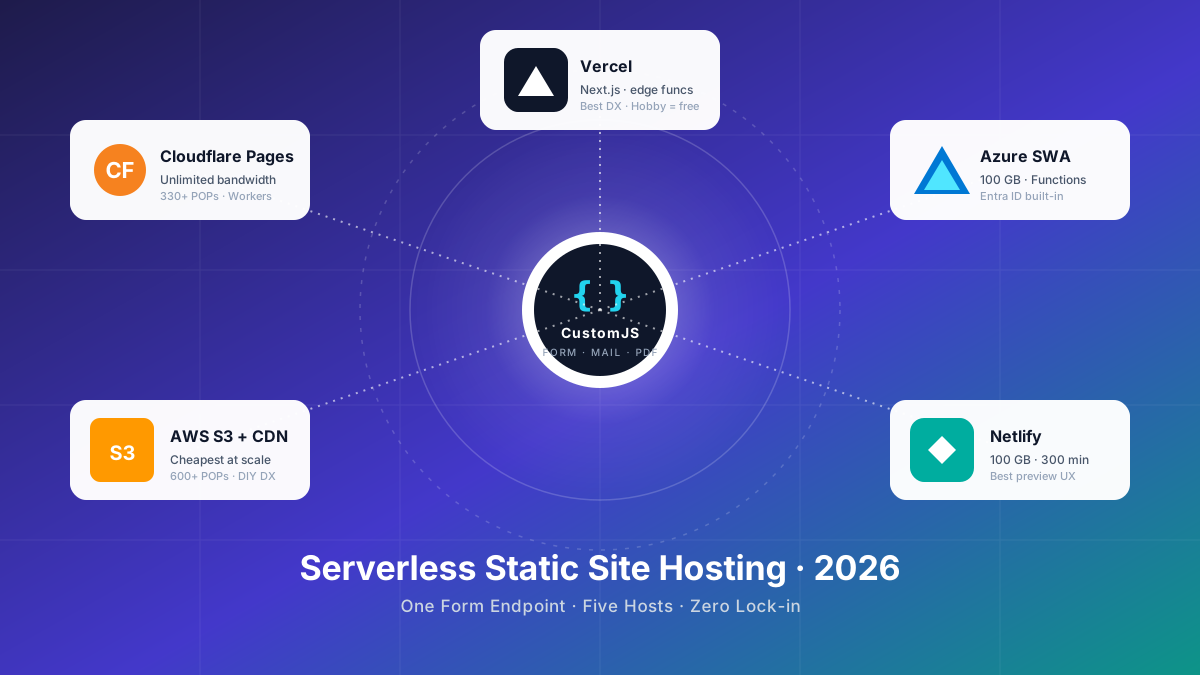
Serverless Static Site Hosting in 2026 is the pillar that compares S3 + CloudFront against Cloudflare Pages, Netlify, Vercel, and Azure Static Web Apps end to end.
Frequently Asked Questions
1. Can a React SPA on S3 handle a contact form without Lambda?
Yes. The SPA stays static, and the form POSTs from the browser to an external HTTPS endpoint that handles validation, storage, email, and webhooks. You never run a Lambda, configure API Gateway, or verify a sender in SES.
2. What is the latency penalty compared to a Lambda on us-east-1?
For warm Lambda invocations the difference is in the tens of milliseconds, dominated by network distance to the form endpoint. For cold starts, the hosted endpoint usually wins, because a busy multi-tenant service keeps its runtime warm continuously. On marketing-site traffic patterns (sporadic submissions) the cold-start case is the common one, which is where hosted endpoints shine.
3. Can I attach files to a submission?
Yes, but do it in two steps. Upload the file to S3 directly from the browser using a pre-signed URL, then include the resulting URL in the JSON payload. The endpoint stays JSON-only, which keeps the downstream Make.com or n8n schema clean and avoids multipart parsing in the browser.
4. Does this work on Azure Static Web Apps and Cloudflare Pages too?
Yes. The React component is host-agnostic. The only thing that changes between AWS, Azure, and Cloudflare is the build target and the env-variable prefix (Vite's VITE_* is the same everywhere). The same JSON POST works identically.
5. What happens if the endpoint is down?
The fetch in the submission hook rejects, and the component falls into the error branch with a user-facing message and an inline fallback ("email us at ..."). Hosted form endpoints typically run with SLA-backed multi-region failover, but the fallback message is what your visitor sees regardless.
6. Can I generate a PDF auto-reply with line items from the form?
Yes. The PDF template is HTML and Nunjucks, so any field in the JSON payload (including arrays for line items) can render into the document. See the HTML receipt generator for ready-to-use templates and the async JS execution guide if your template needs charts or QR codes.
7. Is the free tier really 600 submissions per month?
Yes, per account rather than per site, with no credit card. If you maintain several React apps under one account, the 600 is shared across all of them.
Wrap-up
A React contact form on S3 + CloudFront does not need API Gateway, Lambda, or SES. It needs a typed schema, a small submission hook, and one URL to POST to. Everything dynamic (the inbox notification, the PDF auto-reply, the CRM upsert) sits in a workflow you change from a dashboard rather than a CloudFormation stack.
The free tier covers 600 submissions a month with no credit card, which is plenty for marketing sites, portfolios, and SaaS landing pages. When you outgrow it, the same endpoint keeps working and your React build never changes.
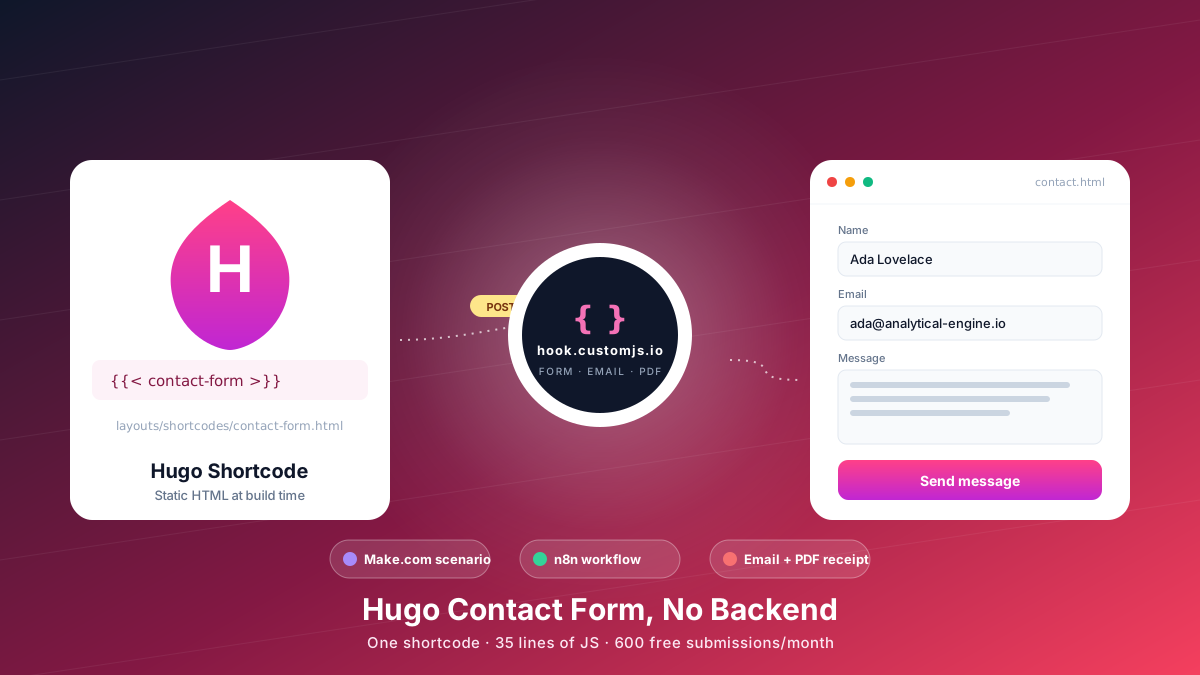
Add a Hugo contact form without a backend. Copy-paste shortcode, vanilla JS handler, spam protection, email + PDF receipt, Make.com & n8n routing. 600 free submissions/month.
Compare the 5 major serverless static site hosts in 2026 — Cloudflare Pages, AWS S3, Azure Static Web Apps, Netlify, Vercel — across price, build limits, edge reach, and how each handles contact forms.