n8n Mailhook: 5 Ways to Trigger a Workflow from an Email (Compared)
"Mailhook: how to create?" is one of the oldest recurring questions on the n8n community forum. The ask is always the same: I want an email address that starts my n8n workflow the moment a message arrives, the way a webhook does. Not a mailbox I poll. Not a Gmail account I have to hand OAuth credentials to. An address that is the trigger.
n8n still does not ship a native inbound email address, so everyone assembles their own mailhook from parts. Some parts are built into n8n, some are third-party parsers, some are developer-grade inbound mail infrastructure, and one is a purpose-built email-to-webhook service. They differ a lot in setup time, latency, attachment handling, and what happens when something fails.
This guide compares the five practical ways to build an n8n mailhook in 2026, with honest trade-offs and copy-paste setup for each. If you just want the fastest path: a CustomJS Mail Hook gives you a dedicated address like [email protected] that pushes every email to your n8n webhook in 1 to 2 seconds, with 600 free emails per month.
TL;DR
n8n has no built-in inbound email address. Every "mailhook" is either a polling trigger, a parser service, inbound mail infrastructure, or a dedicated email-to-webhook bridge.
The IMAP Email Trigger and the Gmail Trigger work, but they poll a mailbox you must own and manage, and they add latency.
Parser services (Mailparser, Parseur) shine when you need field extraction rules, but you pay per parsed document.
Mailgun and SendGrid inbound routing is powerful and cheap at scale, but you need a domain, MX records, and patience.
A CustomJS Mail Hook is the shortest path: create an address, paste your n8n webhook URL, done. Push delivery in 1 to 2 seconds, attachments included, 600 free emails per month, plus a native n8n trigger node.
What a Mailhook Actually Is
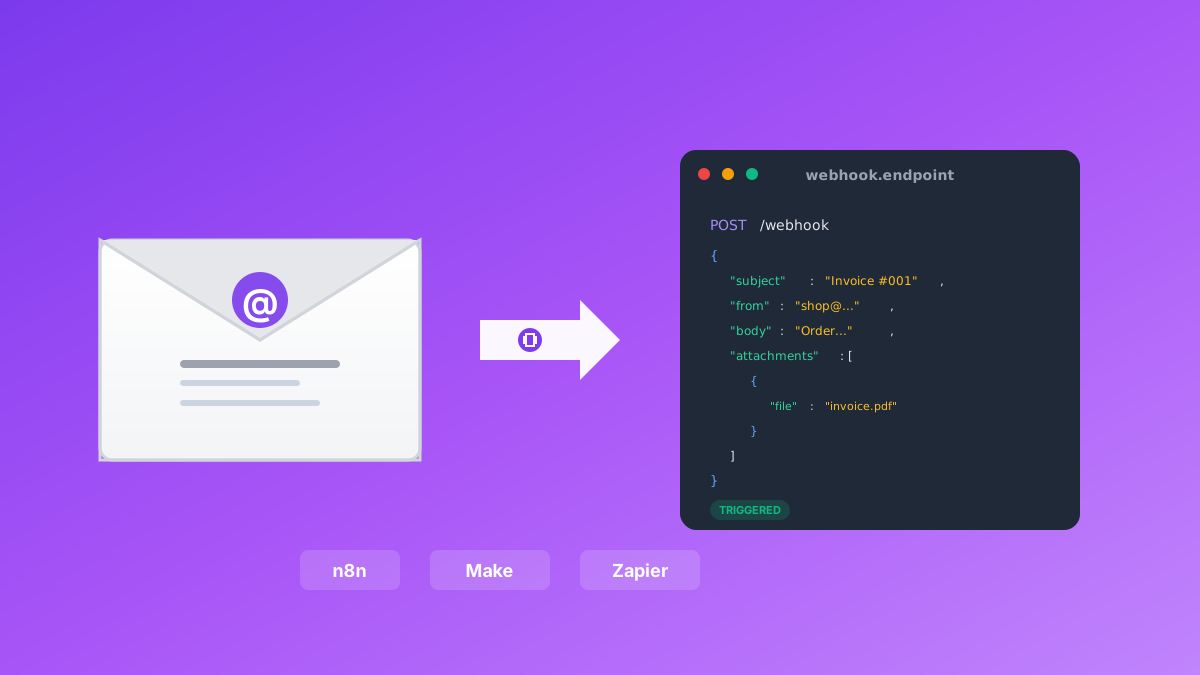
A webhook turns an HTTP request into a workflow run. A mailhook does the same for email: a message arrives at an address, and your workflow starts with the parsed subject, sender, body, and attachments as input. The concept is simple. The implementation question is where the email lands first and how it gets converted into that HTTP call.
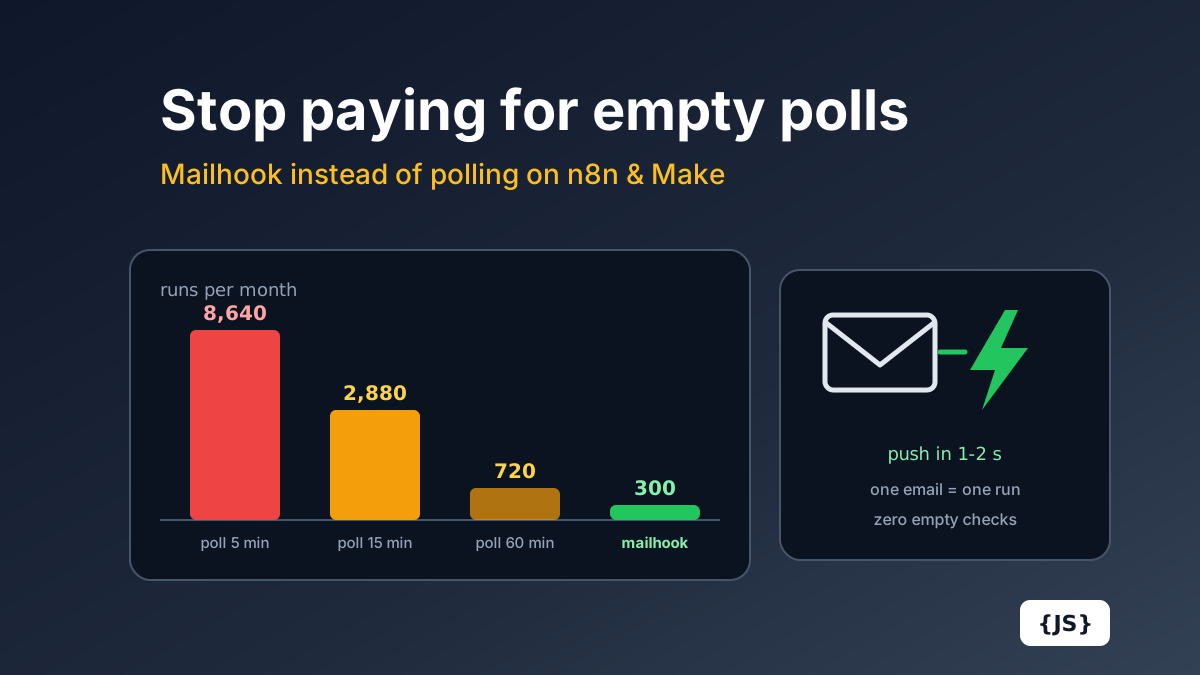
That conversion point is what separates the five approaches below. Either n8n reaches out and checks a mailbox on a schedule (polling), or something in front of n8n receives the mail and pushes it to a Webhook node (push). Push is what people actually mean when they say mailhook, and it matters for two reasons: latency and cost. We cover the cost side in detail in Email Polling Is Quietly Eating Your n8n Executions and Make Operations.
Option 1: The Built-in Email Trigger (IMAP)
n8n ships an Email Trigger (IMAP) node. You point it at an existing mailbox (host, port, user, password or app password), and it watches the inbox for new messages. When one arrives, the workflow runs with the parsed email as JSON.
It is the obvious first stop, and for a single low-volume mailbox you already own, it is fine. The friction shows up in practice:
You need a real mailbox. That means creating and paying for an inbox at your mail provider for every trigger address you want, and storing its credentials in n8n.
IMAP connections are fragile. Providers drop idle connections, enforce app-password policies, and lock accounts on "suspicious" logins from your n8n server's IP. When the connection dies silently, your workflow just stops firing until someone notices.
Attachments arrive as base64 blobs you have to decode and move around inside the workflow yourself.
One mailbox, one trigger. Routing different senders to different workflows means filter logic inside one big workflow, not separate clean endpoints.
Verdict: acceptable for "watch my existing support inbox", wrong tool for "give this legacy system an address that triggers automation".
Option 2: The Gmail Trigger
If the mailbox is a Gmail or Google Workspace account, the Gmail Trigger node is more robust than raw IMAP. It authenticates with OAuth and polls the Gmail API on a schedule you choose, down to every minute.
The trade-offs are inherited from the model:
It polls. Best case, your workflow starts up to a minute after the email arrived. For approval flows and alert routing, that delay is noticeable.
OAuth setup is real work. A Google Cloud project, consent screen, credentials, scopes. For a self-hosted n8n it is a one-time cost, but it is not a 30-second setup.
Broad scopes on a personal or company inbox. You are granting your automation server read access to an entire mailbox to catch a few machine-generated messages.
Gmail only. The moment the source system needs to send somewhere else, you are back to square one.
Verdict: the best polling option if the mail already lands in Gmail and a minute of delay is fine.
Services like Mailparser and Parseur give you an inbound address and a rules engine: you teach them where the order number, the total, or the customer name sits inside the email, and they deliver clean structured fields to a webhook. n8n catches that webhook with a plain Webhook node.
This is genuinely the right tool when the hard part of your problem is extraction: semi-structured emails from systems you cannot change, where regex in n8n would be painful. The trade-offs:
Per-document pricing. These tools price by parsed email, and the plans are sized for document processing budgets, not "forward everything" volumes.
Rules need maintenance. When the source system changes its template, your parsing rules break and need reteaching.
You often do not need them. n8n has Extract from Text, a Code node, and AI nodes. If the email is machine-generated and consistent, extracting a value inside n8n is one node.
Verdict: pay for a parser when extraction is the problem. If you just need the email delivered as structured JSON (subject, body, attachments), a parser is an expensive mailhook.
Option 4: Inbound Mail Infrastructure (Mailgun Routes, SendGrid Inbound Parse)
The developer-grade answer: point MX records for a domain (or subdomain like inbound.yourcompany.com) at Mailgun or SendGrid, define a route, and the service POSTs every inbound message to your URL as multipart form data. n8n receives it with a Webhook node.
This is real push delivery and it scales beautifully. It is also the most setup-heavy option:
DNS and domain work. MX records, SPF, domain verification, propagation time. If you have never touched DNS, plan an afternoon and a bit of frustration.
You parse the payload yourself. Inbound parse posts raw MIME fields; multi-part bodies, encodings, and attachment handling are your job inside the workflow.
Account overhead. Mailgun's inbound routing sits inside a paid sending product; SendGrid's Inbound Parse is free with an account but comes with the full SendGrid onboarding.
Retry behavior varies and is on you to monitor. A misconfigured route fails silently from the sender's perspective.
Verdict: the right choice when you want inbound email on your own domain at serious scale and you have engineering time. Overkill for connecting one legacy system to one workflow.
Option 5: A Dedicated Email-to-Webhook Bridge (CustomJS Mail Hook)
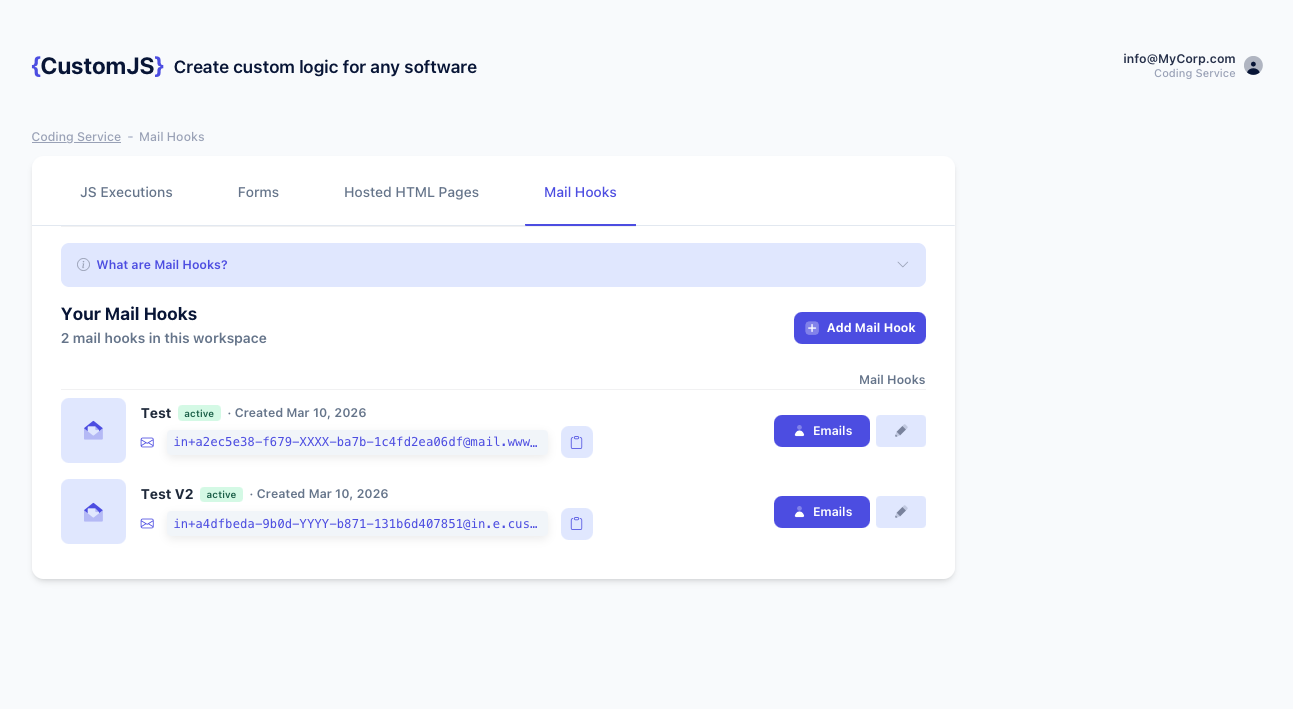
The last option is a service whose whole job is to be a mailhook. A CustomJS Mail Hook gives you a unique address such as [email protected]. Every email sent there is parsed and pushed to the webhook URL you configure, within 1 to 2 seconds. No mailbox, no credentials, no DNS, no parsing rules.
The full setup, timed generously at 30 seconds:
1. In n8n, add a Webhook node (POST) and copy its production URL.
The default delivery format is multipart/form-data, which is even nicer inside n8n: attachments arrive as real binary files on the webhook item, so you can pipe a PDF straight into a Google Drive, S3, or PDF to Text node without decoding anything.
If a delivery fails, CustomJS retries with exponential backoff and keeps the email so you can replay it from the dashboard. That is the part every DIY approach forgets until the first outage.
Or skip the dashboard: the native trigger node
There is also a dedicated trigger in the CustomJS community package. Install @custom-js/n8n-nodes-pdf-toolkit-v2 under Settings, Community Nodes (see the installation guide), then drag in CustomJS Mailhook (Trigger). Activate the workflow, copy the URL the node shows you, and paste it into a new Mail Hook. From then on the trigger node outputs each parsed email as the workflow input, and the same package gives you PDF, screenshot, and scraping actions downstream.
The Comparison Table
Approach
Delivery
Setup effort
Attachments
Typical cost
Email Trigger (IMAP)
Polling a mailbox you own
Medium (mailbox + credentials)
Base64 in JSON
Mailbox cost + maintenance
Gmail Trigger
Polling (1 min minimum)
Medium-high (Google OAuth)
Via extra Gmail node calls
Free, Gmail only
Mailparser / Parseur
Push after parsing
Medium (teach parsing rules)
Yes, per plan
Per parsed document, from ~$30+/mo
Mailgun / SendGrid inbound
Push (raw MIME multipart)
High (domain, MX, SPF, parsing)
Yes, you handle MIME
Cheap at scale + engineering time
CustomJS Mail Hook
Push, parsed, 1-2 s
Low (~30 seconds)
Binary files or URLs
600 emails/mo free, then from $9/mo
Third-party pricing and limits move around; checked July 2026. Confirm current numbers on each provider's site before you commit.
A Complete Example: Supplier Invoice to Google Drive and Slack
To make this concrete, here is the classic mailhook workflow, built with a Mail Hook and three n8n nodes. A supplier's ERP emails invoices as PDF attachments; the workflow files the PDF and notifies accounting.
Webhook (POST, from Mail Hook)
   -> IF: subject contains "Invoice"
        -> Google Drive: upload binary attachment
        -> Slack: "New invoice  from "
Because the Mail Hook default is multipart delivery, the PDF is already binary data on the webhook item. No base64 decoding, no extra HTTP download step. If you need a value out of the body text, one Extract from Text node handles machine-generated emails:
// n8n Code node: pull the invoice number out of the plain-text body
const text = $json.bodyText || $json.body?.text || '';
const match = text.match(/INV-\d{4}-\d+/);

return [{
  json: {
    invoiceNumber: match ? match[0] : null,
    from: $json.from,
    subject: $json.subject,
  }
}];
The mail already lands in a Gmail inbox and a minute of latency is fine: use the Gmail Trigger and move on.
You need to watch an existing non-Gmail mailbox you cannot redirect: Email Trigger (IMAP), and set a reminder to check that the connection is still alive.
Your emails are messy and field extraction is the actual problem: a parser service earns its per-document price.
You want inbound mail on your own domain at high volume and have a developer: Mailgun Routes or SendGrid Inbound Parse.
You want a webhook that happens to have an email address, working in the next minute: a CustomJS Mail Hook. It is the only option here that was designed as a mailhook rather than assembled into one.
Polling a mailbox every 15 minutes costs 2,880 Make.com operations a month before processing a single email. The full cost math for Make.com and n8n Cloud, and how a push mailhook fixes cost and latency at once.
Convert emails to webhooks for Make.com, n8n, and Zapier automation. Process invoices, support tickets, orders, and alerts automatically. Native n8n module included. 600 free emails/month.
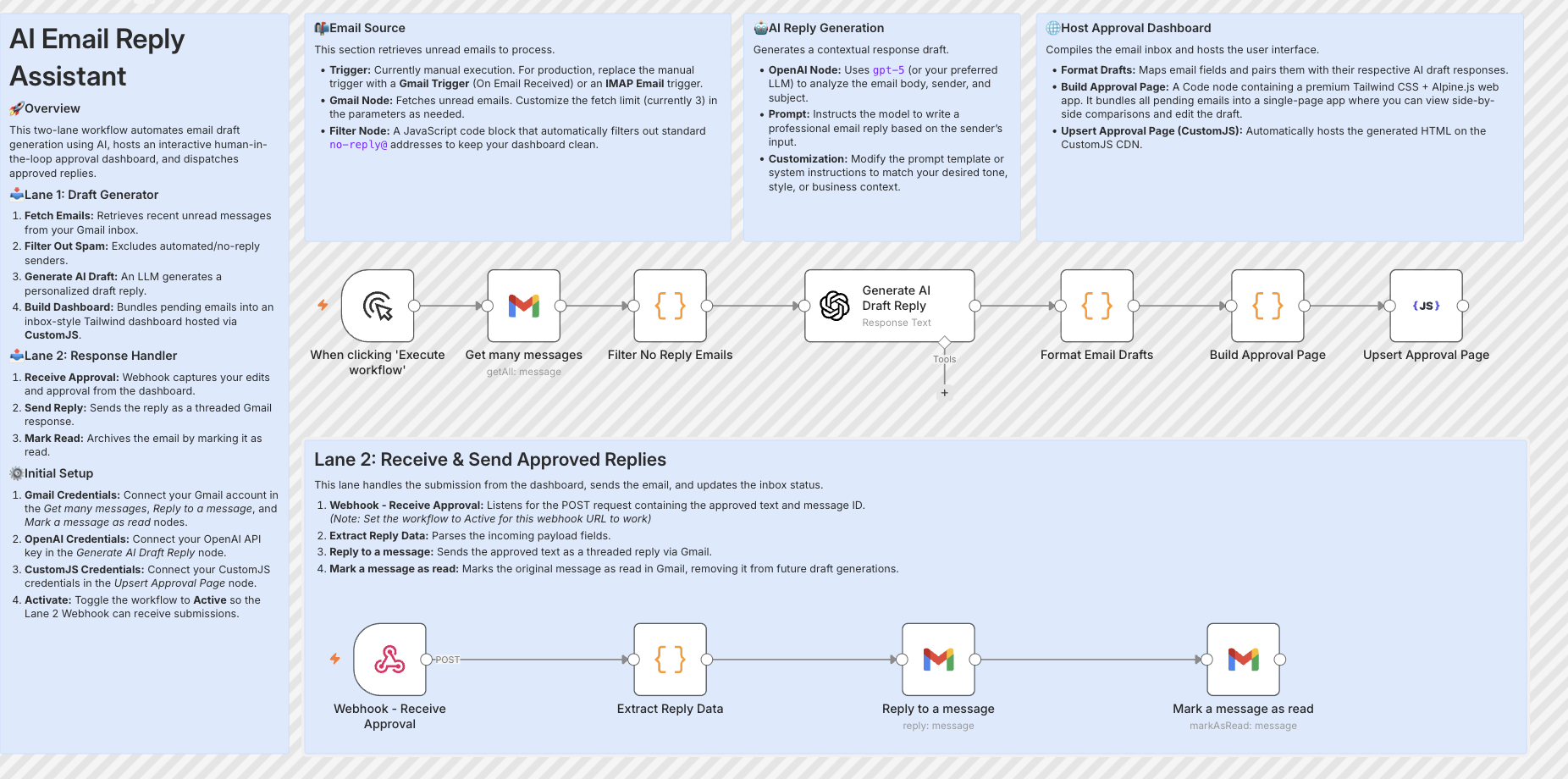
Build resilient HITL approval workflows in n8n using custom HTML forms hosted on customjs.space. The 2-workflow async architecture that survives server restarts and supports pre-filled editable review forms.