Run JavaScript in a Power Automate Flow (Inline Code Step, No Azure Functions)
Updated October 2026
Power Automate cloud flows have no built-in action that runs JavaScript. The shortest way to get one is the CustomJS connector: add the Execute JavaScript Code action, map your data into Input Value, write code that ends in return, and read the result in the next step with a Parse JSON action.
Microsoft's own options each carry a precondition. Office Scripts run TypeScript, but only against an Excel workbook, and fetch is disabled when a script runs from a flow. Azure Functions run anything, but need a subscription, a deployment, and an HTTP action to call them. This guide walks through the inline code step with real input and output, three examples plus a PDF invoice, a comparison of the three routes, and the cases where Power Automate's own expressions are the better tool.
TL;DR
Power Automate has no native JavaScript action for cloud flows. The desktop-flow "Run JavaScript" action runs Windows Script Host JScript on a PC, not in the cloud.
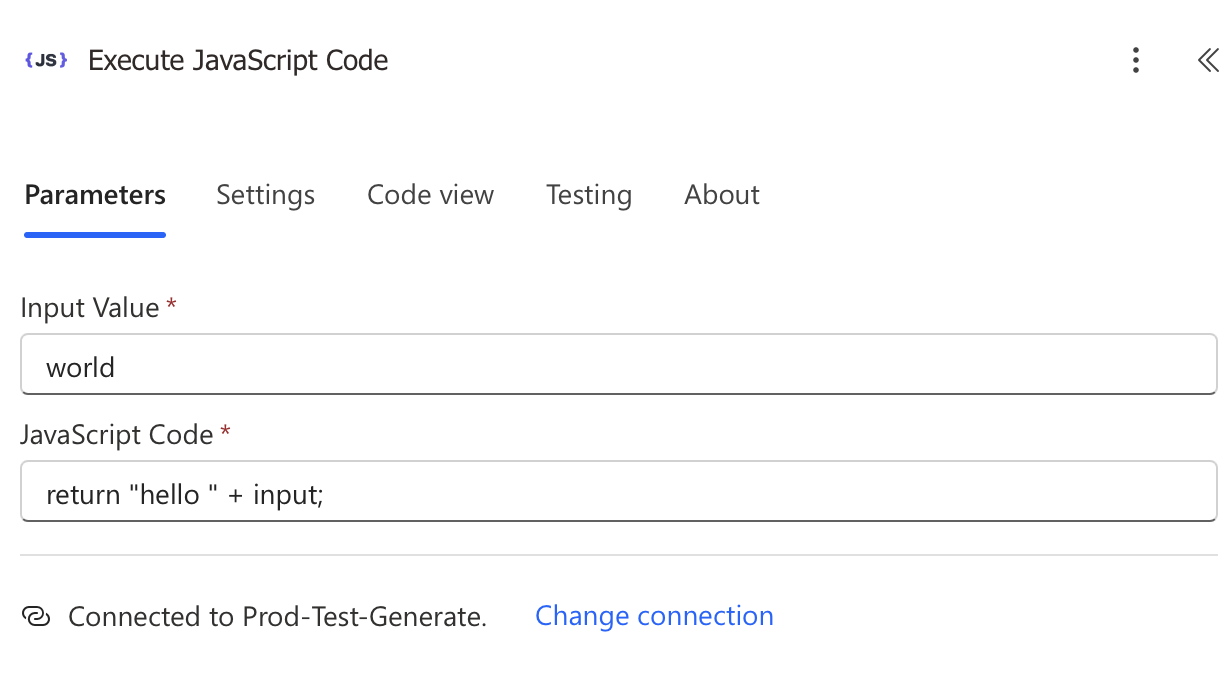
The CustomJS connector adds an Execute JavaScript Code action with two fields, Input Value and JavaScript Code, plus a connection that holds your API key.
Return an object or array and feed the output into Parse JSON. Every field becomes dynamic content in later steps.
The connector is classed Premium: the flow owner needs Power Automate Premium ($15 per user per month) or a Process license. CustomJS itself is free for 600 requests per month.
Office Scripts are Excel-only and cannot call external APIs from a flow. Azure Functions need a subscription, a deployment, and the premium HTTP action.
For string joins, date formatting, and reshaping arrays, concat, formatDateTime, Select and Filter array are enough. Skip the code step there.
Microsoft facts in this article (connector class, license entitlements, Office Scripts limits, Azure Functions free grant, expression functions) were checked against Microsoft Learn and the Power Automate pricing page in October 2026. Licensing terms change; the linked pages are the source of truth.
Why doesn't Power Automate have a JavaScript action?
Cloud flows run on the Workflow Definition Language, the expression engine shared with Azure Logic Apps. It offers around 100 functions (concat, split, formatDateTime, addDays, json) and a few Data Operation actions, but no loops inside an expression, no user-defined functions, and no script step. When you hit that wall, Microsoft points to three things:
Office Scripts. TypeScript inside an Excel workbook, started from a flow by the Run script action of the Excel Online (Business) connector. You need a workbook in OneDrive or SharePoint, a business Microsoft 365 license, and when the script runs from Power Automate, fetch is not defined. Microsoft caps it at 1,600 runs per user per day and 3 calls per 10 seconds (platform limits).
Azure Functions. Real Node.js (or C#, Python, Java, PowerShell) on your Azure subscription. Create a Function App and storage account, write and deploy the function, secure it with a key, then call it with the HTTP action, which is itself premium. The Consumption plan includes 1 million executions and 400,000 GB-seconds per month before charges start.
Run JavaScript in desktop flows. Power Automate for desktop only. The code runs through Windows Script Host on a Windows machine and returns via WScript.Echo. It is not available in a cloud flow and is not Node.js.
The CustomJS connector is the fourth option: a certified connector whose action sends your code and input to CustomJS servers, runs it in Node.js with async/await, fetch, Buffer and a fixed set of npm packages, and returns whatever you return. Nothing to deploy or host.
What do I need before I add the code step?
A CustomJS API key. Sign in at app.customjs.space (email or Google, no credit card), click Show under API Key, copy it. Free: 600 requests per month (20 per day), 30 second timeout. Paid plans start at $9 per month for 100 requests per day with a 60 second timeout (pricing).
A Power Automate license with premium connectors. Microsoft lists CustomJS as Premium (connector reference). Premium connectors come with Power Automate Premium ($15 per user per month, paid yearly) and the Process license ($150 per flow per month). They are not in the Power Automate Free license or in the rights seeded into Microsoft 365 plans, which cover standard connectors only. A 90 day trial can be started from the designer.
That is the honest trade-off against Office Scripts: Excel Online (Business) is a standard connector, so Office Scripts work on a plain Microsoft 365 license. If your logic is about an Excel workbook and needs no external calls, that route costs nothing extra.
How do I add the Execute JavaScript Code action step by step?
Open the flow in the designer and click + below the step whose data you want to process.
In Add an action, search for CustomJS. Two actions appear: Execute JavaScript Code and HTML to PDF. Pick the first.
On first use, enter any Connection name, paste the key into Api_key, click Create new. The connection is stored per user and reused by all your flows.
Fill Input Value (optional, available in the code as input) and JavaScript Code (required, must end with return).
Save and run once with test data. The run history shows the raw output, which you need for the Parse JSON schema below.
The diamond icon marks CustomJS as a premium connector.The connection dialog. The key is stored once.Two fields. A plain string in Input Value arrives in the code as the string input.
Field
What goes in
Notes
Connection
Name plus your CustomJS API key
Created once. Not shareable; each flow owner creates their own.
Input Value
A string or dynamic content, such as the body of a previous action
Objects and arrays arrive serialized, so start your code with the one-line parse shown below.
JavaScript Code
Node.js code ending in return
Top-level await works. Return a string, number, object or array.
How do I pass data in and read the result in the next action?
The pattern never changes: put dynamic content in Input Value, parse it on the first line, return an object, and let Parse JSON turn that object into dynamic content. A complete order-summary step, with Input Value set to the body of a trigger or Compose action:
The first line matters. A Compose output or action body mapped into Input Value is handed over as a JSON string, so typeof input === "string" ? JSON.parse(input) : input covers both cases. The rounding to cents exists because 0.1 + 0.2 is not 0.3 in JavaScript. In our logs the median inline script finishes in 121 milliseconds, and 97.7 percent finish inside one second; the Power Automate action adds its own round trip on top, as any connector call does.
Reading the output with Parse JSON
Add Data Operation > Parse JSON right after the code step.
Set Content to the output of Execute JavaScript Code from dynamic content (the expression behind it is body('Execute_JavaScript_Code')).
Click Use sample payload to generate schema and paste the output JSON from your test run.
total, customer and the lines array are now dynamic content everywhere below, and lines drops straight into an Apply to each.
For a single value you can skip the action: body('Execute_JavaScript_Code')?['total']. If Power Automate shows the result as a string rather than an object, wrap it in json(). Parse JSON accepts either form, which is why it is the safer default.
Example 1: How do I flatten a SharePoint Get items response?
SharePoint's Get items returns a value array where choice and person columns are nested objects (Status/Value, Owner/Email). Writing that to Excel, CSV or an email table means flattening it first. Map the Get items body into Input Value:
The result is a flat array ready for Create CSV table, Create HTML table, or an Apply to each that adds Excel rows. A Select action can do the renaming alone; the code step earns its place when you also need fallbacks for empty person fields, lowercase normalization and date trimming in the same pass.
Example 2: How do I count business days between two dates?
Power Automate has dateDifference and dayOfWeek, but no working-days function, and an expression cannot loop. The usual workaround is a Do until loop with a counter variable, one action per day counted. The code step does it in one action and skips a holiday list:
October 7 to October 30, 2026 contains 18 weekdays; the holiday on Monday the 26th brings it to 17. Everything runs in UTC on purpose so a date like 2026-10-07 cannot slip into the previous day because of the server's time zone.
Example 3: How do I build a request body for an HTTP action?
Calling an external API usually means composing a JSON body that does not match your trigger data: prices in cents, snake_case keys, trimmed lowercase emails, a nested contact object. Nested concat and mul expressions in a Compose can do it and are hard to read a month later. The code step builds the body in one place:
In the HTTP action, set Body to body('Execute_JavaScript_Code') and add a Content-Type: application/json header. Since the code runs with fetch available, you could also make the call inside the script and drop the HTTP action; the HTTP action is premium as well, so your license situation is the same either way.
How do I generate a PDF invoice from JavaScript in Power Automate?
"Power Automate JavaScript" and "Power Automate PDF" are searched together for a reason: the usual job is turning flow data into a document. The connector's second action, HTML to PDF, has one field, HTML Content, and returns the PDF as binary file content. Chain the two: the code step renders the HTML, the PDF step converts it.
Add HTML to PDF with HTML Content set to the code step's output, then pass the PDF output into Create file (OneDrive or SharePoint, File Content) or the Attachments Content of Send an email (V2). Each action is one CustomJS request, so an invoice costs two. Free-plan PDFs carry a watermark; paid plans remove it. The long version with QR codes, Compose-based field mapping and troubleshooting is in Power Automate PDF generation.
CustomJS connector vs Azure Functions vs Office Scripts: which one fits?
Criteria
CustomJS connector
Azure Functions
Office Scripts
Setup
Account, API key, add action. About 5 minutes.
Subscription, Function App and storage account, deploy, secure endpoint, HTTP action or custom connector.
Workbook in OneDrive or SharePoint, script in the Excel editor, Run script action.
Cost model
Per request: Free 600 per month, $9 for 100 per day, $29 for 500 per day, $99 for 5,000 per day.
Consumption: 1 million executions and 400,000 GB-s free per month, then per execution and GB-s, plus storage.
Included in business Microsoft 365 licenses.
Power Automate license
Premium connector: Premium or Process license.
HTTP action and custom connectors are premium: same licenses.
Standard connector: works on seeded Microsoft 365 rights.
Languages
JavaScript (Node.js) with a fixed npm list: moment, pdf-lib, cheerio, crypto-js, jsonwebtoken, mathjs and more.
JavaScript, TypeScript, C#, Python, Java, PowerShell. Any package you deploy.
TypeScript on the ExcelScript API. No npm packages.
Outbound HTTP
Yes (fetch, axios).
Yes.
No. fetch is not defined when run from a flow.
Limits
30 s per request on Free, 60 s on paid. 100 calls per connection per 60 seconds.
5 minute default timeout, up to 10 on Consumption. Power Automate's 120 second limit on synchronous actions still applies.
1,600 runs per user per day, 3 calls per 10 seconds, 5 MB per request, 120 second timeout.
Best for
Reshaping, calculations, API payloads, PDFs, inside the flow, no infrastructure.
Long jobs, code your team already maintains in Azure, private network access.
Logic whose input and output live in an Excel workbook.
If you already run a Function App, one more HTTP-triggered function is cheap and keeps everything in your tenant. If the job is "transform this JSON between two actions", a deployment pipeline is more machinery than the problem deserves.
When Power Automate's built-in is enough
A code step is one more connector, one more quota, and one more thing a reviewer has to read. Do not add it when an expression or a Data Operation action already does the job:
Formatting one date.formatDateTime(utcNow(), 'yyyy-MM-dd'), addDays(triggerBody()?['due'], 14), convertTimeZone. Code is for calendar logic such as business days.
Renaming fields in an array.Select maps each object to a new shape without code. Example 1 is a Select action until you need fallbacks, type coercion or derived fields.
Filtering an array.Filter array is one action regardless of size. Do not write a code step whose only job is .filter().
Keeping a value around.Compose stores a value or expression once, and is the right place for a small static JSON body.
Math on two numbers.add, sub, mul, div, mod. A total across an array is where expressions stop.
If you can write it in one expression you will still understand in three months, write the expression. If you are nesting five functions or stacking Apply to each loops with Increment variable steps, the code step is shorter, cheaper in actions, and easier to test.
Which limits and mistakes should I know about?
End with return, and await first. No return means an empty output. return fetch(url).then(r => r.json()) hands the flow a pending Promise; use const res = await fetch(url); return await res.json();.
Timeouts. 30 seconds per request on Free, 60 on paid. A script that polls an external job belongs in separate flow runs.
Throttling. Microsoft enforces 100 calls per connection per 60 seconds. A code step inside an Apply to each over 500 items will hit it; reshape the whole array in one call, as the examples do.
Comments. Line comments work on their own line. If a one-line script with a trailing comment fails, remove the comment first.
Quota. Each action run is one request. 600 per month on Free means 20 flow runs per day with one code step, or 10 if the flow also generates a PDF.
The quickest way to try this: create the free account, paste the order-summary example into a manual-trigger flow, and look at the raw output in the run history before adding Parse JSON.
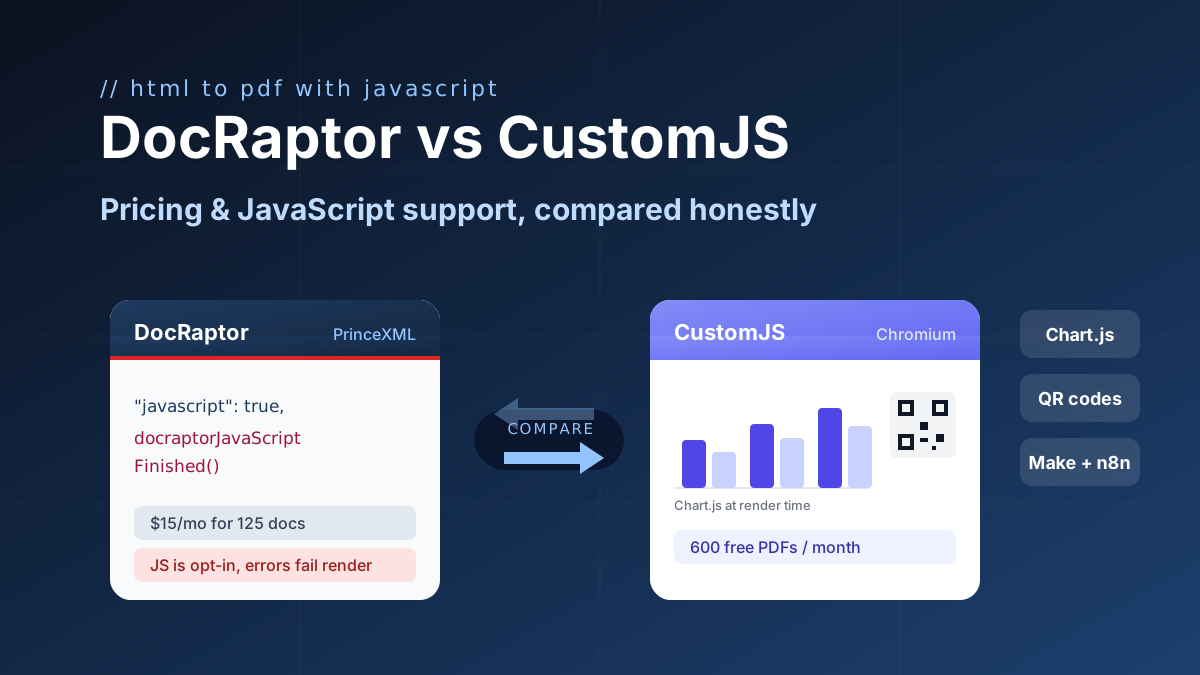
DocRaptor alternative compared: PrinceXML vs Chromium rendering, JavaScript support, and real cost per PDF at 500, 5k, and 50k docs. 600 free PDFs/month.
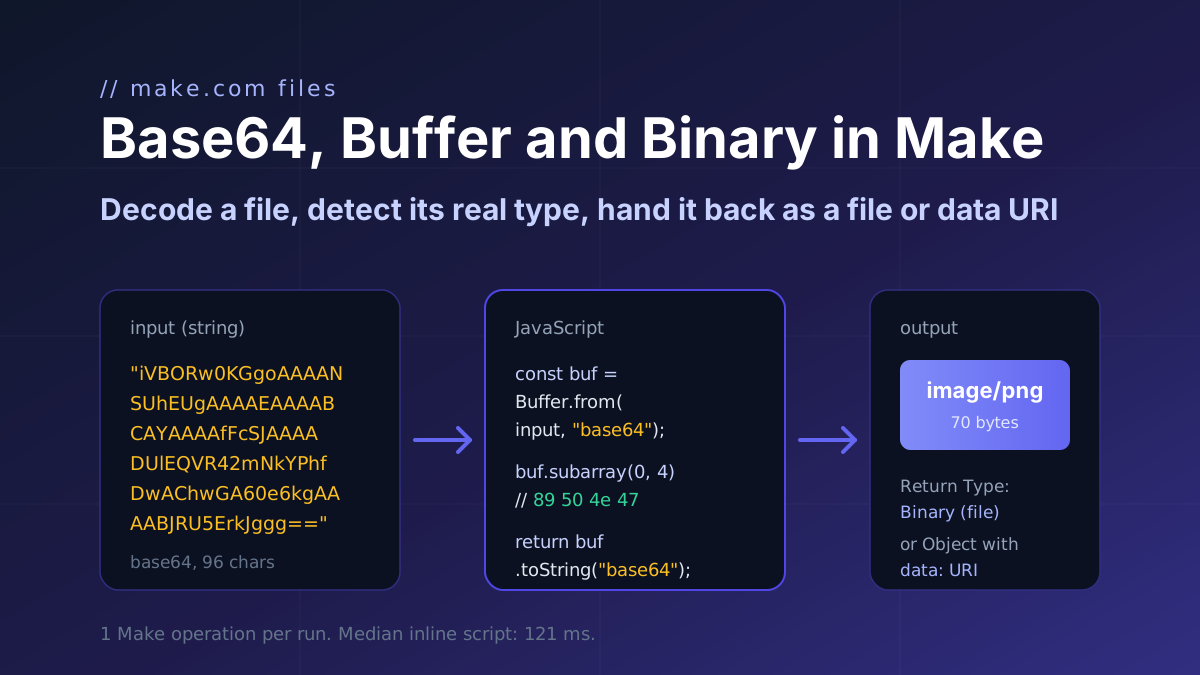
How a file moves through Make.com as base64 and binary: decode it with Buffer.from, detect the real type from the header bytes, and return a file or a data URI. Code with input and output.
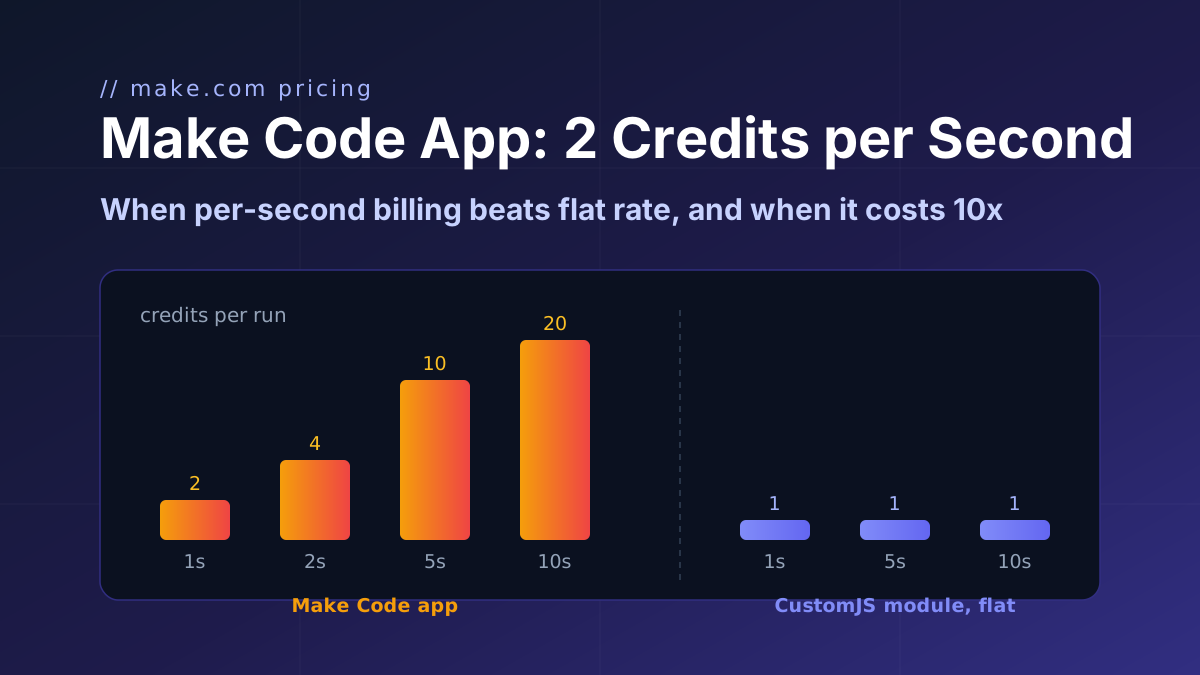
Make's Code app bills 2 credits per second, caps at 30 s and ships npm only on Enterprise. CustomJS bills 1 credit per call with npm and stored functions on every plan. Break-even at 1 to 15 s.