How to Add a Contact Form to a Hugo Static Site (No Backend Required)
Hugo is famously fast, famously simple, and famously server-less. You write Markdown, run hugo, and get a folder of static HTML you can drop on any CDN. Then your client asks for a contact form, and the whole story falls apart, because Hugo cannot, by definition, receive a POST request.
Most tutorials answer this by reaching for a vendor-specific form handler. Netlify Forms is the easy one if you happen to host on Netlify. Formspree is fine until you hit the free tier wall. Google Forms looks like 2008. Each of these locks your form into one place and bills you per submission once you outgrow the free plan.
There is a calmer option: a tiny Hugo shortcode that posts straight to a hosted form API. No backend, no vendor host lock-in, no netlify.toml magic. This guide walks through the whole setup, with copy-paste shortcodes, spam protection, an HTML email autoresponder, and a PDF receipt the user can download after submitting.
TL;DR
Hugo ships zero server runtime, so the contact form lives entirely in the browser and POSTs to an external API.
A single layouts/shortcodes/contact-form.html file gives you a reusable {{< contact-form >}} tag for any page or post.
Spam is handled with a hidden honeypot field plus an optional reCAPTCHA v3 score check, both at zero cost.
The CustomJS form hook accepts the submission, fires a webhook into Make.com or n8n, and can email the visitor a PDF receipt in the same request.
Free tier covers 600 submissions per month, no credit card, and the same endpoint works on any static host: GitHub Pages, Cloudflare Pages, S3, even python -m http.server for local previews.
Why a Hugo Site Cannot Handle a Form on Its Own
Hugo is a static site generator. The output of hugo --minify is a directory of HTML, CSS, JavaScript, and images. There is no Node process, no PHP interpreter, no request handler. When a visitor hits /contact/, the CDN streams a file back. That is the entire interaction.
A form submission, by contrast, needs something on the other end to read the request body, validate it, store it, and trigger a follow-up. That "something" has to live outside Hugo. The cleanest way to add it without rebuilding your stack is to keep the form in your Hugo theme, but point the submit URL at a hosted form endpoint that handles everything past the network boundary.
This is the same pattern documented in our pillar guide on serverless static site hosting: keep the site static, push the dynamic bits to a small API.
The Three Options Most Hugo Tutorials Suggest (and Their Trade-offs)
Before we wire anything up, here is the honest comparison most blog posts skip. These are the three answers you will keep hearing.
Option
Free Tier
Host Lock-in
Customization
Netlify Forms
100 submissions / site / month
Netlify only
Limited (Netlify dashboard)
Formspree
50 submissions / month
Vendor host (URL is theirs)
Good, but routing is paid
Google Forms iframe
Unlimited
Google-branded UI
Almost none
CustomJS form hook
600 / month, all sites
None (any static host)
Full (your own HTML, your own CSS)
The CustomJS row is what we will build below. The form lives in your Hugo theme, looks exactly the way you want it, and posts to a URL that does not care whether you deploy to Netlify, Cloudflare Pages, GitHub Pages, or an S3 bucket behind CloudFront.
Architecture in One Diagram
What the visitor does, and what each piece of the stack is responsible for:
[ Hugo static page ]
        │  (rendered at build time, served from CDN)
        ▼
  <form> submit (fetch POST, JSON body)
        │
        ▼
[ https://hook.customjs.io/<your-id> ]
        │  validates honeypot, stores submission, returns 200
        ├──► Webhook fan-out (Make.com / n8n / Zapier scenario)
        ├──► SMTP email to you + autoresponder to visitor
        └──► Optional PDF receipt generated and returned as URL
The Hugo build never changes when you tweak the workflow on the other side. You can swap the Make.com scenario, change the autoresponder template, or add a Slack notification step without redeploying the site.
Step 1: Create the Hugo Shortcode
Shortcodes are the right tool here. They give you one snippet you can drop into any Markdown page (contact.md, the bottom of a blog post, a landing page) without copy-pasting the HTML each time.
Create the file layouts/shortcodes/contact-form.html in your Hugo project:
Two details worth pointing out. The $hookId falls back to a site-wide parameter, so you can configure the hook once in hugo.toml and reuse the shortcode across multiple pages. And the honeypot website field is hidden with CSS, not with type="hidden", because spam bots actively skip hidden inputs but happily fill anything labelled.
Configure the hook ID once
Add the hook ID to your site config so individual pages do not need to know it:
Step 2: The Submit Handler (Vanilla JS, No Build Step)
Hugo themes deal with assets in assets/js/ and pipe them through resources.Get. Drop the handler there so it gets minified and fingerprinted automatically.
Create assets/js/contact-form.js:
// assets/js/contact-form.js
document.querySelectorAll('.cjs-contact-form').forEach((form) => {
  const status = form.querySelector('.cjs-status');
  const button = form.querySelector('button[type="submit"]');
  const endpoint = form.dataset.endpoint;

  form.addEventListener('submit', async (event) => {
    event.preventDefault();

    // Honeypot check, do not even send the request
    const honeypot = form.querySelector('input[name="website"]');
    if (honeypot && honeypot.value.trim() !== '') {
      status.textContent = 'Thanks, we will be in touch.';
      form.reset();
      return;
    }

    const data = Object.fromEntries(new FormData(form).entries());
    delete data.website;

    button.disabled = true;
    status.textContent = 'Sending...';

    try {
      const response = await fetch(endpoint, {
        method: 'POST',
        headers: { 'Content-Type': 'application/json' },
        body: JSON.stringify({
          source: location.pathname,
          ...data,
        }),
      });

      if (!response.ok) throw new Error('Bad response: ' + response.status);

      status.textContent = 'Thanks! We will reply within one business day.';
      form.reset();
    } catch (err) {
      console.error(err);
      status.textContent = 'Something went wrong. Please email [email protected].';
    } finally {
      button.disabled = false;
    }
  });
});
Wire it into your base template (layouts/_default/baseof.html) the Hugo way:
Bots submit instantly. Add a tiny timestamp before the form mounts and reject submissions faster than two seconds. The server side rejects them silently so the bot does not learn anything.
const mountedAt = Date.now();
// ...inside submit handler:
const elapsed = Date.now() - mountedAt;
if (elapsed < 2000) {
  status.textContent = 'Thanks, we will be in touch.';
  return; // silently drop
}
3. reCAPTCHA v3 (optional, score-based)
For high-traffic public pages, reCAPTCHA v3 runs invisibly and returns a score from 0.0 to 1.0. Add the token to the payload, validate server-side. The user never sees a challenge unless their score is very low.
For 95% of Hugo sites, layers 1 and 2 are plenty. Add layer 3 only after you see real spam volume.
Deliver the Submission as Email + PDF Receipt
One reason teams pick a hosted form API over Netlify Forms is that the same request can do more than store data. CustomJS lets you forward the submission to email and generate a PDF on the side, all in one call.
Here is a minimal HTML email template you can render server-side using the same submission payload. Save it as a stored function or pass it inline to the HTML to PDF endpoint documented at https://e.customjs.io/html2pdf:
Same idea, different UI. The n8n node ships with a credential setup for your CustomJS API key, then exposes a Form Submission trigger you can chain with any of n8n's 400+ nodes. For multi-step approval flows, pair it with our guide on human-in-the-loop workflows in n8n.
Comparison: This Pattern vs Netlify Forms and Formspree
A short, honest comparison once you have all three running.
Feature
Netlify Forms
Formspree
Hugo + CustomJS
Free submissions / month
100 (site limit)
50 (account limit)
600 (account limit)
Works on GitHub Pages?
No
Yes
Yes
Works on Cloudflare Pages?
No
Yes
Yes
PDF receipt in same call
No
No
Yes
Webhook routing per source
Paid tier
Paid tier
Free
Lock-in if you move host
Full rewrite
URL stays
Zero, same endpoint
The point is not that Netlify Forms is bad. If you are already on Netlify and 100 submissions a month is enough, it is the path of least resistance. The CustomJS pattern earns its keep the moment you outgrow that, or the moment a client moves the site from Netlify to Cloudflare Pages and you do not want to rewrite your form layer.
Common Pitfalls
A few things that bite people on this setup. Worth knowing before you ship.
CORS errors during local dev
If you run hugo server on localhost:1313 and the browser blocks the request, your hook ID is fine. The CustomJS form hook accepts requests from any origin by default, but corporate proxies sometimes strip the Content-Type header. Check the Network tab and confirm the request body is JSON, not multipart/form-data.
Hugo escapes my JS
Inline JavaScript in a shortcode goes through Hugo's HTML escaping by default. Keep the handler in assets/js/ rather than inlining it. The example above does exactly that on purpose.
Multiple forms, one page
The handler iterates document.querySelectorAll('.cjs-contact-form') on purpose, so you can have a header newsletter form and a footer contact form on the same page and they each post to their own hook. Just pass different hook= parameters in the shortcode call.
Cache busting after a theme change
The | fingerprint step in the asset pipeline above produces a hashed filename. If you skip it, visitors hit a cached old contact-form.js for up to a week. Keep the fingerprint.
Where This Goes Next
The same shortcode pattern scales to newsletter signups, quote requests, event RSVPs, and bug reports. Two follow-ups worth reading once the contact form is live:
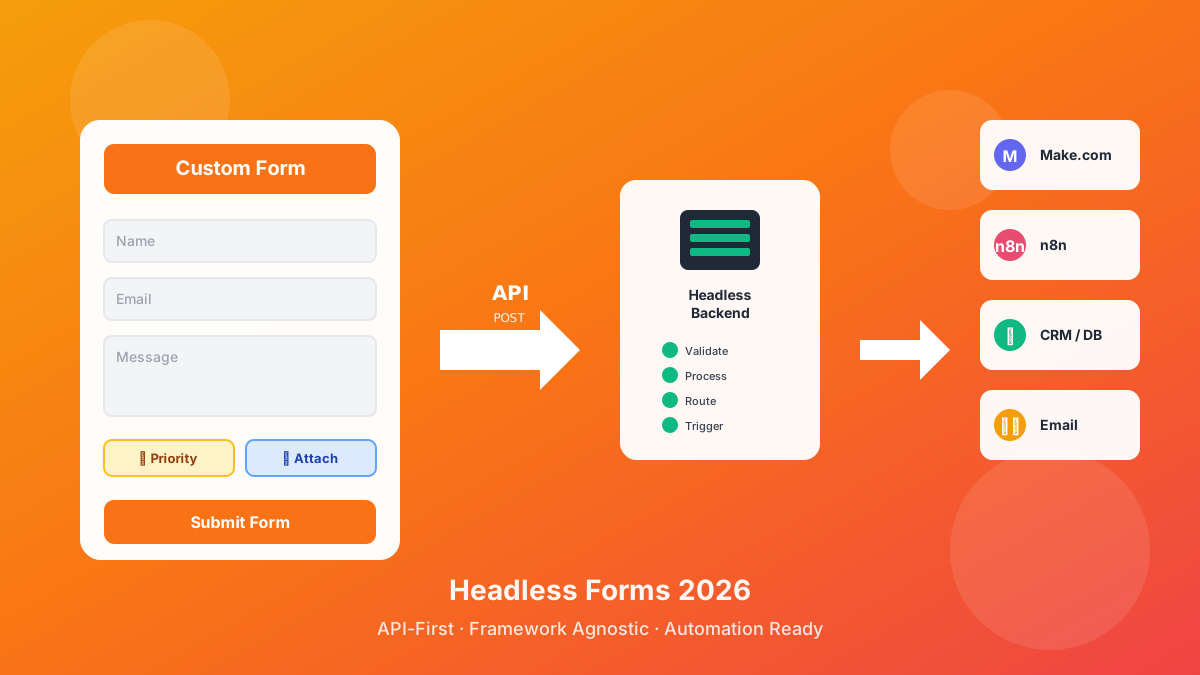
What Headless Forms Enable in 2026 covers multi-step flows, conditional logic, and the API-first patterns that grow out of this exact setup.
1. Do I need a backend to add a contact form to Hugo?
No. The Hugo site stays static. The form posts to an external HTTPS endpoint that handles storage, webhooks, and email. You never run a server yourself.
2. Will this work on GitHub Pages?
Yes. GitHub Pages serves the rendered HTML, and the browser POSTs to the CustomJS hook. There is no GitHub Action or server runtime required.
3. Can I keep my existing Netlify Forms setup and try this alongside?
Yes. Render two forms (or A/B them with a build flag) and watch the submission counts. Most teams move fully once they see the routing flexibility.
4. How do I customize the success state?
The handler writes to .cjs-status. Replace that line with anything: a confetti animation, a redirect, a modal. The submission is already through by the time that line runs.
5. Is the free tier really 600 submissions per month?
Yes, per account, not per site. So if you maintain three client sites with one CustomJS account, the 600 is shared across all of them, no extra plan to manage.
6. What about GDPR and the visitor's email address?
The submission lives in the CustomJS dashboard under your account and is purgeable any time. Most teams pair it with a one-line privacy notice next to the submit button: where the data goes, who can read it, how long it is kept.
7. Can I add file uploads (a CV, a screenshot, a logo)?
Yes, but it changes the request shape. Upload directly to S3 or Cloudinary first, then include the resulting URL in the JSON payload. The form hook is JSON-only by design, which keeps the schema clean for the downstream webhook.
8. Does it work with the Hugo themes I already use (Ananke, PaperMod, Doks)?
Yes. The shortcode lives in your project, not the theme. Themes never get touched, and a theme upgrade will not stomp the file.
Wrap-up
A Hugo contact form does not need a backend, a Lambda, or a vendor host. It needs a tiny shortcode, 35 lines of vanilla JS, and a URL you point the request at. From there, every workflow piece (the autoresponder, the CRM update, the PDF receipt, the Slack ping) lives in a Make.com or n8n scenario you can change without ever rebuilding the site.
The CustomJS free tier covers 600 submissions a month with no credit card, which is enough for most marketing sites, freelance portfolios, and SaaS landing pages. When you scale past it, the same endpoint keeps working and the Hugo side never changes.
Build a React contact form on S3 + CloudFront with no AWS Lambda, API Gateway, or SES. Typed react-hook-form + Zod, PDF auto-reply, edge CORS and CSP, cost table at 1k submissions.
Discover what headless forms enable in 2026: pure frontend stacks, custom multi-step flows, API-first marketing automation, and programmatic form generation. 600 free submissions/month.