What Headless Forms Enable in 2026: The API-First Approach to Modern Web Forms
The web development landscape has fundamentally shifted. Static sites dominate through Astro, Next.js, and SvelteKit. Marketing teams demand instant multi-platform data sync. Developers build dynamic, multi-step onboarding flows that traditional form builders can't handle. This is where headless forms become essential.
Unlike traditional form builders that lock you into their UI and limited logic, headless forms separate the frontend completely from the backend. You build the form interface exactly how you want it—with your framework, your design system, your custom validation—while the headless backend handles submission processing, data routing, and integrations.
This comprehensive guide explores what headless forms enable in 2026, from pure frontend stacks to programmatic form generation at scale. We'll cover real-world use cases, implementation patterns, and why the "form as a trigger" philosophy is reshaping how developers think about user input.
TL;DR
Headless forms enable pure frontend stacks (SSG/SPA) without backend infrastructure.
Build custom multi-step flows with full UX control—no drag-and-drop limitations.
Treat forms as triggers for automated business processes across multiple platforms.
Scale programmatically: one API endpoint handles thousands of dynamically generated forms.
600 free form submissions per month with CustomJS, plus native Make.com and n8n integration.
What Are Headless Forms?
A headless form is a form backend API that accepts submissions without dictating how the frontend looks or behaves. You send form data via HTTP POST to an endpoint, and the backend handles everything else: validation, storage, notifications, integrations, and workflow triggers.
Traditional form builders like Typeform or Google Forms provide both the UI and the backend. You're limited to their design templates, logic capabilities, and integration options. Headless forms flip this model: you own the frontend completely, while the backend provides powerful processing capabilities through a simple API.
Key Characteristics
API-First: Submit data via HTTP POST from any frontend framework or platform.
Framework Agnostic: Works with React, Vue, Svelte, vanilla JavaScript, or even mobile apps.
Custom UI: Complete control over design, validation, and user experience.
Webhook-Driven: Trigger Make.com, n8n, Zapier, or custom workflows on submission.
Scalable: One endpoint can handle submissions from unlimited forms across your entire application.
Use Case 1: The Pure Frontend Stack
Modern developers prefer static site generators (SSG) and single-page applications (SPA) for their performance, security, and zero-maintenance infrastructure. But adding a contact form to a static site traditionally meant spinning up a backend server.
Headless forms solve this elegantly. Your Astro, Next.js, or SvelteKit site remains completely static, while form submissions route to a headless backend API.
The Challenge
You've built a beautiful static marketing site with Astro. It loads instantly, costs pennies to host on Vercel or Netlify, and requires zero maintenance. But you need a contact form that sends submissions to your CRM and notifies your sales team via Slack.
Build your form with native HTML and JavaScript, styled exactly how you want. Point it to a headless form endpoint. Done.
AI Prompt Example
"Create a modern contact form with name, email, and message fields. Style it with Tailwind CSS using a gradient background. When submitted, send the data to https://hook.customjs.io/abc123 and show a success message. Make it responsive and accessible."
With this simple prompt to ChatGPT, Claude, or Cursor, you get a complete, production-ready form in seconds. The AI handles the HTML structure, styling, validation, and API integration. You just need to replace the endpoint URL with your CustomJS form ID.
Behind the scenes, the headless backend triggers a Make.com or n8n workflow that handles all your automation needs automatically.
Hosting Your Static Form
Once you have your form HTML, you need to host it somewhere. Here are the best options for static sites with headless forms:
🚀 Vercel (Recommended for Next.js/React)
Best for: Next.js, React, Vue apps
Setup: Connect GitHub repo, auto-deploy on push. Free SSL, global CDN, instant deployments.
Cost: Free for personal projects, $20/month for teams
⚡ Netlify (Recommended for Astro/SvelteKit)
Best for: Astro, SvelteKit, static HTML
Setup: Drag & drop or Git integration. Built-in form handling (but headless is more powerful).
Cost: Free for personal, $19/month for pro
☁️ CloudFront + S3 (Enterprise Scale)
Best for: High-traffic sites, enterprise needs
Setup: Upload to S3 bucket, configure CloudFront distribution. Full control over caching and CDN.
Cost: Pay-per-use (typically $1-5/month for small sites)
📦 GitHub Pages (Free & Simple)
Best for: Open source projects, documentation, portfolios
Setup: Push to gh-pages branch or /docs folder. Automatic deployment.
Cost: Free (public repos)
🎯 CustomJS Pages
Best for: Programmatic deployment, AI-generated pages, dynamic campaigns
Setup: Deploy via API call - perfect for automation workflows. No Git required.
Cost: 600 free deployments/month, then $9/month
Unique feature: Deploy directly from Make.com or n8n workflows
AI Prompt for Deployment
"Create a deployment script for my contact form to [Vercel/Netlify/GitHub Pages]. The form submits to https://hook.customjs.io/abc123. Include all necessary config files and deployment commands."
Use Case 2: Multi-Step Custom Onboarding
Traditional form builders break when you need complex, multi-step flows with custom logic, conditional fields, or unique UI components like interactive maps, file upload previews, or progress indicators.
Headless forms give you complete control. Build the exact onboarding experience your users need, with your framework's full capabilities.
Real-World Example: SaaS Onboarding
A project management SaaS needs a sophisticated onboarding flow:
Step 1: Company information (name, size, industry)
Step 2: Team member invitations (dynamic list, email validation)
Step 3: Project setup (custom fields based on industry from Step 1)
Step 4: Integration selection (show only relevant integrations)
Step 5: Payment (conditional: only if team size > 5)
With a headless form backend, you build this in React, Vue, or Svelte with full state management, custom validation, and beautiful animations. Each step can save progress to localStorage. The final submission sends all collected data to your headless endpoint.
AI Prompt for Multi-Step Form
"Create a 5-step onboarding form in React with Tailwind CSS. Steps: 1) Company info, 2) Team invitations (dynamic list), 3) Project setup, 4) Integration selection, 5) Payment. Include progress bar, back/next buttons, localStorage persistence, and submit all data to https://hook.customjs.io/abc123 on completion. Make it responsive and add smooth transitions between steps."
The AI generates the complete multi-step flow with state management, validation, and API integration. You can then customize the styling and logic to match your exact requirements.
Deploying Multi-Step Forms
Multi-step forms work best as single-page applications (SPAs). Here's how to deploy them:
Nuxt/Next.js: Deploy to Vercel with automatic SSR/SSG optimization
Vue/React SPA: Build and deploy to Netlify or GitHub Pages
Svelte/SvelteKit: Deploy to Vercel or Netlify with adapter-auto
CustomJS Pages: Deploy via API for programmatic deployment from Make.com/n8n
Why Traditional Builders Fail Here
Typeform, Jotform, and similar tools offer "logic jumps" and "conditional fields," but they're limited:
No custom UI components (maps, charts, file previews)
Limited state management (can't easily reference earlier answers)
Rigid step progression (hard to implement "save and continue later")
No framework integration (can't use React hooks, Vue composables, etc.)
Expensive for complex flows (enterprise pricing for advanced logic)
Headless forms let you build the exact experience your users need, without compromise.
Use Case 3: The API-First Marketing Stack
Modern marketing teams don't just want email notifications. They need data flowing instantly across multiple platforms: CRM, email marketing, analytics, team chat, and custom databases.
A headless form acts as the central nervous system for lead data, triggering complex automation workflows across your entire marketing stack.
The Scenario
A high-end agency runs a "Request a Quote" form on their website. When someone submits, they need to:
Add the lead to Salesforce with custom fields
Create a ConvertKit subscriber and add to "Quote Requests" segment
Send a Slack notification to the sales team with lead details
Trigger a personalized video message via Loom or Vidyard
Log the submission to Google Sheets for backup
Send a thank-you email with estimated timeline
Create a task in Asana for the account manager
With a traditional form builder, you'd need to:
Pay for native integrations (often $50-200/month extra)
Deal with limited customization options
Manage multiple Zapier zaps (expensive at scale)
Accept delays between actions (sequential processing)
The Headless Approach
Your form submits to a headless endpoint, which triggers a single Make.com scenario that orchestrates all seven actions in parallel. Total cost: included in your Make.com plan.
AI Prompt for Quote Form
"Create a professional 'Request a Quote' form with fields: company name, email, budget dropdown ($10k-$25k, $25k-$50k, $50k-$100k, $100k+), timeline dropdown (1-3 months, 3-6 months, 6-12 months, 12+ months), and project description textarea. Style with Tailwind CSS in a modern card layout. Submit to https://hook.customjs.io/abc123 and show success message. Add client-side validation."
The Make.com scenario can include sophisticated logic:
Route high-budget leads ($100k+) to senior account managers
Trigger different email sequences based on timeline
Assign leads to specific team members based on industry
Calculate lead score based on budget, timeline, and company size
This level of automation is impossible with traditional form builders without expensive enterprise plans and complex Zapier setups.
Use Case 4: Programmatic Form Generation
In 2026, we see more applications generating forms dynamically: survey platforms, event registration systems, custom feedback tools, and AI-powered form builders.
Headless forms excel here because one API endpoint can handle submissions from thousands of dynamically generated forms.
The Challenge
You're building a platform where users create custom event registration forms. Each event has unique fields, pricing tiers, and capacity limits. You might have 10,000 active events at any time.
With traditional form builders, you'd need to:
Create a new form in the dashboard for each event (manual or API)
Manage thousands of form IDs and webhook URLs
Pay per form or per submission (gets expensive fast)
Handle rate limits and API quotas
The Headless Solution
Use a single headless form endpoint for all events. Include the event ID in the submission data. Your backend workflow routes each submission to the correct event handler.
AI Prompt for Dynamic Forms
"Create a JavaScript function that generates event registration forms dynamically. Each form should include a hidden eventId field and custom fields from an eventData object. All forms submit to https://hook.customjs.io/abc123 with the eventId included in the payload. Use vanilla JavaScript and make it work for thousands of events."
This approach scales infinitely - one headless endpoint handles all your dynamically generated forms.
Your Make.com or n8n workflow receives the submission, reads the eventId, and routes it appropriately:
Check event capacity and availability
Process payment if required
Send confirmation email with event details
Update attendee count in database
Notify event organizer
Add to calendar integration
Scalability Benefits
One endpoint: No need to create thousands of forms in a dashboard
Cost-effective: Pay per submission, not per form
Flexible routing: Handle complex logic in your workflow
Easy maintenance: Update workflow once, affects all forms
No rate limits: Handle unlimited forms from a single endpoint
The 2026 Developer Requirement: Forms as Triggers
The fundamental shift in 2026 is this: a form is no longer a destination; it is a trigger.
Traditional thinking treats forms as endpoints—places where data goes to be stored. Modern thinking treats forms as event triggers that kick off automated business processes.
The Old Way
User submits form
Data goes to form builder's database
You manually export to CSV
You manually import to your CRM
You manually send follow-up emails
The Headless Way
User submits form
Headless endpoint receives data
Webhook triggers Make.com/n8n workflow
Workflow orchestrates 10+ automated actions in parallel
User receives instant confirmation
Sales team gets Slack notification
CRM updates automatically
Email sequence begins
Analytics track conversion
Dashboard updates in real-time
This is the power of treating user input as a structured event rather than just data storage.
Implementation: Building Your First Headless Form
Let's build a complete headless form with CustomJS, Make.com integration, and custom validation.
Step 1: Create Form Endpoint
Sign up for CustomJS (600 free submissions/month) and create a new form endpoint. You'll receive a webhook URL like:
https://hook.customjs.io/abc123def456
Step 2: Build Your Form with AI
Use an AI prompt to generate your complete form:
"Create a contact form with name, email, company, and message fields. Style it with Tailwind CSS in a modern card layout with gradient background. When submitted, send data to https://hook.customjs.io/abc123 as JSON. Show success/error messages. Add loading state on submit button. Include client-side validation and make it fully responsive."
The AI will generate a complete, production-ready form with all the features you need. You can then customize colors, fonts, and layout to match your brand.
Step 3: Configure Make.com Workflow
Create a Make.com scenario triggered by the CustomJS webhook:
Trigger: CustomJS Form Submission webhook
Router: Split based on form data (e.g., company size, budget)
CRM Action: Add/update contact in HubSpot/Salesforce
Email Action: Send to ConvertKit or Mailchimp
Notification: Post to Slack channel
Storage: Log to Google Sheets or Airtable
Response: Send confirmation email to user
The beauty: you can modify this workflow anytime without touching your frontend code.
Advanced Patterns
1. Client-Side Validation with Server-Side Backup
Validate on the client for UX, but always validate on the server for security. Use AI to generate validation logic:
"Add email validation to my contact form. Validate format on client-side and show error message if invalid. Also add validation in the Make.com workflow to reject invalid submissions."
2. Spam Protection
Implement honeypot fields and rate limiting with AI:
"Add a honeypot field to my form for spam protection. Create a hidden input field called 'website' that bots will fill but humans won't see. Check if it's filled before submitting - if yes, silently reject the submission."
3. File Upload Handling
For forms with file uploads, use a two-step process: upload to cloud storage first, then submit the file URL.
"Add file upload to my form. When user selects a file, upload it to Cloudinary/S3 first, show upload progress, then include the file URL in the form submission to https://hook.customjs.io/abc123. Add file type and size validation."
4. Progressive Enhancement
Ensure forms work without JavaScript for accessibility and SEO. The form should submit normally, then be enhanced with JavaScript for better UX (AJAX submission, loading states, inline validation).
Headless Forms vs. Traditional Form Builders
Feature
Headless Forms
Traditional Builders
UI Control
Complete freedom - build with any framework
Limited to builder's templates and themes
Custom Logic
Full JavaScript capabilities, complex validation
Basic conditional logic, limited validation
Multi-Step Forms
Unlimited steps, custom progress indicators
Limited steps, rigid progression
Integration
Webhook to any automation platform
Native integrations (often paid)
Scalability
One endpoint for unlimited forms
One form per dashboard entry
Pricing
Pay per submission (600 free/month)
Per form or per feature ($20-100/month)
Developer Experience
Code in your IDE, version control, testing
Drag-and-drop interface, limited testing
Best For
Developers, custom apps, complex workflows
Non-technical users, simple forms, quick setup
Real-World Success Stories
Case Study 1: SaaS Onboarding Conversion Increase
A project management SaaS replaced their Typeform onboarding with a custom React flow using headless forms. Results:
35% increase in completion rate (better UX, faster loading)
Client-side validation improves UX. Server-side validation ensures security. Never rely on client-side alone.
2. Include Metadata
Add context to every submission: timestamp, source, user agent, referrer. This helps with analytics and debugging.
3. Handle Errors Gracefully
Network failures happen. Show clear error messages and allow users to retry without losing data.
4. Implement Spam Protection
Use honeypot fields, rate limiting, and CAPTCHA for public forms. Monitor submission patterns for abuse.
5. Test Your Workflows
Before going live, test the entire flow: form submission → webhook → automation → notifications. Verify all integrations work correctly.
6. Monitor and Optimize
Track submission rates, error rates, and conversion metrics. Use this data to optimize your forms and workflows.
Frequently Asked Questions
1. What's the difference between headless forms and traditional form builders?
Traditional form builders provide both the UI and backend. Headless forms only provide the backend API—you build the frontend however you want. This gives you complete control over design, validation, and user experience.
2. Do I need to know how to code to use headless forms?
Yes, headless forms are designed for developers. You'll need HTML, JavaScript, and basic API knowledge. If you're not technical, traditional form builders like Typeform or Google Forms are better options.
3. Can I use headless forms with React, Vue, or Svelte?
Absolutely! Headless forms work with any JavaScript framework. Just make an HTTP POST request to the endpoint—the framework doesn't matter.
4. How do I handle file uploads with headless forms?
Upload files to cloud storage (S3, Cloudinary, etc.) first, then include the file URL in your form submission. Most headless form backends don't handle file storage directly.
5. Can I use headless forms with Make.com or n8n?
Yes! CustomJS offers native integrations with both Make.com and n8n. Your form submissions can trigger complex automation workflows.
6. How do I prevent spam submissions?
Use honeypot fields (hidden inputs that bots fill out), rate limiting, CAPTCHA for public forms, and server-side validation. CustomJS includes built-in spam protection features.
7. Can I use one endpoint for multiple forms?
Yes! Include a form identifier in your submission data (e.g., formId: 'contact') and route accordingly in your workflow. This is perfect for programmatic form generation.
8. What happens if the webhook fails?
CustomJS retries failed webhooks automatically with exponential backoff. You can also configure backup webhooks and email notifications for critical forms.
Conclusion
Headless forms represent the future of web form handling. They enable pure frontend stacks, custom multi-step flows, API-first marketing automation, and programmatic form generation at scale.
In 2026, treating forms as event triggers rather than data destinations is the key to building modern, automated business processes. Whether you're adding a simple contact form to a static site or building a complex SaaS onboarding flow, headless forms provide the flexibility and power you need.
With CustomJS's generous free tier (600 submissions/month), native Make.com and n8n integration, and developer-friendly API, there's never been a better time to adopt headless forms in your projects.
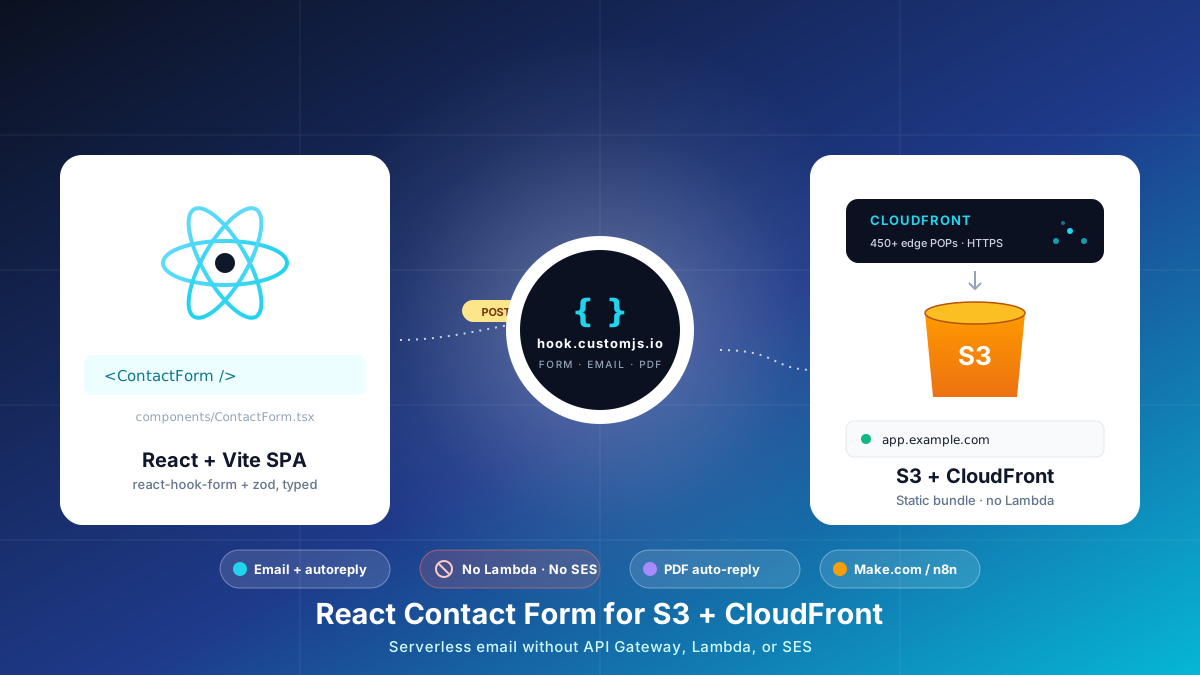
Build a React contact form on S3 + CloudFront with no AWS Lambda, API Gateway, or SES. Typed react-hook-form + Zod, PDF auto-reply, edge CORS and CSP, cost table at 1k submissions.
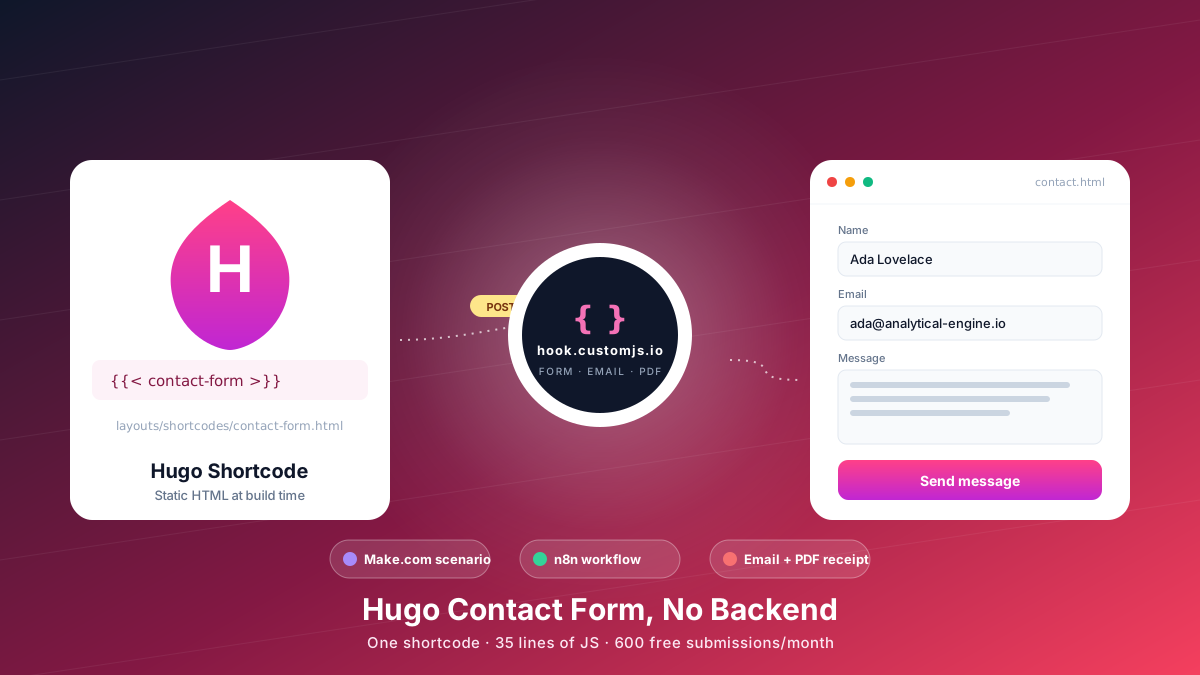
Add a Hugo contact form without a backend. Copy-paste shortcode, vanilla JS handler, spam protection, email + PDF receipt, Make.com & n8n routing. 600 free submissions/month.