CustomJS Form Builder vs. Typeform, Jotform & Google Forms: Which Builder Fits Your Workflow?
When it comes to creating online forms today, you're spoiled for choice. But while most tools try to be everything to everyone, we're taking a different approach with the new CustomJS Form Builder: Maximum connectivity without the bloat.
In this guide, we'll compare the market leaders with our new approach so you can make the right decision for your business. According to G2's Form Builder Report 2026, over 70% of companies use forms for lead generation and customer communication—but only a few manage to integrate them seamlessly into their workflows.
TL;DR
CustomJS Form Builder focuses on workflow integration with Make, n8n, and webhooks—perfect for automation-first teams.
Typeform offers the best design and UX but is expensive and less flexible for integrations.
Jotform is the Swiss Army knife with many features but can feel overwhelming.
Google Forms is free and simple but severely limited for branding and automation.
Choose CustomJS when your forms need to flow directly into Make/n8n workflows—with custom domains and real-time updates.
The Contenders at a Glance
Before we dive into details, here's a quick comparison of the key features:
Feature
CustomJS
Typeform
Jotform
Google Forms
Focus
Workflow & Automation
Design & UX
Feature-Rich
Simple & Free
Best Integration
Make, n8n, Webhooks
Marketing Tools
CRMs, Enterprise
Google Workspace
Logic
Visual & Flexible
Logic Jumps
Conditional Logic
Very Limited
Email Automation
With Form Variables
Limited Variables
With Form Variables
Via Add-ons Only
Hosting
Standalone or Embed
Standalone or Embed
Standalone or Embed
Standalone or Embed
Value
Best for Power Users
Premium / Expensive
Mid-Range
Free
1. CustomJS: The "Automation-First" Builder
The CustomJS Form Builder was built for people who don't just want to collect data—they want to process it instantly. While other tools often charge for expensive "add-ons" for webhooks or third-party integrations, connecting to Make and n8n is at the heart of our platform.
Why CustomJS?
The Form Builder is specifically designed for teams already working with Make.com or n8n. Instead of collecting data in a database and manually exporting it later, your leads flow directly where they're needed.
Key Features
Visual Builder: Drag & drop interface without coding knowledge. Changes go live instantly.
Webhook-Native: Send data instantly to any endpoint—Make, n8n, or your own API.
Email Chains: Trigger automated email sequences with variables from form fields.
Custom Domains: Full DNS management included—use your own domain for maximum trust.
Embed or Standalone: Use forms as a standalone website or embed them in existing pages.
Real-time Updates: No deployment needed—changes go live immediately.
Email Automation with Form Variables
One of CustomJS's most powerful features is the ability to send emails directly using variables from your form fields. You can dynamically insert any form field value into the email recipient, subject line, or body. This means:
Dynamic Recipients: Send emails to addresses entered in the form (e.g., user fills in their email, confirmation is sent automatically)
Personalized Content: Use form data in the email body (e.g., "Hi , thanks for your interest in ")
No External Tools Needed: Built-in email functionality—no need for Zapier or Make.com for simple email automation
Multiple Email Chains: Trigger different emails based on form logic or send to multiple recipients
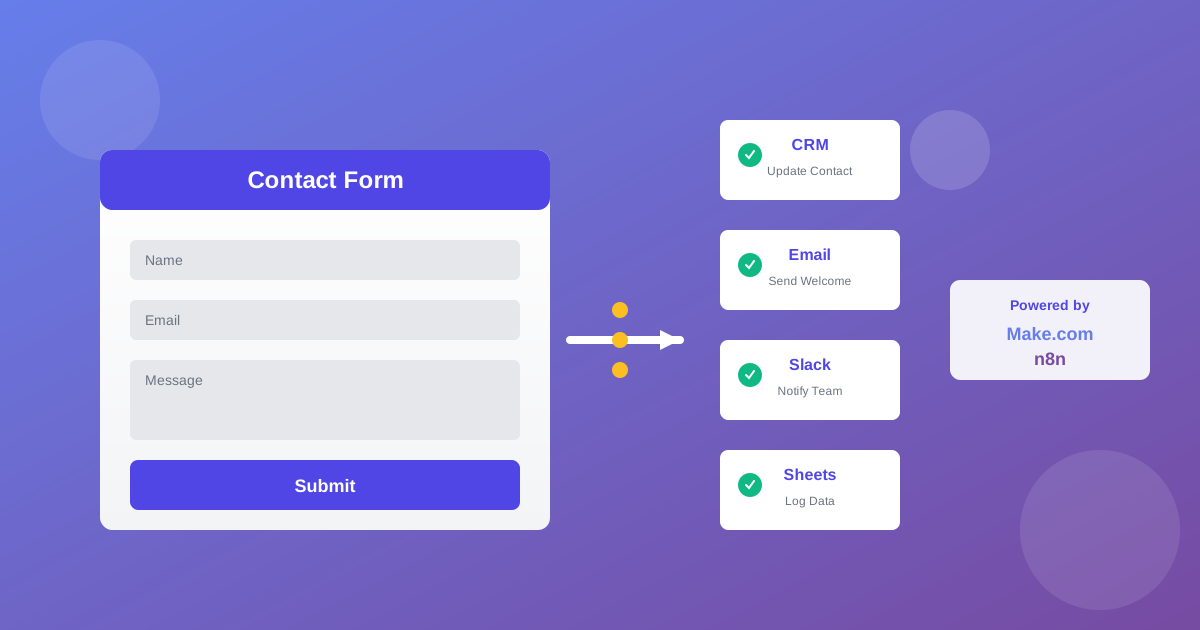
Example workflow: A lead fills out a contact form → CustomJS sends a personalized confirmation email to the lead → Webhook triggers Make/n8n → CRM is updated → Internal notification to sales team → Follow-up email sequence begins.
Ideal For
Teams already using Make.com or n8n
Automation-first companies
Lead gen with direct CRM integration
Event registrations with automated follow-ups
Customer feedback with real-time notifications
2. Typeform: When Design is Everything
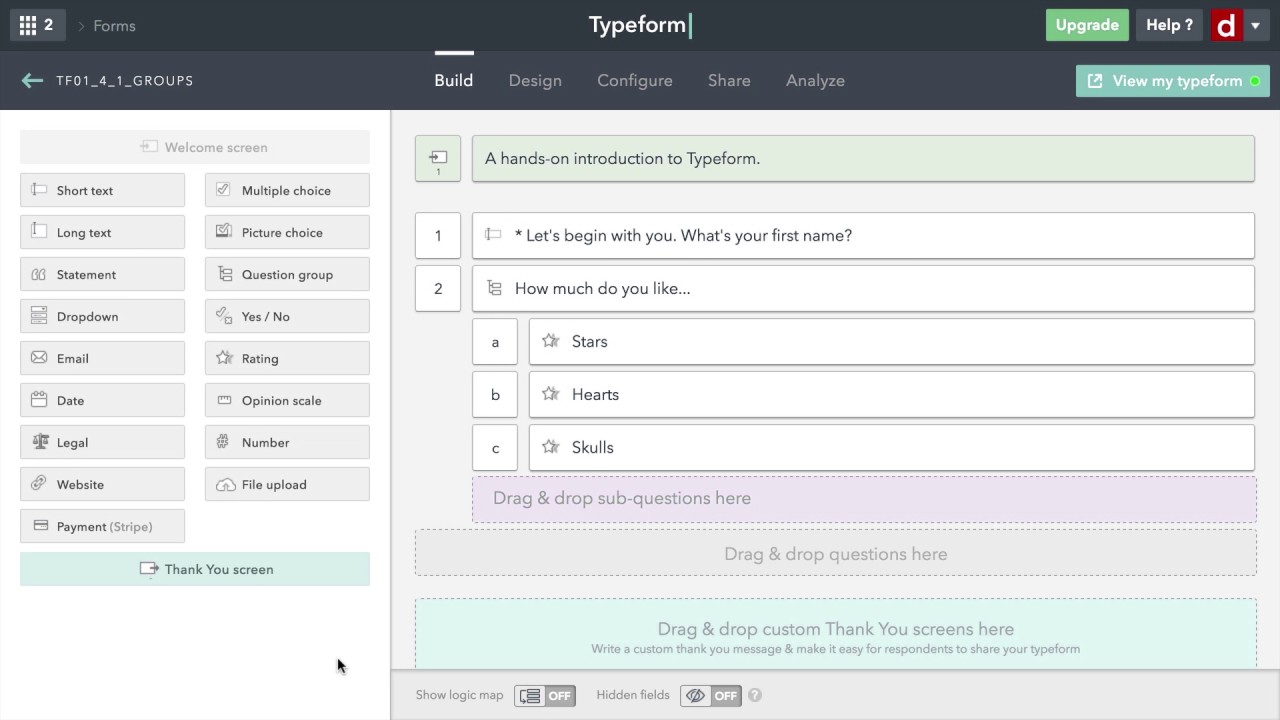
Typeform is the gold standard for "conversational UI." It looks fantastic and offers high conversion rates through its "one-question-per-page" principle. The user guidance is intuitive, and the design is modern and appealing.
Strengths
Excellent Design: Modern, appealing forms with high conversion rates.
Conversational Flow: One question per page leads to better user experience.
Logic Jumps: Conditional logic for personalized form flows.
Video & GIF Support: Multimedia content for engaging forms.
Branded Experience: Full customization to your brand (in premium plans).
Email Notifications: Basic email notifications to respondents and admins, but limited variable support compared to CustomJS.
The Catch
As soon as you need complex workflows or collect many responses, it gets very expensive. The Basic plan starts at $29/month for only 100 responses. Plus, you're heavily constrained by the preset design framework—customization is limited.
Webhook integrations are only available from the Plus plan ($59/month). For teams wanting to integrate forms directly into Make or n8n, it quickly becomes costly.
Ideal For
Marketing teams focused on conversion optimization
Surveys and feedback forms with high design standards
Companies with large budgets for premium tools
Projects where UX is more important than workflow integration
3. Jotform: The Swiss Army Knife
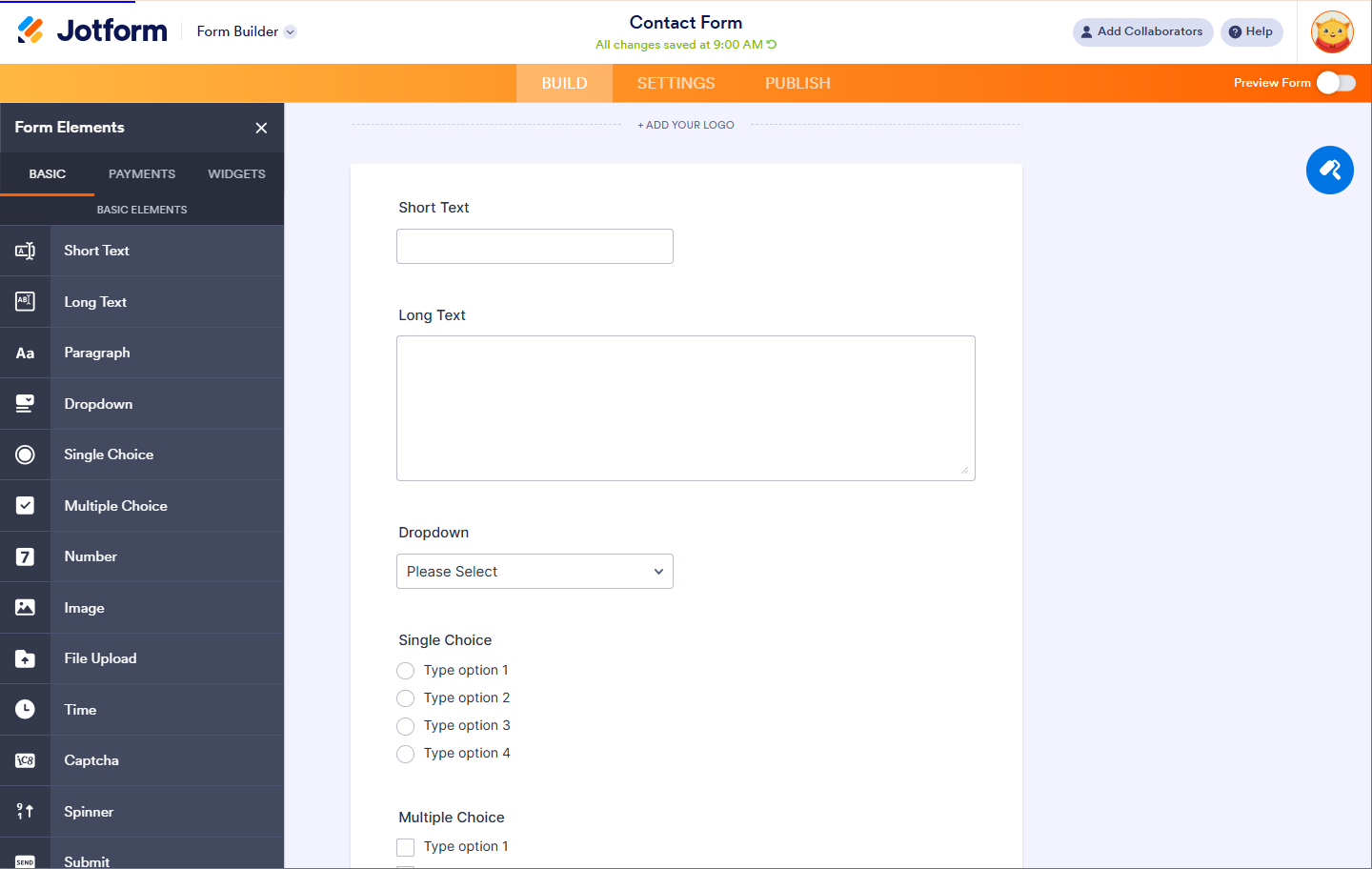
Jotform can do almost everything: PDF generation, payments, table views, approval workflows, HIPAA compliance, and much more. It's the most feature-rich tool in the comparison.
Strengths
Extensive Features: Over 10,000 templates and 100+ integrations.
Payment Processing: Direct integration with PayPal, Stripe, Square.
PDF Generation: Automatic PDF creation from form submissions.
HIPAA & GDPR Compliance: Enterprise features for regulated industries.
Conditional Logic: Very complex conditional logic possible.
Autoresponder Emails: Built-in autoresponder functionality with basic personalization options.
The Catch
The user interface often feels cluttered. With so many features, it can be difficult to find what you need. For simple lead-gen forms that should quickly flow into automation, Jotform is often overkill.
The free plan is heavily limited (5 forms, 100 submissions/month). For professional use, you need at least the Bronze plan ($39/month).
Ideal For
Enterprise companies with complex requirements
Healthcare and regulated industries (HIPAA compliance)
E-commerce with payment integration
Projects with multi-stage approval processes
4. Google Forms: The Quick (and Limited) Solution
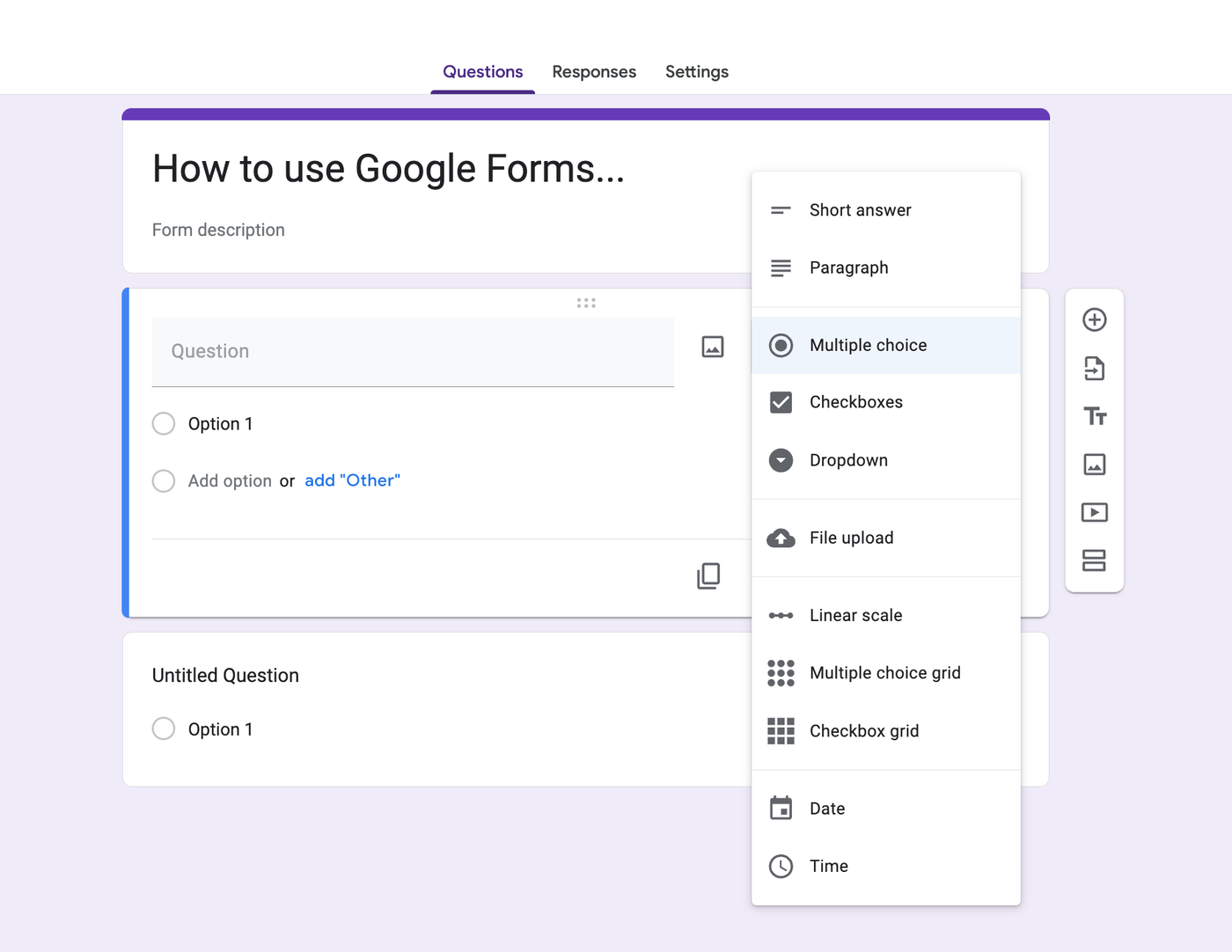
Free and simple. Anyone with a Google account can use it. For quick surveys or internal forms, Google Forms is unbeatable.
Strengths
100% Free: No hidden costs, no limits.
Easy to Use: Intuitive interface, no learning curve.
Google Workspace Integration: Seamless integration with Sheets, Drive, Calendar.
Real-time Collaboration: Multiple people can work on the form simultaneously.
Automatic Analysis: Charts and statistics in Google Sheets.
Email Notifications: Basic email notifications for form responses, but no advanced personalization or variable support.
The Catch
Unsuitable for professional branding. Forms always look like "Google." Integrations usually end at Google Sheets. If you want to send data in real-time to n8n or a CRM, you often have to hack together solutions (e.g., with Google Apps Script or Zapier as middleware).
No custom domains, no white-labeling, very limited conditional logic. Not ideal for lead generation or professional customer communication.
Ideal For
Internal surveys and feedback
Event registrations without branding requirements
Quick prototypes and tests
Teams fully committed to Google Workspace
Detailed Feature Comparison
Here's a deeper look at the most important features in direct comparison:
Feature
CustomJS
Typeform
Jotform
Google Forms
Webhooks
✅ Native
✅ From Plus Plan
✅ From Bronze Plan
❌ Only via Apps Script
Custom Domain
✅ Included
✅ From Business Plan
✅ From Silver Plan
❌ Not Possible
Make/n8n Integration
✅ Optimized
⚠️ Via Webhook
⚠️ Via Webhook
⚠️ Complicated
Email Automation
✅ Built-in with Form Variables
⚠️ Limited Variable Support
✅ Full Variable Support
⚠️ Requires Add-ons
Embed Code
✅ Yes
✅ Yes
✅ Yes
✅ Yes
Conditional Logic
✅ Visual
✅ Logic Jumps
✅ Very Complex
⚠️ Limited
File Uploads
✅ Planned
✅ Yes
✅ Yes
✅ Yes (Drive)
Payment Integration
⚠️ Via Webhook
✅ Stripe
✅ Multiple
❌ No
White Label
✅ Yes
✅ From Plus Plan
✅ From Bronze Plan
❌ No
Real-time Updates
✅ Instant
✅ Yes
✅ Yes
✅ Yes
Pricing Comparison: What Does What Cost?
Transparency is important. Here's an honest comparison of the costs based on current 2026 pricing:
Free: Unlimited forms, unlimited responses, 15GB Google Drive storage (shared across Google services)
Google Workspace: $6-$18/user/month - Adds business email, more storage, admin controls (but Forms features remain the same)
CustomJS Pricing
Free Plan: Available with CustomJS branding, webhook support included
Paid Plans: Flexible pricing based on usage, custom domains, white-label, priority support
All plans include native webhook support, Make/n8n integration, and real-time updates
Important: With Typeform and Jotform, you often pay for features you don't need. CustomJS focuses on the essentials: forms that integrate seamlessly into your workflows.
Why Switching to CustomJS Makes Sense
If you're building your workflows with Make or n8n, CustomJS is the missing puzzle piece. Instead of collecting data garbage in a database, your leads flow directly where they're needed.
Top Benefits of CustomJS at a Glance
Visual Builder: Drag & drop without coding knowledge. See changes in real-time.
Real-time Updates: Changes go live immediately, no deployment needed.
Webhook-Native: Send data instantly to any endpoint—Make, n8n, or your own API.
Custom Domains: Full DNS management included. Use your own domain for maximum trust.
Email Chains: Automated email sequences with variables from form fields.
Flexible Deployment: Standalone website or embed in existing pages.
No Hidden Costs: Transparent pricing without surprises.
Example Workflow: Lead Generation with CustomJS + Make
Lead fills out form on your custom domain (e.g., contact.yourbrand.com)
CustomJS sends data via webhook to Make.com
Make validates the data and checks for duplicates
Lead is entered into your CRM (HubSpot, Pipedrive, etc.)
Personalized welcome email is sent (with variables from the form)
Slack notification to your sales team
Lead is added to your email marketing list (Mailchimp, Brevo, etc.)
All of this happens in seconds—fully automated. No manual data entry, no delays.
Use Cases: When to Use Which Tool?
Choose CustomJS when...
You're already using Make.com or n8n and want to integrate forms directly into your workflows
You need custom domains for your forms (e.g., contact.yourbrand.com)
You want to trigger automated email sequences with form variables
You need real-time webhooks without expensive add-ons
You're looking for a lean tool without feature bloat
You value price-performance ratio
Choose Typeform when...
Design and UX are absolutely paramount
You're willing to pay for premium design
You're mainly creating surveys and feedback forms
Conversion rate is more important than workflow integration
You have a large marketing budget
Choose Jotform when...
You need highly complex enterprise features (HIPAA, GDPR, etc.)
You need payment integration directly in the form
You need PDF generation from form data
You need multi-stage approval workflows
You work in a regulated industry (Healthcare, Finance)
Choose Google Forms when...
It absolutely must cost nothing
Design and branding don't matter
You're only doing internal surveys
You're fully committed to Google Workspace
You need quick prototypes without professional requirements
Migration to CustomJS: How Easy It Is
Switching from another form builder to CustomJS is straightforward:
Rebuild your form: Use the visual builder to create your form with drag & drop. Most forms are ready in under 10 minutes.
Configure webhook: Connect your form to Make.com or n8n. Simply copy the webhook URL and paste it into CustomJS.
Set up email automation: Configure automated email sequences with variables from your form fields.
Connect custom domain: Use your own domain (e.g., contact.yourbrand.com) for maximum trust.
Test: Send test submissions and verify everything works as expected.
Go live: Replace the old form URL with your new CustomJS URL or use the embed code.
Tip: You can run both forms in parallel to ensure a seamless transition.
SEO Tip: Custom Domains for Better Rankings
An often-overlooked advantage of custom domains: they strengthen your SEO and brand trust. Instead of a generic URL like "typeform.com/to/abc123," you use "contact.yourbrand.com"—which looks more professional and trustworthy.
According to a study by Moz, forms on their own subdomains have a higher conversion rate because users trust the brand and not a third-party platform.
Additional SEO Benefits
Better Click-Through Rate: Users are more likely to click on links with familiar domains.
Brand Consistency: All touchpoints use your domain.
SSL Certificates: CustomJS manages SSL automatically for your custom domain.
Tracking & Analytics: Easier tracking via your own domain.
Frequently Asked Questions (FAQ)
1. Can I integrate CustomJS with my existing tech stack?
Yes! CustomJS is webhook-native and works with any tool that can receive webhooks. This includes Make.com, n8n, Zapier, Integromat, and any custom API.
2. How fast are webhooks sent?
Webhooks are sent in real-time—typically within milliseconds after form submission. This enables immediate reactions in your workflows.
3. Can I customize the design of my forms?
Yes, you can customize colors, fonts, and layouts. For maximum flexibility, you can also use custom CSS (planned feature).
4. Is my data stored?
You decide! By default, submissions are stored for 30 days. You can also completely disable storage if you want data only sent via webhook.
5. Can I configure multiple webhooks per form?
Yes! You can configure multiple webhooks to send data simultaneously to different systems (e.g., CRM + Slack + email marketing tool).
6. Are there limits for form submissions?
It depends on your plan. The free plan has a monthly limit. Paid plans have generous limits sufficient for most use cases.
7. Can I embed forms on my website?
Yes! You can host forms as a standalone website or embed them in your existing website with a simple embed code. Both work seamlessly.
8. How does email automation work?
You can configure automated email sequences directly in CustomJS. Use variables from your form fields (e.g., , ) to send personalized emails. Emails are sent immediately after form submission.
Conclusion: Which Tool Should You Choose?
Choosing the right form builder depends on your specific requirements:
Our Recommendation:
Choose Google Forms if it absolutely must cost nothing and design doesn't matter.
Choose Typeform if you have a large budget and need a stylish survey.
Choose Jotform if you need highly complex enterprise features like HIPAA compliance.
Choose CustomJS if you want to build forms that actually work for you. Lean, fast, and perfectly integrated with your automation tools.
For most teams already working with Make.com or n8n, CustomJS is the best choice. You get exactly what you need—without feature bloat and at a fair price.
The CustomJS Form Builder is more than just a tool for collecting data. It's the bridge between your customers and your workflows. While other tools try to be everything, we focus on what really matters: Seamless integration, real-time automation, and maximum flexibility.
Try it for free and experience how simple form automation can be. No credit card required, no hidden costs.
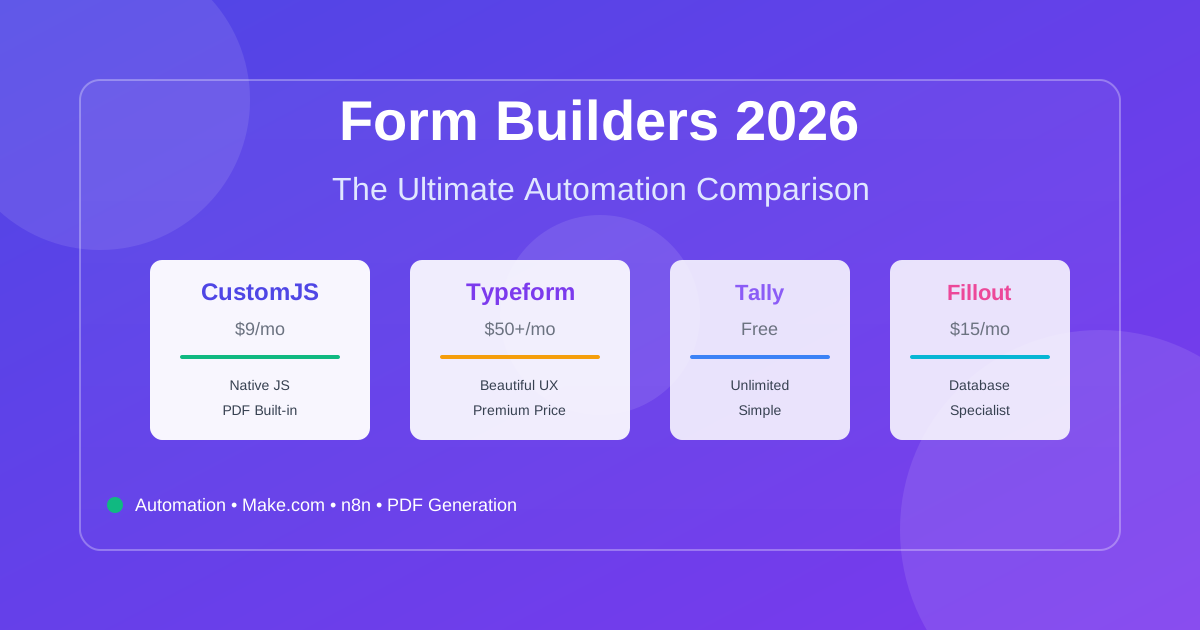
Compare the best form builders for automation in 2026. CustomJS vs. Typeform vs. Jotform vs. Tally vs. Fillout. Features, pricing, and real-world use cases. Save $420-1,056/year on automation costs.
Automate lead generation and user onboarding with form webhooks. Connect forms to Make.com, n8n, and Zapier for instant CRM updates, email sequences, and team notifications. 600 free submissions/month.
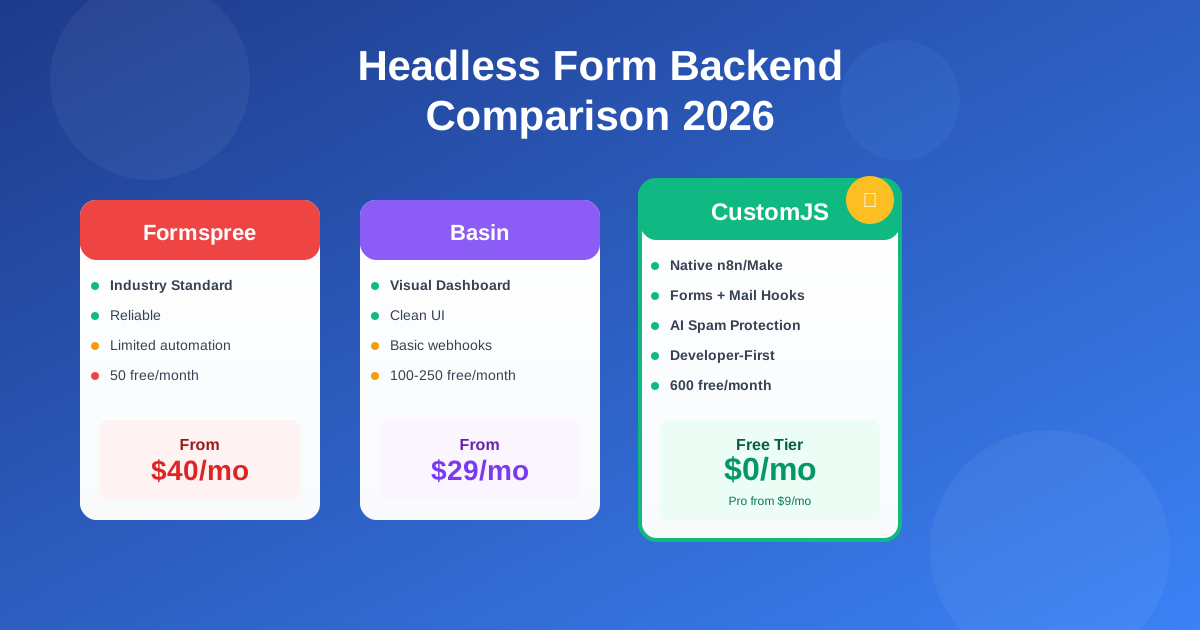
Compare the best headless form backends: Formspree vs Basin vs Getform vs CustomJS. Developer-first analysis of features, pricing, automation, and real-world performance. 600 free submissions/month.