Generate Social Preview Images in n8n
Every published article needs a preview image and nobody wants to make one by hand. This workflow renders an HTML card at exactly 1200 by 630 and converts it to PNG, so a new post gets its image as part of publishing rather than as a task afterwards.
600 free requests / month, no credit card
- Task
- Open Graph image
- Platform
- n8n, cloud or self-hosted
- Size
- 1200 x 630 px
- Output
- PNG, binary
// the workflow
HTML card to PNG in two nodes
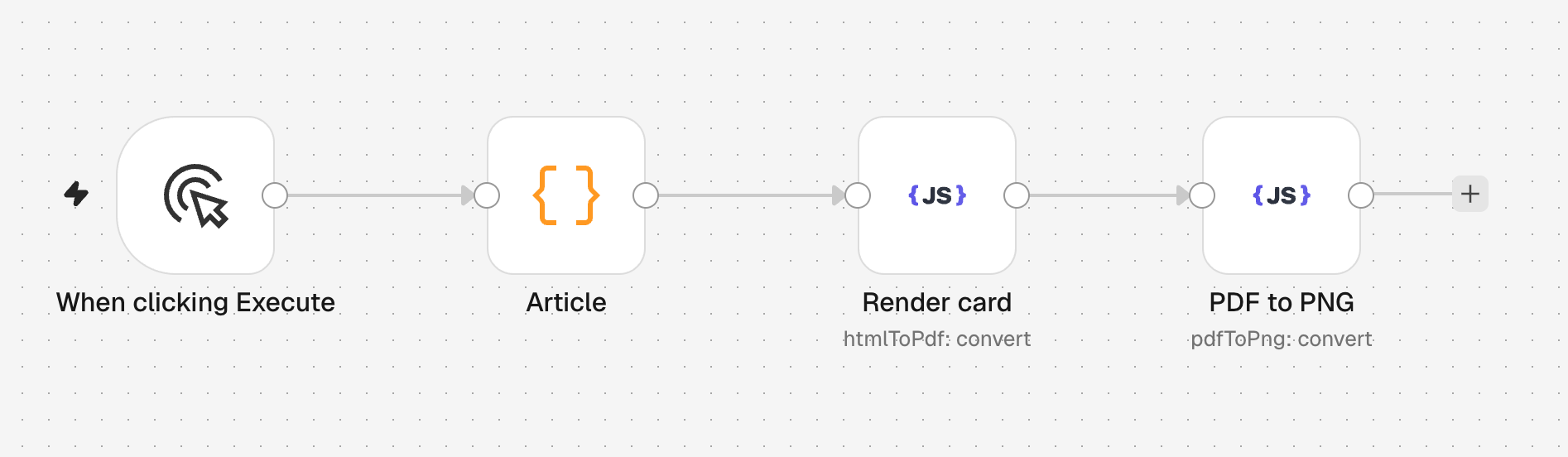
The n8n node converts HTML to PDF and PDF to PNG, so the chain is render then rasterise. Setting the page size in millimetres to match 1200 by 630 pixels is the part that decides whether the image is sharp or stretched.
The page size that gives 1200 by 630
{
  "resource": "convert",
  "operation": "htmlToPdf",
  "pdfWidthMm": 317.5,
  "pdfHeightMm": 166.7
}
Where those numbers come from
// CSS renders at 96 pixels per inch, and an inch is 25.4 mm
const mm = (px) => (px / 96) * 25.4;

mm(1200); // 317.5
mm(630);  // 166.7
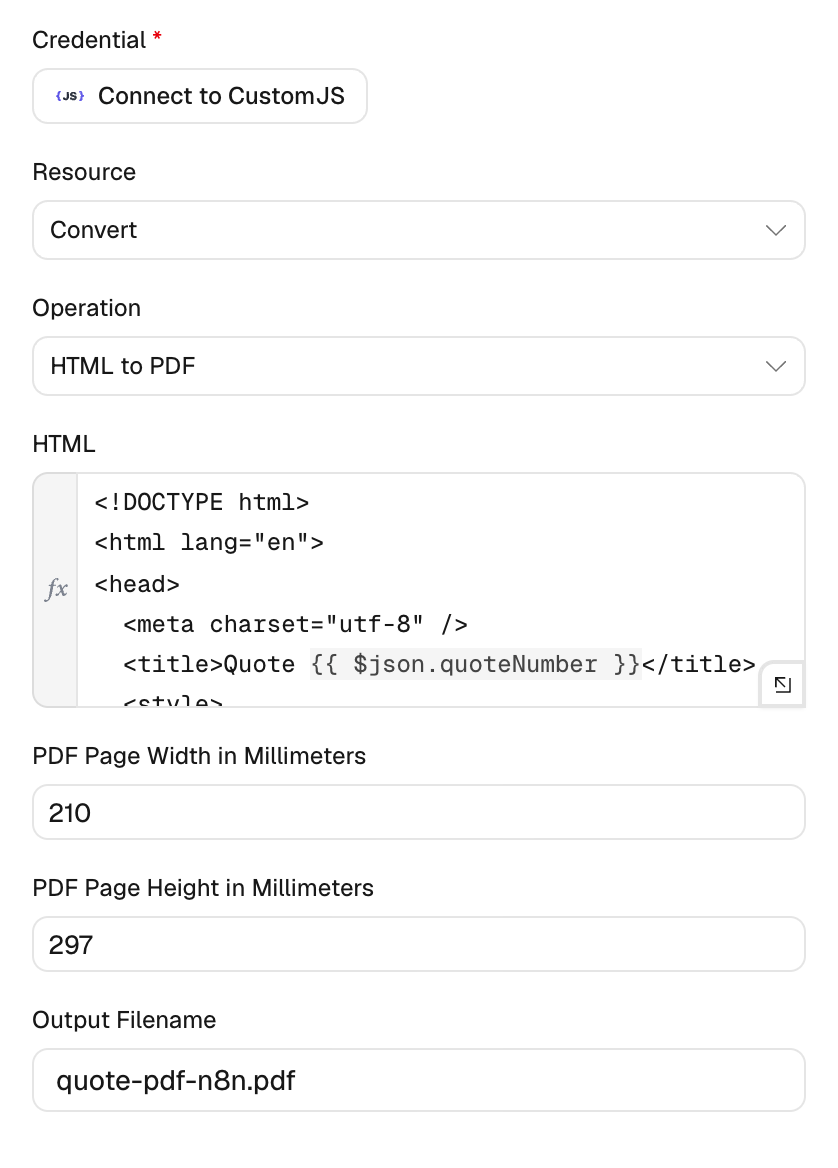
What the node looks like
// step by step
Build it yourself
- 1
Install the CustomJS node
Open the node panel and search for CustomJS. The node is published, so on n8n Cloud it is in the list already and nothing has to be installed. On a self-hosted instance, add it once under Settings, Community nodes as
@custom-js/n8n-nodes-pdf-toolkit-v2. The installation page has the details. - 2
Add your API key
Create a credential of type CustomJS API and paste the key from your workspace. One key covers PDF, screenshots and the other endpoints.
- 3
Build the card as plain HTML
A heading, a subtitle, a logo and a background. Keep it to one screen of markup: a preview image is read at thumbnail size, so anything smaller than the title is wasted.
- 4
Set the page to the Open Graph aspect
Use 317.5 by 166.7 millimetres, which is 1200 by 630 pixels. Getting this wrong is why generated cards so often look letterboxed in the preview.
- 5
Convert the PDF to PNG
Add a second CustomJS node with Resource: Convert and Operation: PDF to PNG. The single page PDF becomes a single image.
- 6
Store it and write the URL back
Upload the PNG and write its URL into the article record, so the og:image tag is filled by the same publish that created the post.
// the card
A card that survives being shrunk
The image is seen at roughly a third of its size in most feeds. That one fact decides the type size, the contrast and how much text fits.
The card markup
<div class="card">
  <div class="kicker">{{ category }}</div>
  <h1>{{ title }}</h1>
  <div class="meta">{{ author }} · {{ readingTime }} min read</div>
  <img class="logo" src="{{ logoUrl }}" alt="" />
</div>
Type that holds up at thumbnail size
.card { width: 1200px; height: 630px; padding: 72px; }
h1 { font-size: 64px; line-height: 1.1; letter-spacing: -0.02em; }
.kicker { font-size: 24px; letter-spacing: 0.18em; text-transform: uppercase; }
.meta { font-size: 24px; }

/* Long titles are the common failure. Clamp rather than overflow. */
h1 {
  display: -webkit-box;
  -webkit-line-clamp: 3;
  -webkit-box-orient: vertical;
  overflow: hidden;
}
Test with the longest title you have, not the shortest. A card that breaks on a long headline breaks on the posts that most need sharing.
Questions about this template
Related templates
One node turns a URL into a PNG inside your workflow. Full page rendering, binary output, ready to upload, attach or post.
A scheduled workflow that signs in, captures the dashboard and posts the image to a Slack channel every morning. Interactions run before the shot.
A daily capture of the pages you care about, stored with the date, with a notification when the page stops looking like it did yesterday.
Generate the card with the post
Create a workspace, add the API key to n8n, and hook the workflow to your publish step.