Generate Delivery Note PDFs in n8n
A delivery note travels with the goods, so it carries quantities and no money. This workflow turns an order into that document, shows what was actually shipped next to what was ordered, and leaves room for a signature at the bottom.
600 free requests / month, no credit card
- Document
- Delivery note
- Platform
- n8n, cloud or self-hosted
- Nodes
- 3
- Output
- PDF, binary
// live preview
The note that travels with the goods
Set a shipped quantity below the ordered one and render it: the partial line is what warehouse staff actually need to see.
// the workflow
Order in, note out
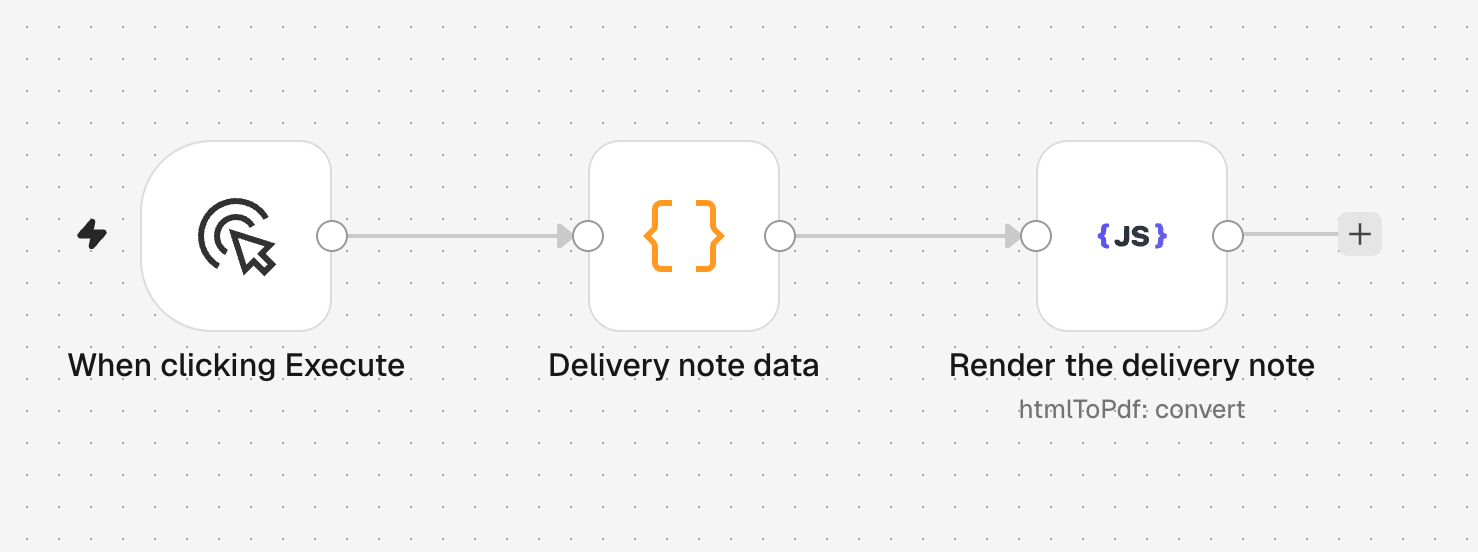
Import the JSON and run it. The Set node holds one order so the workflow works before it is connected to anything. Replace it with the node that reads your order system, keeping the same field names.
Flagging the partial lines before rendering
// Code node, runs before the PDF node
const lines = $json.lines.map(line => ({
  ...line,
  backordered: line.ordered - line.shipped,
}));

return [{ json: { ...$json, lines, hasBackorder: lines.some(l => l.backordered > 0) } }];
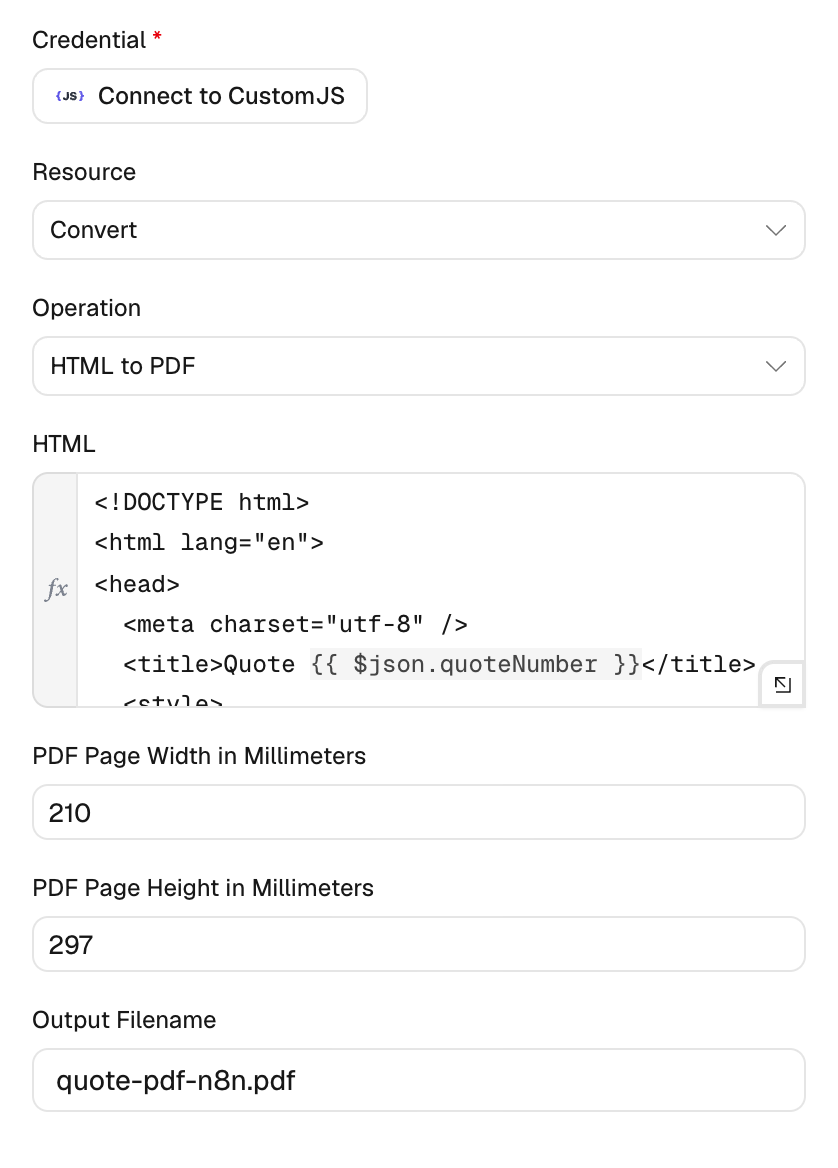
What the node looks like
// step by step
Build it yourself
- 1
Install the CustomJS node
Open the node panel and search for CustomJS. The node is published, so on n8n Cloud it is in the list already and nothing has to be installed. On a self-hosted instance, add it once under Settings, Community nodes as
@custom-js/n8n-nodes-pdf-toolkit-v2. The installation page has the details. - 2
Add your API key
Create a credential of type CustomJS API and paste the key from your workspace. One key covers PDF, screenshots and the other endpoints.
- 3
Trigger on the shipment, not the order
The note is correct only once the pick is done, so trigger it when the warehouse marks the shipment complete. Triggering on order creation produces a note that promises quantities nobody has picked yet.
- 4
Keep the prices out
The template has no price column on purpose. A delivery note that carries prices is a customs and privacy problem when the box is opened by someone other than the buyer.
- 5
Attach it to the shipment
Store the PDF with the shipment record and send a copy to the carrier portal if yours accepts documents. The signature block at the bottom is for the paper copy in the box.
// html template
The two columns that matter
Ordered against shipped is the whole reason this document exists. Everything else is addressing.
Ordered against shipped
{% for line in lines %}
<tr>
  <td>{{ line.name }}</td>
  <td class="small muted">{{ line.sku }}</td>
  <td class="num">{{ line.ordered }}</td>
  <td class="num"><strong>{{ line.shipped }}</strong></td>
</tr>
{% endfor %}
The signature block
<div style="margin-top:40px" class="row">
  <div style="width:45%">
    <div style="border-top:1px solid #9ca3af;padding-top:6px" class="small muted">
      Received by, name
    </div>
  </div>
  <div style="width:45%">
    <div style="border-top:1px solid #9ca3af;padding-top:6px" class="small muted">
      Date and signature
    </div>
  </div>
</div>
For a packing list that stays inside the warehouse, drop the address block and sort the lines by bin location instead of by article.
Questions about this template
Related templates
Turn invoice data from any n8n node into a finished PDF with one CustomJS node. Importable workflow, editable HTML template, no headless browser to run.
Turn a deal in your CRM into a sendable quote PDF, with scope lines, a discount row and an expiry date that the workflow calculates.
A scheduled workflow that sends every customer a statement of their open invoices, with ageing buckets and days late calculated at render time.
Put a note in every box
Create a workspace, add the API key to n8n, import the workflow.