Make.com can add, multiply and average. Ask it for a median, a standard deviation, a 90th percentile or a trend line and the built-in toolbox runs out. The usual workaround is a detour: push the array into Google Sheets, let a spreadsheet formula do the maths, read the cell back. That is three extra modules, an extra service in the critical path, and a scenario that breaks when someone edits the sheet.
There is a second problem, quieter and more expensive. Money in JavaScript is floating point, so splitting 1000 EUR three ways gives you 333.33 three times, and the payout sums to 999.99. One cent goes missing on every single run. Nobody notices until accounting does.
This guide gives you four copy-paste recipes for the CustomJS Execute JavaScript module, using the four maths libraries in the runtime: simple-statistics, mathjs, fraction.js and nerdamer. Descriptive statistics with outlier detection, cent-exact splitting, formulas your users write themselves, and a revenue forecast. Every output shown below is the real return value of the script above it.
TL;DR
Make's Numeric Aggregator does sum, count, avg, min and max. There is no median, no standard deviation, no percentile, no regression, and no exact decimal arithmetic.
One JavaScript step computes all of them over the whole array, for one operation, with no Sheets round trip.
fraction.js makes money splits add up exactly. The float version of a three-way 1000 EUR split sums to 999.99; the exact version sums to 1000.
mathjs evaluates formulas supplied as strings, so your users can define their own pricing rule without you redeploying a scenario.
simple-statistics plus nerdamer turn six months of revenue into a slope, an R squared, a forecast, and the answer to "when do we hit the target".
Load them with require(...) at the top of the script. Free tier: 600 JavaScript executions per month, no credit card.
What Make Computes Natively, and Where It Stops
Make gives you two places to do arithmetic, and it is worth being precise about their limits before reaching for code.
Inline functions in any mapping field cover the basics: sum, avg, min, max, round, ceil, floor, plus formatNumber for display. They work on a mapped array or a handful of values.
The Numeric Aggregator folds a bundle stream into one value using SUM, COUNT, AVG, MIN or MAX. One function per aggregator, so three metrics means three passes.
That covers a surprising amount of everyday automation. What it does not cover is anything a statistician would call a distribution: median, quartiles, percentiles, variance, standard deviation, correlation, regression. Nor does it do exact decimals, unit conversion, or evaluating a formula that arrives as text at runtime. For those, the honest options are a spreadsheet detour or one code step.
Recipe 1: Full Descriptive Statistics, Including Outliers
Feed this the array from a webhook, an HTTP response or a database module. It normalises European decimal strings like "1.249,00" on the way in, then returns every statistic in one object. The outlier rule is the classic two-sigma test.
Look at the gap between mean (1169.30) and median (426.25). That is exactly the information an average alone hides, and it is the reason a scenario that alerts on "spend above average" behaves so strangely on skewed data. The median and the 90th percentile give you thresholds that survive one big invoice.
Recipe 2: Splitting Money So the Cents Add Up
This is the one that silently costs money. Splitting a payout, a commission or a discount across recipients with floating point maths loses fractions of a cent per line, and the total no longer matches the invoice. fraction.js keeps the split exact as a rational number, then distributes the leftover cents deterministically instead of dropping them.
const Fraction = require('fraction.js');

const total = new Fraction(input.total);
const shares = input.shares.map((s) => new Fraction(s));
const shareSum = shares.reduce((a, b) => a.add(b), new Fraction(0));

const exact = shares.map((s) => total.mul(s).div(shareSum));
const cents = exact.map((f) => f.mul(100).floor());
const missing = total.mul(100).sub(cents.reduce((a, b) => a.add(b), new Fraction(0))).valueOf();

const payout = cents.map((c, i) => c.add(i < missing ? 1 : 0).div(100).valueOf());

const naive = input.shares.map((s) =>
  Math.round((input.total * s / input.shares.reduce((a, b) => a + b, 0)) * 100) / 100);

return {
  exact: exact.map((f) => f.toFraction()),
  payout,
  payoutSum: payout.reduce((a, b) => a + b, 0),
  naive,
  naiveSum: naive.reduce((a, b) => a + b, 0),
};
Splitting 1000 EUR three ways returns both approaches side by side, so the difference is not theoretical:
naiveSum is 999.99. Run that scenario a thousand times and you have a ten euro hole and no idea where it came from. The payout array always sums back to the input, because the remainder cents are handed out explicitly rather than lost to rounding. Change shares to [5, 3, 2] for a weighted split and the same guarantee holds.
Use our Make App to execute JavaScript directly in Make.
A recurring request: the pricing rule should live in a config sheet or an admin field, not inside the scenario. mathjs evaluates a formula that arrives as a string against a scope of named values, which means the rule becomes data. The same library converts units, so "2500 g" and "1.2 m" stop being parsing problems.
Note what did not happen: no eval. math.evaluate parses its own expression grammar against the scope you hand it, so a formula from a spreadsheet cell cannot reach into your script. Keep the scope narrow, pass only the variables the formula is allowed to see, and a bad formula produces an error instead of a surprise.
Recipe 4: Trend, Forecast and "When Do We Hit the Target"
Six months of revenue in, a trend line out. simple-statistics fits the regression and reports how well it fits; nerdamer then solves the line for the month that reaches your target. Nerdamer answers exactly, as a rational number, so the helper converts the result to a decimal.
rSquared of 0.9931 says the straight line explains the data well, which is the part most forecast automations skip. Always map it into the output and gate your alerts on it: below roughly 0.7 the trend is noise, and a scenario that posts "we will hit target in 13 months" from a bad fit is worse than one that posts nothing.
When Native Make Is the Right Answer
The boundary here is real, and drawing it honestly matters more than selling a code step.
You need a sum, a count or an average. The Numeric Aggregator does it, everyone on the team can debug it, and no code beats no code.
The number is for display only. If formatNumber and round get you a readable figure in a Slack message, stop there.
The data already lives in a spreadsheet. If the array is a Google Sheets range anyway and a formula in the sheet already computes the metric, reading that cell is one module and zero new concepts.
Nobody maintaining the scenario reads JavaScript. A visual chain that the team can fix at 2am has real value. Keep the code step for the cases where the maths genuinely is not available otherwise.
The switch point is not volume, unlike array aggregation. It is capability: the moment you need a median, a percentile, a standard deviation, a regression or cent-exact decimals, native Make cannot do it at any price, and the choice is a code step or a spreadsheet detour.
The Same Recipes in n8n
All four scripts run unchanged in the CustomJS n8n node, with the same input and return mechanics. n8n's built-in Code node needs two changes: read items via $input.all(), and note that it ships no maths libraries, so require('simple-statistics') only resolves on a self-hosted instance where you installed it and allowed external modules. For a broader look at where JavaScript fits across the platforms, see our Make vs Zapier vs n8n comparison.
Conclusion
Make's arithmetic was built for routing decisions, not for analysis, and the gap shows the moment you need a median or a cent-exact split. The spreadsheet detour that fills the gap adds two modules, a second service and a new failure mode to every run.
Four libraries close it in one step. simple-statistics for distributions, mathjs for formulas and units, fraction.js for money that adds up, nerdamer for solving an equation you did not write in advance. Paste a recipe into the Execute JavaScript module, swap the field names, and it runs as-is. Setup is a one-time thing: add the module from the public Make app, connect your API key, and you have 600 free executions per month. If you outgrow that, plans start at $9/month for 100 requests per day. Working with arrays rather than statistics? The group and sum guide covers that side.
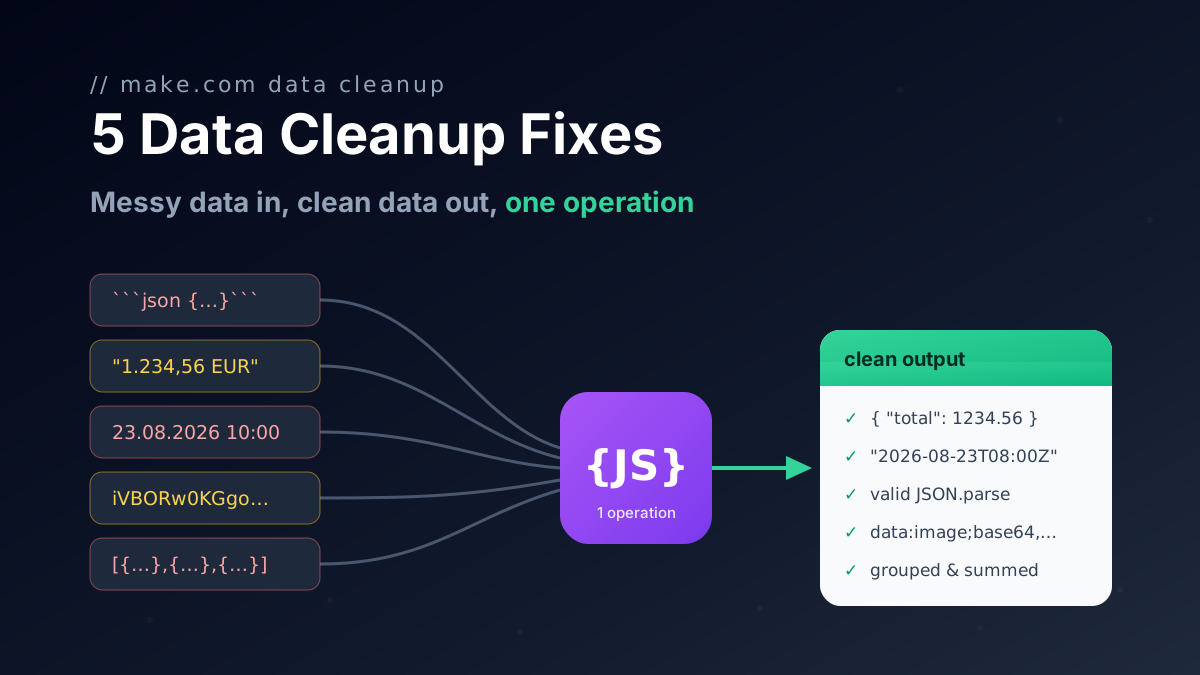
Five one-operation JavaScript fixes for Make.com data transformation: broken AI JSON, group and sum arrays, localized numbers, timezones, file to Base64.
Call any API from Make.com: WebSockets, Digest auth, OAuth 1.0 signatures, and Base64 binaries with copy-paste JavaScript that runs inside your scenario.
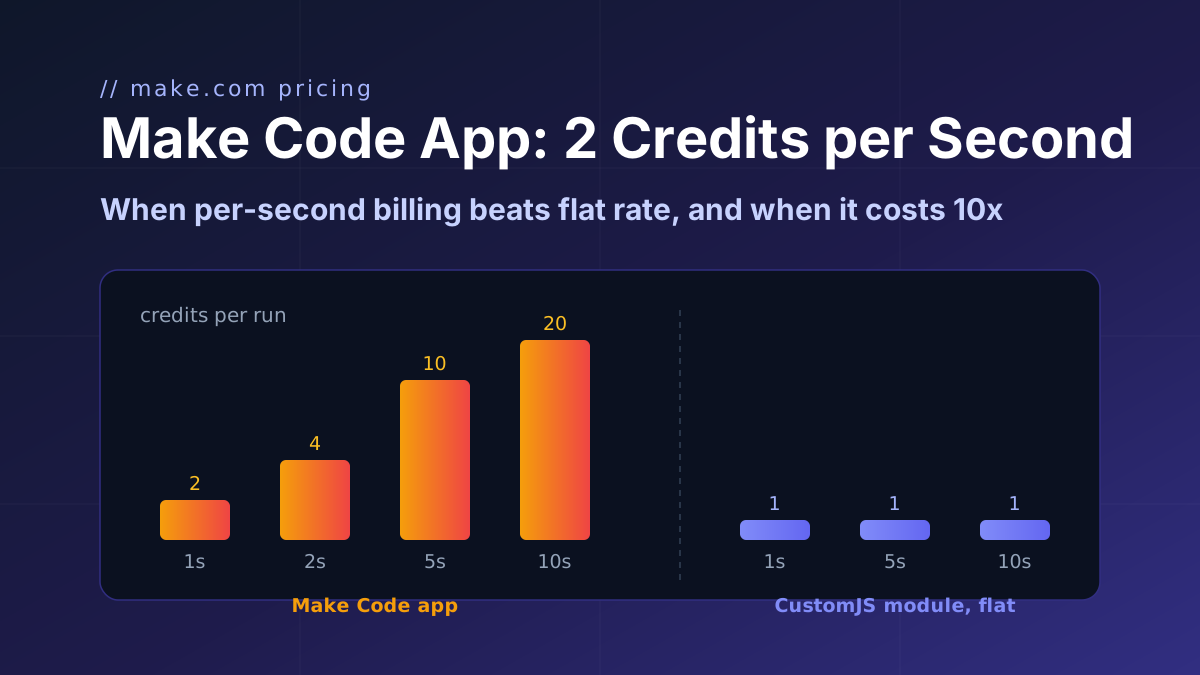
Make's Code app bills 2 credits per second, caps at 30 s and ships npm only on Enterprise. CustomJS bills 1 credit per call with npm and stored functions on every plan. Break-even at 1 to 15 s.